


Last Updated
Overview
TripLog is a comprehensive fleet management software that automates mileage tracking, expense management, and time logging for individuals and teams. It streamlines reimbursement processes and improves compliance. Nevertheless, some users report challenges when managing multiple vehicles under one account, but TripLog’s automation and reporting features remain highly valued.
Be the first one to leave a review!
No review found

Starting Price
Custom

TripLog Specifications
- Vehicle Tracking (GPS)
- Driver Management
- Reporting & Analytics
- Fleet Utilization Monitoring
TripLog Features
Mileage Tracking
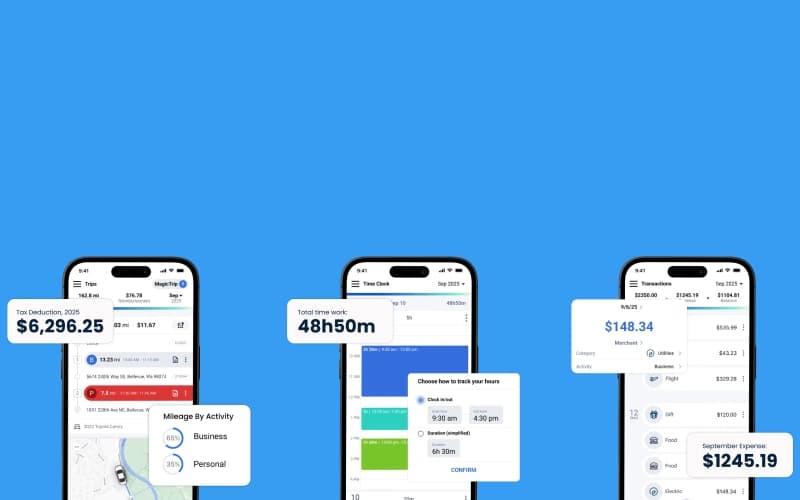
TripLog software automatically records every business trip using GPS, eliminating manual entry and ensuring accurate logs for tax deductions or reimbursements. This feature helps users maximize savings and reduce the risk of missed mileage.
Expense Management
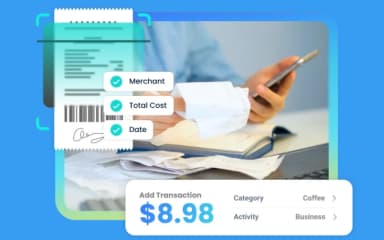
Users can scan receipts, categorize transactions, and generate detailed reports directly within the platform. It streamlines expense submissions and approvals, saving time and improving financial oversight for both individuals and teams.
Mileage Reimbursement
This functionality removes the need for manual logs by automatically recording each driven mile. It supports company policy adherence and accurate expense payouts so teams can focus on operations rather than paperwork.
Time Tracking
TripLog features built-in time tracking, allowing employees to clock in and out, manage hours worked, and track time by job or client. This feature simplifies payroll management and improves workforce productivity.
Pros And Cons of TripLog
Pros
Automatic trip detection
Automated receipts collection
Reduces manual expense reporting
Cons
Tracks unwanted trips too
Occasionally deletes mileage data
TripLog Reviews

No reviews yet!
Be the first to review this product
Frequently Asked Questions
Who are the typical users of TripLog?
Typical users of TripLog include professionals working in sales, rideshare and delivery, construction, information technology, real estate, and healthcare industries.
Does TripLog offer an API?
Yes, TripLog provides a RESTful web API for enterprise and business users, allowing server-to-server data access and integration with other systems.
What languages does TripLog support?
TripLog supports English, French, and Spanish across its web dashboard and mobile applications.
What types of pricing plans does TripLog offer?
TripLog offers two pricing plans for single users: Basic (free forever) and Premium ($4.99/month, paid annually). Additionally, it also offers two pricing plans for multi-users: Mileage ($8/user/month for Teams and $12/user/month for Enterprise), Expense ($4/user/month for Teams and $6/user/month for Enterprise), and Time ($6/user/month for Teams and $8/user/month for Enterprise). Get a custom TripLog price quotation today.
What other apps does TripLog integrate with?
TripLog integrates with Salesforce, Sage Intacct, ADP, QuickBooks, Emburse, SAP Concur, and UKG.
What level of support does TripLog offer?
TripLog provides self-service resources, live chat, email support, and live phone support for Teams and Enterprise customers, as well as scheduled calls for Premium users.
Does TripLog have a mobile app?
TripLog offers dedicated mobile apps for both iOS and Android, enabling users to track mileage, expenses, and time on the go.