



Last Updated
Key Takeaways
Generated from the text of customer reviews
Our Verdict
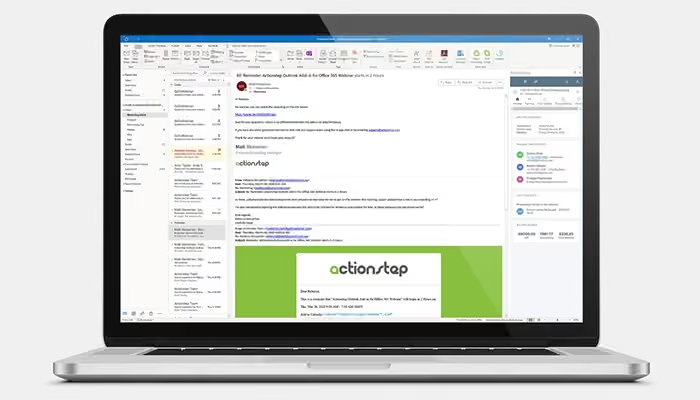
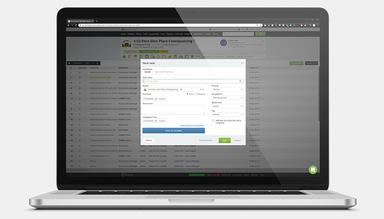
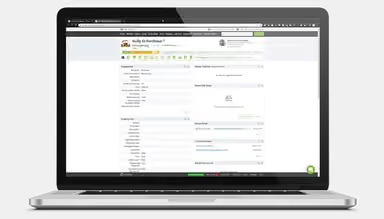

Actionstep Specifications
- Case Management
- Document Management
- Client Management (CRM)
- Billing & Invoicing
Actionstep Features
Client Management
Actionstep software allows law firms to manage client relationships throughout the matter. Its website webforms capture prospective client information and trigger follow-up actions to help the staff respond timely after an inquiry is submitted. As the matter progresses, the system’s automated communications let legal professionals notify clients about any changes, while tasks and reminders prompt staff to follow up when needed.
Billing
The platform lets firms capture billable work before invoices are prepared. It allows lawyers to run multiple timers and add notes while working on matters to give billing staff clearer records for invoicing. Additionally, the system provides legal professionals with secure payment links that let clients pay online. Its reminder capability further allows users to follow up on overdue balances.
Trust Accounting
The system allows firms to keep a closer track of money held on behalf of clients to give users a clear view of trust account activity. These accurate records are available to firms during financial reviews that let them identify discrepancies sooner and maintain better oversight of funds. It makes reconciliation and compliance checks less difficult for accounting staff.
Time Tracking
Actionstep features time tracking tools to help lawyers record billable time while work is being done. It reduces the risk of chargeable activity being missed later. The platform provides multiple timers that can be used for different matters. It also allows users to add notes with each timer to give billing staff a useful context. Additionally, the system’s time suggestions help identify activities that may need to be recorded to give firms a clear basis for invoicing.
Process Management
The software lets firms map repetitive or similar legal processes so that the staff can follow defined steps as matters progress. The structured map reduces missed actions when work moves between people or stages. Additionally, Actionstep provides users with automated tasks and reminders that notify teams when any specific actions are required.
Pros And Cons of Actionstep
Pros
Improves case visibility with key information in one place
Saves setup time with ready-to-use workflows
Reduces administrative work through client and task automation
Protects important records with complete backups
Helps teams stay organized and meet critical deadlines
Cons
Initial setup can require significant configuration
Trust payment allocation may require manual adjustments
Limited billing filters can create unnecessary bills
Actionstep Pricing
Practice Management | Legal Accounting |
|---|---|
Custom Pricing | Custom Pricing |
|
|
Disclaimer: The pricing details were last updated on Sep 14, 2026 from the vendor's website. Please contact us for a tailored pricing list.
Actionstep Reviews
Total 21 reviews
3.8
All reviews are from verified customers
Rating Distribution
5
Stars38%
4
Stars24%
3
Stars24%
2
Stars5%
1
Stars10%
Share your experience
Legal, 1-10 employees
More than a year
“Billing should improve”
Pros
Navigation becomes easy once one understands the software's capabilities and it is affordable to purchase and maintain, particularly for a small firm.
Cons
The billing module could be improved and having a technician visit in person at the beginning would have been helpful instead of relying solely on online learning, which took a long time.
Rating Distribution
Ease of use
8
Value for money
6
Customer Support
4
Functionality
6
Legal, 1-10 employees
More than a year
“Think before choosing it”
Pros
It is compatible with Mac and functions okay most of the time.
Cons
The annual subscription skyrocketed from $1,306.80 in 2023 to $5,794.80 in 2024, a 450% increase in just one year. This is simply outrageous and unaffordable for a sole practitioner. I have been using the platform since 2018, structuring my entire practice around Actionstep, including trust accounting, bank accounts and client management. Transitioning to another platform would be prohibitively expensive. It feels like they lured customers in with low pricing and then took advantage of them. Customer support has also been quite poor.
Rating Distribution
Ease of use
2
Value for money
2
Customer Support
2
Functionality
2
Legal, 1-10 employees
More than a year
“great option for lawyers”
Pros
We appreciated the ability to create workflows tailored to our specific practice while also having the option to use pre set workflows. The client management and task automation features are incredibly useful.
Cons
My main frustration is that we created a web form for staff to easily create new potential client matters using the information provided. Unfortunately, 90% of the submissions are spam and I have to sift through them daily because bots are filling out the forms. Actionstep simply refers us to our IT department, but we already have filters in place. This is a significant issue that consumes a lot of my time, and resolving it would greatly improve our work experience.
Rating Distribution
Ease of use
10
Value for money
10
Customer Support
10
Functionality
10
Frequently Asked Questions
Does Actionstep offer an API?
Yes, Actionstep offers an API to its users.
What language does Actionstep support?
Actionstep supports the English language.
What other apps does Actionstep integrate with?
Actionstep integrates with InfoTrack, Xero, Adfin, Microsoft 365, Zapier, Legl, and DocuSign.
Does Actionstep have a mobile app?
Yes, Actionstep has a mobile app available on Android and iOS devices.
What type of pricing plans does Actionstep offer?
The platform’s starting price might range between $60–$120/user/month. The software has two pricing tiers with custom costs for each: Practice Management and Legal Accounting. Get a custom Actionstep cost now.
Who are the typical users of Actionstep?
Actionstep is used by legal professionals practicing family law, business and commercial law, criminal defense law, employment law, bankruptcy law, banking and finance law, and mixed practice law.
What level of support does Actionstep offer?
Actionstep provides a help center and phone support options.