


IntakeQ
Last Updated
Overview
IntakeQ software delivers secure electronic intake forms for healthcare professionals, enhancing the patient onboarding experience while optimizing and streamlining the intake process. Although its extensive customization options present an initial learning curve, it provides flexibility for tailoring workflows and forms to meet specific needs.

IntakeQ Specifications
- Case Management
- Document Management
- Client Management (CRM)
- Billing & Invoicing
IntakeQ Features
Questionnaire Analytics
IntakeQ reveals fresh insights with questionnaire analytics, aggregating data from forms to enhance practice and client understanding. Additionally, anonymous forms effectively facilitate surveys, polls, and feedback collection.
Client Notes and Profile
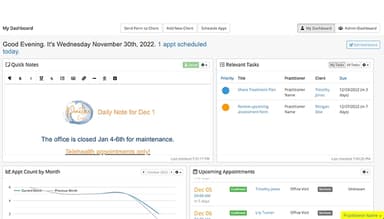
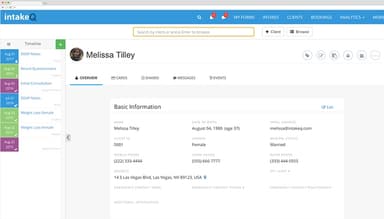
Utilize the advanced form engine to design custom progress note templates, allowing all client intakes, progress notes, and appointments to be viewed conveniently in one central location.
Secure Messaging Portal
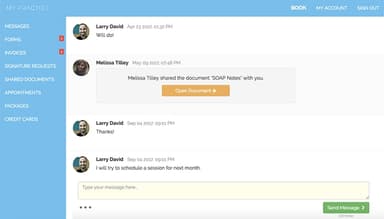
The HIPAA-compliant messaging portal ensures a secure exchange of messages and documents with clients, including sending and receiving intake forms, sharing treatment notes, and more.
Appointment Reminders
Cut down on no-shows with automated SMS and voice reminders. Customize messages, choose between SMS, voice, or email, and include opt-in forms. Set reminders once and stay HIPAA compliant, reducing cancellations, with IntakeQ.
Online Booking Widget
IntakeQ helps embed the booking widget on any website to streamline appointments. Its features include intake packages, Google calendar sync, flexible hours, custom fields, appointment packages, credit card payments, recurring appointments, and device compatibility.
Pros And Cons of IntakeQ
Pros
Highly customizable and flexible
User-friendly and intuitive interface
Secure and HIPAA-compliant
Automated reminders and notifications
Cons
Limited supervising and reporting features
Incomplete task management
Limited control over client record
IntakeQ Reviews
Total 219 reviews
4.7
All reviews are from verified customers
Rating Distribution
5
Stars74%
4
Stars22%
3
Stars2%
2
Stars1%
1
Stars1%
Share your experience
Health, Wellness and Fitness, 1-10 employees
Less than a year
“pairs me with right providers well”
Pros
The thing I like the most about it is that it reliably pairs me with the right service provider every time.
Cons
I wish it offered a wider selection because for now I don't get many options to pick from.
Rating Distribution
Ease of use
8
Value for money
8
Customer Support
7
Functionality
8
Mental Health Care, 1-10 employees
More than a year
“User-friendly document creator”
Pros
You can create documents really easily on this platform. My clients also find it easy to use and I have not received any complaints about it being difficult. The interface itself is simple and user friendly for me to navigate.
Cons
The cost is a little high. I would also really like to have the ability to build surveys directly on the platform. Plus it would be great if clients could upload their own documents through it.
Rating Distribution
Ease of use
4
Value for money
3
Customer Support
3
Functionality
4
Medical Practice, 11-50 employees
Less than 6 months
“Highly customizable for client documents”
Pros
The best part is how customizable everything is. I can quickly draft documents for my clients without a hassle. It does not take long to learn the system and you can even make complex forms and convert them to PDFs for clients to fill out by hand.
Cons
There is not a button to translate documents automatically. I have to manually translate every single document into Spanish. Another thing that's missing is the option to upload forms that have been filled out by hand.
Rating Distribution
Ease of use
8
Value for money
9
Customer Support
9
Functionality
9
Frequently Asked Questions
Does IntakeQ offer an API?
Yes, IntakeQ provides API access.
What language does IntakeQ support?
IntakeQ supports Spanish, French, Portuguese (BR), and English.
What other apps does IntakeQ integrate with?
IntakeQ integrates with various applications such as PracticeQ, Rupa Health, AthenaHealth, Google Meet, RevolutionEHR, Elation, Office Ally, Trizetto, Zapier, and more. Watch the IntakeQ demo to learn more about its integration options.
Does IntakeQ support mobile devices?
Yes, IntakeQ offers support for mobile devices.
What types of pricing plans does IntakeQ offer?
IntakeQ pricing structure is simple, starting at $49.90/month. It also offers a free trial. Request a custom quote for a detailed IntakeQ cost analysis.
Who are the typical users of IntakeQ?
IntakeQ helps healthcare professionals in small—to medium-sized practices optimize operations for maximum efficiency, providing a seamless, stress-free patient experience.
What level of support does IntakeQ offer?
IntakeQ offers various support channels, including email/help desk, phone support, knowledge base, chat, and FAQs/forums.