

ALPHACAM
Last Updated
Overview
ALPHACAM helps CNC shops arrange parts on sheet materials with its xNesting module, which reduces material waste. Positional and simultaneous 5-axis machining need the separate xPositional and xSimultaneous modules, but ALPHACAM Core already covers CAD import, toolpath generation, and simulation.
Be the first one to leave a review!
No review found

Starting Price
$2,800
ALPHACAM Specifications
- Shop Floor Control
- Production Planning
- Inventory Management
- Quality Control
What Is ALPHACAM?
ALPHACAM is a modular computer-aided design and manufacturing (CAD/CAM) software designed for manufacturers using CNC machines for routing, milling, turning, stone cutting, and profiling. It supports CNC programming from basic 2D operations to complex 5-axis machining. The software converts 2D and 3D CAD designs into machine-ready toolpaths and NC code for production.
What Is ALPHACAM Best For?
The standout feature of ALPHACAM is intelligent nesting, available through the xNesting module, which arranges parts on a sheet of material to reduce waste and creates reports for tracking each nested part. It also includes options for removing common cuts and managing leftover material. Because xNesting is an optional module, it suits shops that cut many parts from sheet stock, such as panel and stone fabricators.
How Much Does ALPHACAM Cost?
ALPHACAM pricing starts at $2,800, which includes Core, xNesting, one post-processor, training, and one year of support.
Apart from the base subscription price, organizations should also consider the following estimated additional costs:
- Additional Post-Processors: Cost generally spans $300 to $1,000+, varying with the need for additional CNC machines beyond the included post-processor
- xAutomation Module: Pricing may sit between $1,500 and $1,700, based on the requirement for batch processing and rule-based automation for repetitive CNC programming
- xSolids Module: It can cost $1,500 to $1,700, depending on requirements for solid models, assemblies, and solid-based machining workflows
- Advanced Machining Modules: May range from $2,200 to $4,600, scaling with the need for positional or simultaneous 5-axis machining capabilities
- Workstation Upgrade: Pricing may sit between $1,500 and $3,000+, based on requirements for complex 3D models, simulations, and multi-axis programming
Disclaimer: The pricing is subject to change.
ALPHACAM Integrations
The software connects with other tools through the ALPHACAM xAPI and ALPHACAM xRobotics; however, the vendor has not provided integration details about any specific third-party software.
How Does ALPHACAM Work?
Here's how to get started with ALPHACAM and prepare a part for CNC production:
- Import 2D or 3D CAD files, or create geometry using built-in CAD tools and parametric sketching
- Select machining strategies and cutting tools to generate toolpaths for routing, milling, or turning operations
- Arrange multiple components on sheet material using the optional xNesting module to optimize material usage
- Run machining simulations to review tool movements and check operations before production
- Apply the appropriate post-processor to convert toolpaths into machine-ready NC code for the target CNC machine
Who Is ALPHACAM For?
ALPHACAM is designed for the following industries and business types, including:
- Woodworking manufacturers
- Stone-cutting and fabrication businesses
- Metal-cutting shops
- Composite machining operations
- Small CNC shops and large-scale manufacturers
ALPHACAM Use Cases
Based on our evaluation of ALPHACAM features, we have identified several scenarios in which the software can be the right choice:
Furniture Manufacturers Optimizing Sheet Material Usage
Furniture manufacturers cutting multiple components from sheet materials need to limit material waste and make efficient use of machine capacity. At the cutting stage, ALPHACAM's xNesting module arranges cabinet panels from a cut list on sheets, while its multi-head nesting capability adjusts strategies to sheet size, head spacing, and production requirements.
Industrial Furnace Makers Cutting Insulation Boards
Industrial furnace manufacturers cut insulation materials such as Kerform board, refractory brick, and ceramic materials, which produce dust that wears CNC components. The platform generates cutting paths from engineering drawings for robotic machining, while RoboDK previews the robot movements before production begins.
Stone Fabricators Producing Custom Worktops And Flooring
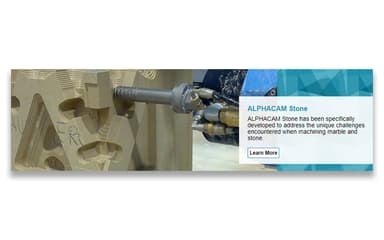
Stone fabricators producing custom marble and granite worktops need accurate site measurements to prepare components for installation. The software works with measurement digitizers to import site dimensions and create CAD designs, cut lists, and NC code. Because measured dimensions come in directly, fabricators do not redraw site details by hand before programming the cut.
Aerospace Manufacturers Producing Composite Aircraft Panels
Manufacturers of composite aircraft panels need to maintain the correct panel orientation and drill holes for metallic inserts. ALPHACAM's Auto Align feature positions panels according to their required orientation. Its automation manager combines feature extraction, auto styles, nesting, and reports to prepare panel designs for production.
Is ALPHACAM Right For You?
If you're looking for CAD/CAM software that handles CNC programming for applications ranging from basic 2D machining to complex 5-axis operations, ALPHACAM may be a suitable choice. It allows manufacturers to expand capabilities with add-on modules for nesting, automation, and solid-based machining as production requirements change.
On the security side, Hexagon applies physical, technical, and organizational safeguards to protect personal data against unauthorized access, disclosure, loss, or alteration. These measures also address product security and the prevention of potential security threats.
For compliance, Hexagon's privacy notice outlines its approach to personal data protection, legal obligations, and international data transfers using safeguards such as EU Standard Contractual Clauses.
If you're still unsure whether ALPHACAM is the right choice for your business, contact our team at (661) 384-7070, and they will help you make an informed decision.
ALPHACAM Features
CAD Data Compatibility
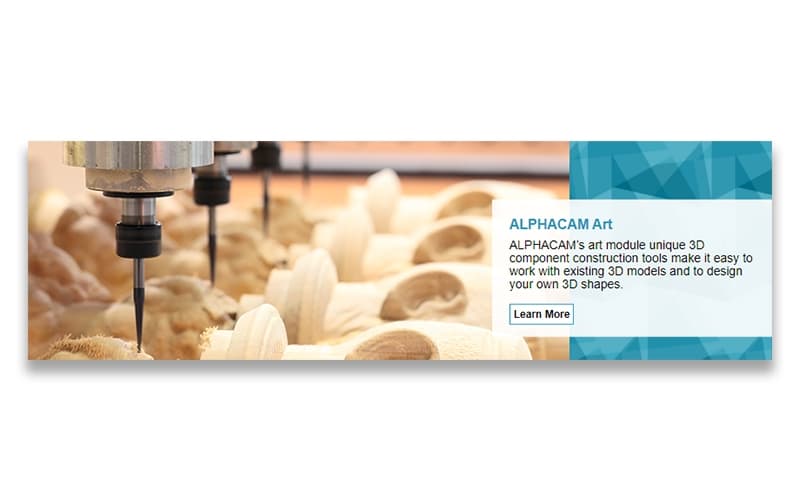
ALPHACAM imports and processes 2D, 3D, and solid models from leading CAD systems using its CAD translators. Programmers can bring existing design data from external applications into the CAM environment and use it to create machining toolpaths.
Multi-Axis Machining
The platform supports machining from 2-axis operations to simultaneous 5-axis toolpaths for routers, mills, lathes, wire EDM, stone, and profiling applications. Available machining levels and modules determine the supported axis capabilities and machine configurations.
Solid-Based Machining
The optional xSolids module processes solid models and assemblies for machining. It uses feature recognition to identify machinable details and supports direct toolpath creation from solid geometry. Programmers can prepare complex 3D parts for CNC production within ALPHACAM, limiting manual geometry preparation before machining imported models.
Toolpath Simulation
The solution includes simulation tools that allow programmers to review generated toolpaths before sending programs to CNC machines. Programmers can simulate machining operations to review the planned cutting process before production.
Pros And Cons of ALPHACAM
Pros
Improves material usage through intelligent nesting
Supports complex parts with multi-axis machining
Speeds up CNC programming with batch automation
Cons
Solid-model machining may require the separate xSolids add-on
Initial training may be required to fully adapt the software
ALPHACAM Reviews

No reviews yet!
Be the first to review this product
Frequently Asked Questions
Can manufacturers upgrade from ALPHACAM 3 Axis to 5 Axis?
Yes, ALPHACAM supports upgrades from the 3 Axis package to positional or simultaneous multi-axis machining configurations.
Can ALPHACAM run on macOS?
No, ALPHACAM does not support macOS. Hexagon lists Windows 11 Professional 64-bit as its supported operating system.
Does ALPHACAM offer training for new users?
Yes, Hexagon provides ALPHACAM training through its Academy, including self-paced courses, distance learning, classroom instruction, and live training events. Its documentation center and knowledge base also provide tutorials and technical guidance for software workflows.
Does ALPHACAM offer an API?
Yes, ALPHACAM offers an API through its optional xAPI module.
Can ALPHACAM work with existing CNC machines?
Yes, ALPHACAM provides post-processors for various CNC controllers. Compatibility depends on the machine, controller, and post-processor configuration.