Monday-vs-Smartsheet.avif

Effective collaboration is crucial for organizational success, yet many businesses face challenges in this area. According to a global survey of more than 2000 employees, more than 64% of the employees claim that poor workplace collaboration wastes up to 3-5 hours of productivity per week.

To address these challenges, project management platforms like monday.com and Smartsheet have been developed to enhance team coordination and organize workflows more efficiently.

monday.com is known for its highly visual, intuitive interface that makes workload distribution and planning easier for teams of all sizes, from startups to large enterprises. On the other hand, Smartsheet’s structured, spreadsheet-style approach is designed for users who prefer a more data-driven, project-focused interface, making it ideal for those who rely on detailed tracking and reporting.

This guide provides a comprehensive comparison of monday vs Smartsheet, examining their features, pricing, and more.

monday Vs Smartsheet: At A Glance

Features 

Monday 

Smartsheet 

Project Management Tools 

Offers strong portfolio management, automation, and workflow tracking but requires higher-tier plans for advanced views 

Provides Gantt charts and card view (Kanban) even on the free plan 

Storage Space 

Offers up to 1TB on premium plans 

Provides up to 1TB on premium plans, with the advantage of unlimited storage on its Enterprise plan 

Custom Fields 

Provides extensive custom fields, including dropdowns, checkboxes, formulas, and dependencies

Limited to basic column types like text, date, and dropdowns, restricting advanced customization 

Theming And Interface Customization 

Visually appealing but has limited interface customization beyond color-coded boards 

Allows custom branding, logos, and colors, providing more control over visual identity 

Flexible Permissions 

Offers granular permission settings at the column, board, and project levels for better access control 

Permissions are sheet-based, meaning access control is less customizable 

Configurable Notifications And Automation 

Features an advanced automation builder with highly customizable notification rules 

Provides automated alerts but lacks detailed customization for workflow-specific notifications 

AI Capabilities AI summarization, AI-powered content generation, Workflow recommendations AI-generated insights, Contextual recommendations 
Pricing Starts at $12/seat/month (Basic plan) and includes a free plan for up to 2 users Starts at $12/member/month (Pro plan), also includes a free plan, but it limits access to two sheets and two editors 

Disclaimer: The pricing is subject to change.
What Is monday?

Monday.avif

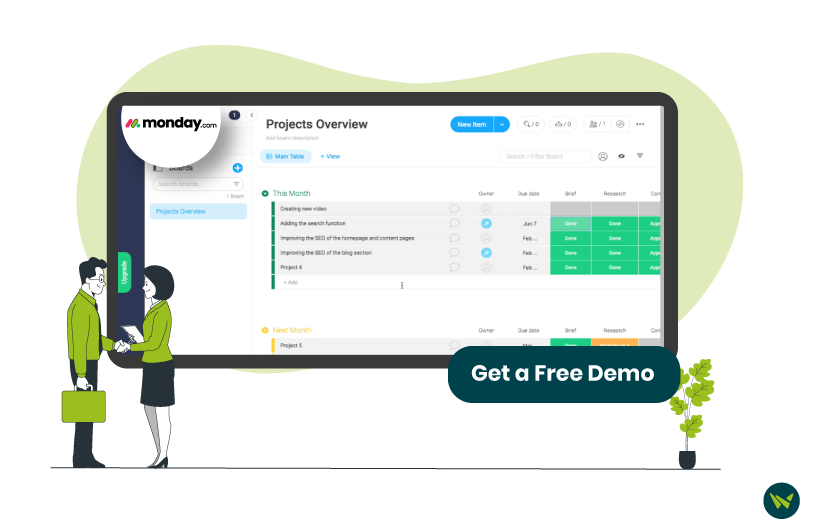
monday.com software is a work operating system (Work OS) that enables teams to create custom workflows, manage projects, track progress, and collaborate effectively. Over 250,000 businesses trust this platform, including Motorola, which saw a 346% ROI over three years by improving team productivity and reducing administrative costs. 

It has also been named AWS EMEA Technology Partner of the Year (2025) at AWS re:Invent, recognizing its technical innovation, scalability, and impact in delivering modern business applications. This recognition underscores its strong capabilities in cloud-based automation and collaborative workflows, making it well-suited for industries like marketing, retail, finance, and technology. 

Standout Features Of monday 

  • Workload And Long-Term Planning: The software allows teams to distribute tasks efficiently while planning future workloads. This ensures employees aren’t overburdened and that projects stay on track with clear visibility into capacity and deadlines
  • Kanban, Map, And Chart View: The platform provides Kanban, Map, and Chart View, allowing users to manage projects in their preferred way. These diverse views offer better clarity, ensuring teams can monitor progress from different perspectives and stay aligned with project goals
  • Free AI Credits:It offers 500 AI credits per month per account for AI driven insights and automation in every paid plan
  • Automatic Time Tracking Column: This built-in time tracking column automatically logs the time spent on each task, providing teams with accurate work-hour reports, unlike Smartsheet, which requires manual entry
  • Panic Button: Enterprise users can instantly lock their account in case of suspicious activity, preventing unauthorized access and ensuring data security until an admin restores access
  • monday AI: monday includes a built-in AI assistant that understands your work context across workflows, docs, and boards to automate tasks and generate insights

Pros And Cons Of Monday 

Pros

  • Users can modify board elements, including labels, columns, and formats, to suit their workflow
  • Its built-in commenting and tagging features are effective in enhancing team collaboration
  • Sends automatic notifications to users when due dates of project tasks are approaching

Cons

  • No option to set user-based privacy restrictions
  • Users must download Excel files to view them properly, as the in-app preview does not display them accurately

What Is Smartsheet?

Smartsheet.avif

Smartsheet is a project management software that combines spreadsheet, collaboration tools, and workflow automation to help teams manage projects efficiently. It is used by non-profit organizations, small businesses, and over 85% of Fortune 500 companies globally. 

Moreover, Smartsheet is also recognized in Fast Company’s Brands That Matter list in 2023, which honors companies demonstrating strong cultural relevance and brand impact. This makes it well-suited for industries like retail, construction, sports management, and professional services, where coordination across teams is essential.  

Standout Features Of Smartsheet

  • Built-In Dynamic Form With Conditional Logic: It offers advanced conditional logic, enabling users to create dynamic forms where fields are shown or hidden based on previous responses. This feature enhances data collection by ensuring respondents only see relevant questions. While monday also provides this feature, it lacks these advanced logic capabilities.
  • Grid View: This feature provides a spreadsheet-like interface with powerful project management capabilities. Users can customize columns, sort and filter data, and link cells across sheets, ensuring efficient task tracking.
  • Automated Workflow Management: Smartsheet's project management platform offers automated workflow capabilities, enabling users to streamline repetitive tasks, set up approval processes, and receive notifications for specific triggers.
  • AI-Powered Formula Generation: Smartsheet allows organizations to convert plain-language instructions into fully functional formulas, enabling both simple calculations and complex logic creation without requiring in-depth knowledge of formula syntax.
  • AI Text Generation And Summarization: This feature uses AI to analyze project data and generate summaries, refine messaging, and create content such as ad copy.

Pros And Cons Of Smartsheet 

Pros

  • Its critical path feature helps users identify and resolve potential project issues before they escalate
  • Allows users to create structured surveys forms with predefined questions and fillable tax box for easy data collection
  • It ensures flagged issue stand out, making it easier to filter and address high-priority tasks first

Cons

  • Limited options for modifying task dependencies in Gantt chart view
  • Copying and pasting large amount of data can be inefficient, as it only allows a limited number of rows to be moved at a time

monday Vs Smartsheet: Key Feature Comparison

Task Management Tools

monday excels in structured project portfolio management, offering tools like Gantt charts, dashboards, and workflow automation. It helps teams track milestones, manage dependencies, and align projects with company goals. monday.com offers more than 200+ customizable templates that help track everything from one organized workspace.

Its automation features simplify approvals, reminders, and task delegation, reducing manual effort. With its intuitive integration capabilities and visual dashboards, organizations can easily import all the data into the platform and monitor the project’s progress at each stage. What sets it apart is its portfolio-level reporting, which provides stakeholders with real-time insights into project progress and resource allocation.

One drawback, however, is that many advanced views—such as Gantt charts and workload views—are only available on higher-tier plans, making it less accessible for smaller teams or budget-conscious users.

Smartsheet, on the other hand, includes Gantt charts and Card view (similar to Kanban) even on its free plan. This makes it more accessible for startups and small teams without requiring an upgrade. It also provides strong resource and budget management tools, which help organizations effectively allocate resources across multiple projects.

Smaersheet helps foster collaboration in real time with built-in communication and task tracking features. With automated reminders, it allows team members to track all the pending tasks. Features like task dependencies and task intake forms allow teams to streamline workflows, prioritize tasks effectively, and ensure seamless project execution.

Winner: It's a tie. Smartsheet is great for small teams with budget constraints, while monday offers better portfolio management and automation for larger organizations.

Storage Space

Both monday and Smartsheet offer a range of storage options depending on the plan. Lower to mid-tier plans on both platforms provide storage between 500MB and 20GB, which is sufficient for small teams managing lightweight projects.

For users who require higher storage capacity, both services offer up to 1TB on their premium plans, making them suitable for larger teams handling extensive project data.

However, the key difference lies in Smartsheet’s Enterprise plan, which provides unlimited storage—a major advantage for organizations managing large-scale operations with extensive file storage needs. monday does not offer unlimited storage on any of its plans, which could be a limitation for data-heavy users.

Winner: Smartsheet takes the lead with unlimited storage on its Enterprise plan.

Custom Fields

monday offers extensive custom fields that allow users to add various data types, including dropdowns, checkboxes, formulas, progress tracking, and dependency-based fields. This makes it highly adaptable to different workflows and industries.

Meanwhile, Smartsheet is more limited in this area, mainly supporting basic column types such as text, date, and dropdowns. It does not provide as many options for advanced custom data input, which may limit flexibility for complex project tracking.

Winner: monday.com wins this round as it provides a more dynamic and flexible approach to data customization.

Theming And Interface Customization

monday, while visually appealing, offers limited interface customization beyond color-coded boards and column labels. Users can personalize dashboards to some extent, but deeper branding options are restricted. However, its intuitive design and drag-and-drop customization make it easy to navigate and configure based on workflow needs.

In contrast, Smartsheet provides greater flexibility in theming and interface customization. Users can apply custom colors, logos, and branding across their sheets, allowing for a more cohesive and professional look. This makes it an ideal choice for businesses that prioritize brand consistency across dashboards and project management tools.

Winner: Smartsheet takes the lead in this category, as it allows greater control over branding and visual customization, giving teams more personalized experience.

Flexible Permissions

monday provides more granular permission controls, allowing administrators to set individual user roles and restrict access at the column, board, or project level. This means you can allow some users to view-only, while others can edit specific fields or manage workflows.

Smartsheet, while offering user roles, does not provide the same level of fine-tuned permission settings. Access control is more sheet-based, meaning once a user is given access, they typically have broader permissions within that sheet, which may not be ideal for organizations needing strict access control.

Winner: monday wins this section due to its fine-grained permission settings, which allows admins to define access at multiple levels.

Configurable Notifications And Automation

Both platforms offer custom notifications, but monday takes it a step further with its advanced automation builder. Users can configure if-then automation rules, such as sending a notification when a task changes status, due dates are approaching, or approvals are needed.

Smartsheet also has automated alerts but lacks the same level of detailed customization. Its notifications are more standardized, meaning they cannot be tailored as precisely to different workflow scenarios.

Winner: monday outperforms Smartsheet with its highly customizable automation and notification system, ensuring users stay updates in more efficient and personalized way.

AI Capabilities

monday integrates AI across its Work OS to automate workflows and enhance productivity. Its AI capabilities include generating task updates, summaries, and action items from project data, as well as automations using natural language prompts. The platform also supports AI-powered content generation, data extraction, and workflow recommendations, enabling teams to reduce manual effort and streamline operations efficiently.

Smartsheet leverages AI to automate work management through features like AI-generated formulas, summaries, and insights from project data. It enables users to automate repetitive tasks, generate content, and analyze large datasets to identify trends and risks. Additionally, Smartsheet’s AI helps with workflow automation, task tracking, and decision-making by providing contextual recommendations and predictive insights across projects.

Winner: monday takes the lead with its more intuitive, natural language-driven automation and broader AI use cases across workflows, making it easier for teams to implement and scale automation.

Pricing

monday's has a starting price $12/seat/month and its pricing is structured across five tiers making it a great option for freelancers and small teams. It also offers a 14-day free trial of its Pro plan, which includes monday work management, monday sales CRM, and monday Dev. It also includes a free plan for organizations looking for understand the features offered by monday.The plans include:

  • Free: $0 (Up to 2 users)
  • Basic: $12/seat/month
  • Standard: $14/seat/month
  • Pro: $24/seat/month
  • Enterprise: Custom pricing

Smartsheet has a starting price of $12/member/month and also offers a free plan, but instead of allowing 2 users, it limits access to two sheets and two editors or viewers per plan, which can be restrictive for collaboration. However, it also offers a 30-day free trial of its Business plan, allowing users to explore its advanced features before committing. The plans are as follows:

  • Pro: $12/member/month
  • Business: $24/member/month
  • Enterprise: Custom pricing
  • Advanced Work Management: Custom pricing
Winner: This round is a tie because monday’s offers a free plan that supports two users, whereas Smartsheet’s longer 30-day free trial gives users more time to explore its full capabilities.
Disclaimer: The pricing is subject to change.

Final Verdict: Which One Wins?

Our-Verdict-Which-EHR-System-Is-The-Right-Fit-For-You.avif

With a score of 4:2 in favor of monday, and two sections ending in a tie, monday emerges as the stronger option overall. 

However, the choice between the two comes down to what your business needs most. If you require deep automation, workflow customization, and permission flexibility, monday.com is the clear winner. But if branding control, storage capacity, and broad accessibility are more important, Smartsheet is the stronger choice.

If neither platform fully aligns with your goals, consider Airtable Software for database-style project management or ClickUp Software for a mix of automation and task flexibility.