



Last Updated
Overview
MPower Beverage software offers a trusted liquor store solution with valuable features for retailers to employ in their systems. One of the key highlights of the system is its inventory management feature, which helps businesses maintain their stocks, and a customer never leaves dissatisfied.
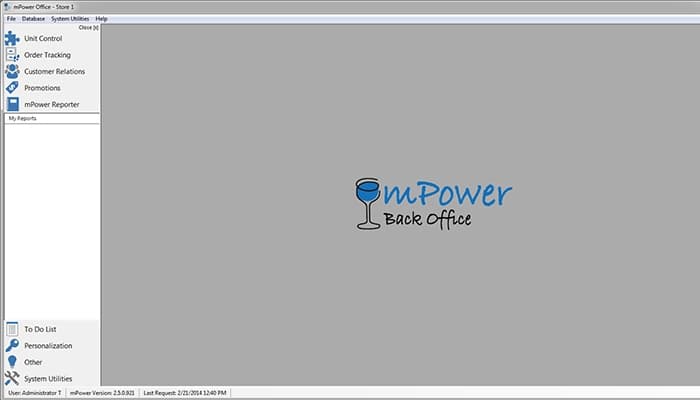
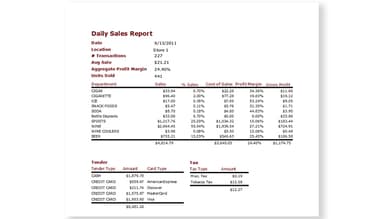
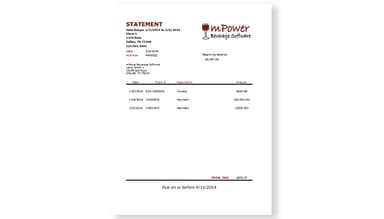
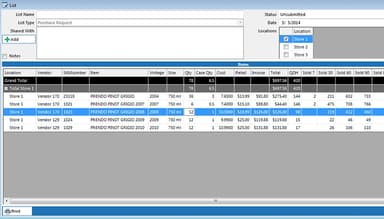
mPower Beverage Specifications
- Sales Orders
- Invoicing
- Sales Tracking
- Customer Relationship Management (CRM)
mPower Beverage Features
AI-Assisted Back Office
AI helps staff ask inventory questions, review suggested orders and prepare price changes. Invoice scanning assists extraction and item matching, with staff review before changes are applied.
Barcode Scanning
MPower Beverage uses barcode scanning to streamline inventory and sales operations. This feature facilitates accurate tracking of inventory levels while performing stock checks and product information, eliminating the risk of errors.
Pricing, Promotions and Loyalty
Price books, case pricing and mix-and-match promotions support beverage pricing. Staff can review margins before applying price changes. Loyalty includes points tracking and export or integration workflows.
Time Clock
The time clock feature provides accurate records of employee working hours, tracks breaks, and generates timesheets for smooth payroll processing. It helps businesses streamline attendance management and ensure compliance with labor regulations.
Warehouse Management
MPower Beverage's warehouse management feature empowers businesses to effectively manage their inventory, track order demand, and channel warehouse operations. It improves efficiency and customer satisfaction, contributing to the successful growth of the business.
Pros And Cons of mPower Beverage
Pros
Easy to make purchase orders
Versatile reporting feature
Technical assistance is provided promptly.
Cons
Challenging to delete duplicate items
Navigating the system is cumbersome
mPower Beverage Reviews
Total 7 reviews
4
All reviews are from verified customers
Rating Distribution
5
Stars43%
4
Stars29%
3
Stars14%
2
Stars14%
1
Stars0%
Share your experience
Product, 1-10 employees
Less than a year
“Salute Beer Distributor after 15 months of operations”
Pros
mPower Beverage program offers a great set of features and reports necessary for operating a liquor store. The scanner works well too.
Cons
The credit card servicing with Open Edge is terrible. Customers don't have the option to choose between debit or credit. Upgrading to a "no signature" requirement necessitated a different machine, but now the screen isn't touch-sensitive. It's an inconvenient system and not user-friendly. The root cause of the issues with Open Edge lies in mPower's inefficient programming. Updates are chaotic. While mPower does have the capability for automatic updates on a regular basis, whenever I call and require assistance, it often leads to an update. Sometimes the update can be done immediately, but other times it cannot. Currently, I need an update that will take approximately 20 minutes to install. Since I am on the east coast and open at 9 am, the Help Desk (located in Colorado, I believe) informed me that they would have to come in "too early" based on their time zone to install the update before my store opens. So, when exactly would be a convenient time for me to shut down my store for 20 minutes to complete the update? The questions I ask often receive the response that they will be addressed in a future update, and even after 15 months, these same updates are still categorized as "future updates." The program is dependent on an expensive Dell computer, which should have been a warning sign before purchasing the system. The Help Desk is not truly a Help Desk unless you catch them during regular business hours from Monday to Friday. Leaving a message for the Help Desk to call back is unsatisfactory. In the evenings and on weekends, the Help Desk is only available "on call." There's so much more I could say, but typing it out won't get me anywhere, and my time is valuable.
Rating Distribution
Ease of use
3
Value for money
2
Customer Support
3
Functionality
6
Not Specified, N/A employees
More than a year
“All in all it will do what it is designed to do, but missing some really useful features.”
Pros
The back office functionality is powerful, particularly when it comes to inventory management. It offers a decent amount of sales information. I find the "my list" feature to be convenient for creating mu ltiple purchase orders. The print tickets feature is handy for generating new price tags on the go. The ability to track multiple SKUs is great for inventory tracking of items that may be broken down. Overall, the point of sale (POS) system is easy to operate and the most user-friendly aspect of the software. I also like the remote access capability and the availability of basic tutorial videos. The tech support team is knowledgeable about the software's functionality.
Cons
Navigating the software can be boring at times, especially when trying to manipulate reports according to specific requirements. I frequently have to contact support to have certain features enabled, which should have been included in updates or initially installed. Updates are not consistently released and tech support is not truly available 24/7. Communication is often done through email or by leaving a message. I am currently waiting for some advertised features to be implemented in our system. There is no auto-generate feature for reports, and updating inventory, even with the scan inventory feature, is quite tedious. The journal is only accessible in the POS software, and the back office displays transactions in an unorganized manner, sorted by date rather than time. Many essential POS features are missing, which could simplify the processes for managers or owners. There are no per-employee cash logs without revealing the day's sales. The software only works with specific credit card processors for integration. There is no coupon module for abuse tracking or auto-scanning coupons. Lately, it seems that tech support is growing frustrated with my inquiries. While this software simplifies certain aspects, it also complicates others.
Rating Distribution
Ease of use
5
Value for money
7
Customer Support
7
Functionality
7
Product, 1-10 employees
Less than a year
“Excellent POS Software”
Pros
mPower Beverage is user-friendly and I find the reports to be versatile and comprehensive as it covers historical data across all departments. Whenever I need technical assistance, it is provided quickly.
Cons
The integration with credit card processing through VANTIV has been problematic. We've encountered multiple issues with this credit processing company, including unexpected changes in rate fees without prior notification. Additionally, we find the display on the credit card processing machine to be confusing, unlike any other retail store we've come across.
Rating Distribution
Ease of use
10
Value for money
10
Customer Support
10
Functionality
10
Frequently Asked Questions
What pricing plans does mPower Beverage offer?
Pricing depends on the store configuration. Visit https://mpowerbeverage.com/pricing/ or request a demonstration for current pricing and a tailored quote.
Who is MPower Beverage typically used by?
MPower Beverage is typically used by wine, beer, and liquor retailers.
What languages does MPower Beverage support?
MPower Beverage supports the English language.
Does MPower Beverage support mobile devices?
Yes. Receiving, transfers, price checks and restocking workflows support Zebra handhelds, iPhone and Chrome. The back office runs in an app or browser.
Does MPower Beverage have an API?
Yes, API access is available.
What other apps does mPower Beverage integrate with?
Integrations include Shopify, Bottlecapps, City Hive, QuickBooks Online and SevenFifty. Three payment-processor integrations give stores a choice of processor. Confirm the configuration for your store during a demonstration.
What support does mPower Beverage offer?
A U.S.-based beverage team provides phone, email/help-desk and remote support. Someone is on call evenings and weekends; after-hours support uses callbacks. Current support options are at https://mpowerbeverage.com/support/.