


Rain POS
Last Updated
Overview
Rain POS software optimizes retail efficiency through streamlined management of different processes, such as customer management, inventory handling and seamless integration with online stores. While the initial onboarding cost can run high, its feature list is extensive and offers many strategic benefits for the retail industry.
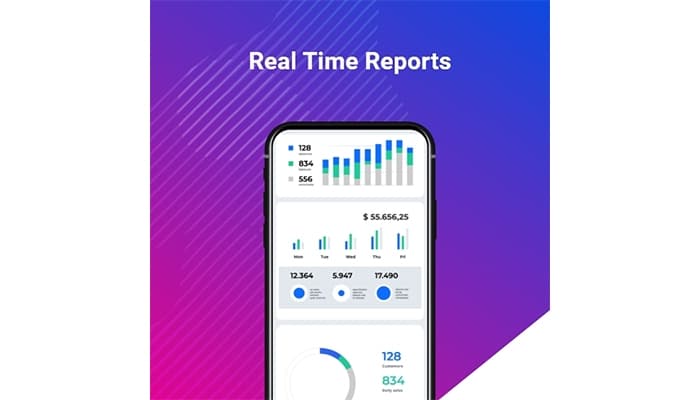

Rain POS Specifications
- Sales Orders
- Invoicing
- Sales Tracking
- Customer Relationship Management (CRM)
What Is Rain POS?
Overview
Rain POS software is a cloud-based solution tailored for retail businesses, ranging from small boutiques to larger stores. It specializes in simplifying inventory management, sales tracking, managing customer relations, and integrating with online stores. Addressing challenges like inventory accuracy and operational efficiency, Rain POS helps businesses streamline processes and improve profitability.
Rain POS Pricing
Rain POS Integrations
Rain retail software seamlessly integrates with various popular business applications, including:
- Shopify
- Notions Marketing
- Quickbooks Online
- Clientbook
- Video By CommentSold
Who Is Rain POS For?
Rain point of sale software caters to businesses of all sizes across the retail industry, such as:
- Bike shops
- Boutiques
- Crafts stores
- Dive shops
- Jewelry stores
- Music stores
- Outdoor stores
Is Rain POS Right For You?
Renowned for its user-friendly interface and scalability, it caters to the diverse needs of retail entrepreneurs aiming to enhance customer service and optimize business performance in a competitive market landscape. It offers heavy data security and is DSS and PCI-compliant.
Still not sure if Rain POS is right for you? Get in touch with our customer support team at (661) 384-7070, and it will help you make the best decision.
Rain POS Features
Inventory Management
Rain POS efficiently tracks and manages inventory levels, ensuring accurate stock counts and timely replenishment. This feature optimizes stock control, reduces overstocking or stockouts, and enhances overall operational efficiency.
Work Order Management
The software simplifies the creation, tracking, and fulfilment of work orders, facilitating smooth service operations. It ensures tasks are completed on time, improves workflow organization, and enhances customer satisfaction with timely service delivery.
Payment Processing
This feature enables seamless payment transactions, supporting various payment methods including credit cards and mobile payments. It ensures quick and secure transactions, reduces payment errors, and enhances customer convenience during checkout.
Retail Marketing
Rain POS integrates tools for effective marketing campaigns, such as customer loyalty programs and promotional discounts. It helps businesses attract and retain customers, boosts sales through targeted marketing efforts, and enhances customer engagement.
Retail POS
The software serves as the central hub for retail operations, managing point-of-sale transactions efficiently. It speeds up checkout processes, provides real-time sales data for informed decision-making, and offers a user-friendly interface for smoother transactions.
Pros And Cons of Rain POS
Pros
Excellent customer support
User-friendly
Customizable
Extensive suite of tools
No training required
Cons
Glitches slow to be fixed
Could be expensive for smaller companies to set-up
Onboarding can take time
More vendors could be integrated
Rain POS Reviews
Total 1 reviews
2
All reviews are from verified customers
Rating Distribution
5
Stars0%
4
Stars0%
3
Stars0%
2
Stars100%
1
Stars0%
Share your experience
Retail, 1-10 employees
More than a year
“Not the best for my business”
Pros
What we really appreciate is that it's a cloud-based POS, which makes everything more accessible.
Cons
In the beginning, you don't really need to call support because you're new and still learning the system. But once you're set up and start noticing glitches, it's nearly impossible to reach anyone. Plus, they don't offer support in the evenings or on weekends.
Rating Distribution
Ease of use
10
Value for money
8
Customer Support
8
Functionality
8
Frequently Asked Questions
Does Rain POS offer an API?
No, Rain POS does not offer an API.
What language does Rain POS support?
Rain POS supports English.
What other apps does Rain POS integrate with?
Rain POS integrates with Shopify, Quickbooks Online and Notions Marketing.
Does Rain POS support mobile devices?
Yes, Rain POS supports Windows devices.
What types of pricing plans does Rain POS offer?
You can get pricing tailored to your specific needs.
Who are the typical users of Rain POS?
The typical users of Rain POS are retail businesses like dive and bike shops, and craft and jewelry stores.
What level of support does Rain POS offer?
Rain POS offers email, helpdesk, Knowledge Base, phone support and FAQs.