


Hypertune
Last Updated
Overview
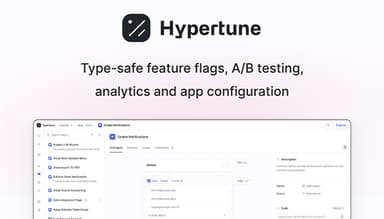
Hypertune is the most flexible software development platform for type-safe feature flags, A/B testing, analytics, and powerful app configuration. With React and Next.js integrations, Hypertune includes TypeScript SDK that streamlines the process, removing the need for different frontend and backend SDKs.
Currently, Hypertune offers the following three pricing plans:
- Free for up to 5 team members
- Pro for $10/team member/month
- Enterprise is available for custom pricing billed annually
Disclaimer: The pricing is subject to change.
Hypertune scales beyond feature flags to powerful app configuration to let you manage:
- Permissions and access controls for features based on billing plan, organization, user, etc.
- In-app copy for tooltips, modals, banners, error messages, etc.
- Landing page content with embedded A/B tests, machine learning loops, and personalization rules
- Allowlists, blocklists, redirect maps, timeouts, limits, magic numbers, and more
Some of the unique features that Hypertune offers include:
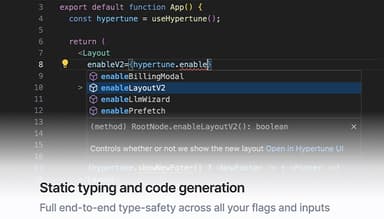
Static typing and code generation
Static typing and code generation give you full end-to-end type-safety across all your feature flags and inputs.
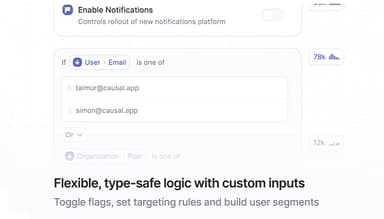
Flexible, type-safe logic with custom inputs
Define type-safe, custom inputs like the current User, Organization, etc., and use them in feature flag rules to target exactly the users you want. Create variables like user segments that you can reuse across different feature flags and instantly
Git-style history, diffs, branches, and pull requests
Git-style version history, diffs, branching, and pull requests let you manage feature flags like you manage your code. Test and preview flag changes in isolated branches and safely approve them with pull requests. Avoid bad changes and see exactly what cha
when.
Powerful A/B testing, analytics and ML loops
A/B tests, percentage-based rollouts, multivariate tests, and machine learning loops let you seamlessly rollout, test, and optimize new features. Log analytics events with type-safe, custom payloads and build flexible funnels and charts in the dashboard to measure the impact of every feature release.
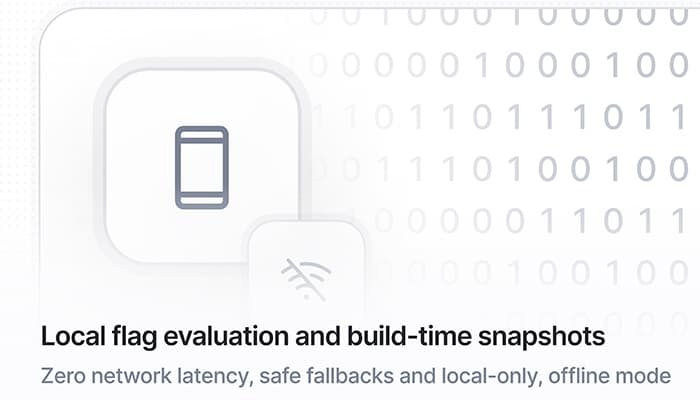
Local flag evaluation and build-time snapshots
Local, synchronous, in-memory flag evaluation with zero network latency lets you safely access flags in any code path without affecting the end-user experience. Static build-time snapshots of your feature flag logic let you use the SDK in local-only, offline mode and give you safe fallbacks
mode.
Git-style history, diffs, branches and pull requests
Git-style version history, diffs, branching, and pull requests let you manage feature flags like you manage your code. Test and preview flag changes in isolated branches and safely approve them with pull requests. Avoid bad changes and see exactly what changed and when.
Powerful A/B testing, analytics and ML loops
A/B tests, percentage-based rollouts, multivariate tests and machine learning loops let you seamlessly rollout, test and optimize new features. Log analytics events with type-safe, custom payloads and build flexible funnels and charts in the dashboard to measure the impact of every feature release.
Local flag evaluation and build-time snapshots
Local, synchronous, in-memory flag evaluation with zero network latency lets you safely access flags in any code path without affecting the end-user experience. Static build-time snapshots of your feature flag logic let you use the SDK in local-only, offline mode and give you safe fallbacks in remote mode.
Across all app configuration use cases, Hypertune lets your team:
- Update your app instantly — without needing a code change, build, deployment, app release, or service restart, whether it’s rolling back a feature, changing permissions, or tweaking in-app copy
- Decouple dependencies in your organization — so developers can focus on shipping to production and others are safely empowered to make changes themselves without the painful back and forth with engineering
- Optimize your app — via manual tuning, A/B testing, machine learning loops, and personalization rules
- Reduce complexity — by extracting all configuration logic, e.g., user-specific code, out of different codebases and into a single source of truth
- Increase flexibility — by building one app that can be configured in many different ways without extra engineering
Hypertune Reviews
Total 7 reviews
4.6
All reviews are from verified customers
Rating Distribution
5
Stars57%
4
Stars43%
3
Stars0%
2
Stars0%
1
Stars0%
Share your experience
Mid Market, 51-100 employees
“One place to manage hundreds of flags”
Pros
Many feature management tools are available but Hypertune was the only one with the range of capabilities needed for Corellium's varied deployments, from always-online cloud platforms to offline, on-site appliances. Its web interface makes it easy for our product and marketing teams to add flags and keep track of changes. We can roll out updates to cloud users in seconds or send them to on-site customers as flat files through hooks in the Hypertune library. The SDKs work with engineers' IDEs, helping them build code around flags and catch errors quickly with TypeScript bindings. It gives us one place to manage hundreds of flags and configuration options across our customer base so we can concentrate on our core work.
Cons
Hypertune's general-purpose targeting rules are flexible but the interface leaves much of a large screen unused. Expect plenty of scrolling when working through complicated rules.
Rating Distribution
Ease of use
8
Value for money
10
Customer Support
10
Functionality
10
Small Business, 11-50 employees
“gradual rollouts”
Pros
After setup and getting familiar with the interface, running A/B tests and collecting data is very easy. Making changes to static content is also simple and clear. The team particularly Miraan and Michal, is quick to help with issues and respond to questions. We've used it for 12 months and the experience has been amazing. It has also made it easy for us to test new website features internally and roll them out gradually.
Cons
Setting up Hypertune for A/B tests can be a bit hard to understand and the documentation could be better.
Rating Distribution
Ease of use
7
Value for money
9
Customer Support
8
Functionality
9
Small Business, 11-50 employees
“top product with type safety”
Pros
A top management system with type safety, server-side rendering support and easy A/B testing and incremental feature rollouts.
Cons
More detailed documentation would be really helpful.
Rating Distribution
Ease of use
10
Value for money
9
Customer Support
10
Functionality
10