


Last Updated
Overview
Kuebix TMS is a scalable, user-friendly TMS platform supporting all transportation modes. Built on cloud technology, it suits shippers of all sizes, offering rapid onboarding and quick ROI. While some users find shipment tracking unreliable, they value its flexibility and time-saving features for managing multiple projects.
Kuebix TMS Specifications
- Inventory Management
- Order Fulfilment
- Procurement Management
- Logistics & Transportation
Kuebix TMS Features
Negotiated Rates
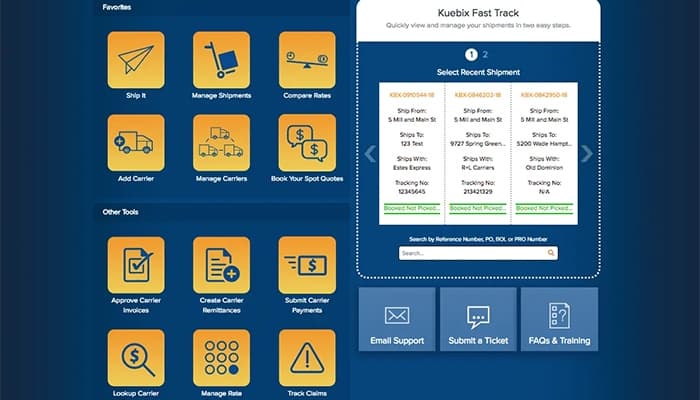
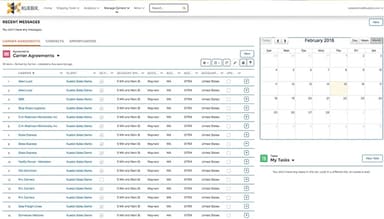
Kuebix TMS automatically connects carriers across all modes, empowering users to compare and select the best rates and service levels for each shipment. This feature helps streamline the process, saving both time and money.
Spot Service
Kuebix Carrier Community allows users to request spot quotes for volume freight. The community's strength is utilized to secure the most competitive rates and optimal service levels, effectively reducing freight costs.
Book
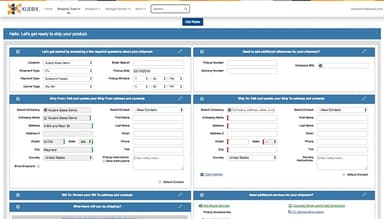
The software allows users to quickly book shipments directly with carriers, streamlining the process. Once connected, booking freight becomes as fast and efficient as reserving a flight online, saving valuable time.
Track
The platform provides real-time visibility to all stakeholders in the supply chain, ensuring customers can manage inbound freight efficiently. Internal teams also have easy access to critical information, improving service levels and customer responsiveness.
Reports And Analytics
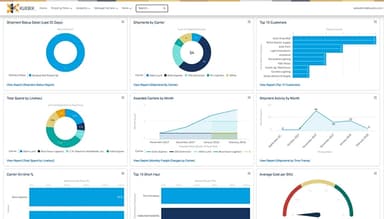
Kuebix TMS offers detailed reports and dashboards, including carrier scorecards and financial analytics, to optimize freight spending. These insights support improved carrier management and smarter shipping decisions, leading to reduced costs and better service levels.
Pros And Cons of Kuebix TMS
Pros
Offers the ability to save previous SKUs for easy access
Offers time-saving features like freight quote comparisons, bills of lading, and pallet labels
Easy to use and navigate, with a simple interface
Provides accurate freight quotes and efficient organization of shipments
Cons
Shipment tracking can be unreliable, sometimes showing incorrect statuses
Presents issues with adding certain carriers, such as FedEx, into the system
Kuebix TMS Reviews
Total 12 reviews
4.3
All reviews are from verified customers
Rating Distribution
5
Stars67%
4
Stars8%
3
Stars17%
2
Stars8%
1
Stars0%
Share your experience
Jill
Retail, 11-50 employees
Less than a year
“Kuebix makes freight easy”
Pros
Quoting is very easy once I have entered the commodities into the system. Also I get my discounted rates from carriers, even through Kuebix. The reports are also easy to pull and the real-time tracking always keeps me happy.
Cons
Not all accessory charges show up in the quote so I have to check them separately for each quote.
Rating Distribution
Ease of use
8
Value for money
10
Customer Support
10
Functionality
7
Shara
Warehousing, 500+ employees
Less than a year
“Works fine for us...”
Pros
It is really easy to use. Searching for Hazmat items is simple and the ability to save previous SKUs has been a lifesaver too.
Cons
Tracking shipments is not easy. I usually have to call customer service and it takes a while to get an answer.
Rating Distribution
Ease of use
9
Value for money
8
Customer Support
10
Functionality
10
Jill
Retail, 11-50 employees
Less than a year
“Has everything we needed”
Pros
What I really like is how easy it is to use and how all the information is just right there when I need it.
Cons
I have to manually enter my products into the item book which takes a lot of my time.
Rating Distribution
Ease of use
10
Value for money
10
Customer Support
10
Functionality
10
Frequently Asked Questions
What level of support does Kuebix TMS offer?
Kuebix TMS offers support through various channels, including chat, email/help desk, and phone.
Who are the typical users of Kuebix TMS?
The Kuebix TMS supports a wide range of industries, including grocery, retail, eCommerce, manufacturing, wholesale distribution, and chemical.
What types of pricing plans does Kuebix TMS offer?
The Kuebix TMS cost structure offers three pricing plans based on customer needs: Kuebix Free Shipper (free), Kuebix Business Pro (14-day trial), and Kuebix Enterprise (pricing available upon request). Costs vary based on features, support, training, and customization. To make an informed choice, request a detailed Kuebix TMS price estimate tailored to your needs.
What other apps does Kuebix TMS integrate with?
The software includes robust integrations with platforms such as SAP, Oracle NetSuite, Intuit QuickBooks, Microsoft Dynamics, Sage, BigCommerce, WooCommerce, Infor, and Epicor.
Does Kuebix TMS offer a mobile app?
Kuebix TMS offers a mobile-responsive interface, allowing users to manage shipments and access features via mobile devices, but it does not currently offer a dedicated mobile app.
What language does Kuebix TMS support?
Kuebix TMS supports the English language.
Does Kuebix TMS offer an API?
Yes, Kuebix TMS provides API access.