


GPT4All
Last Updated
Overview
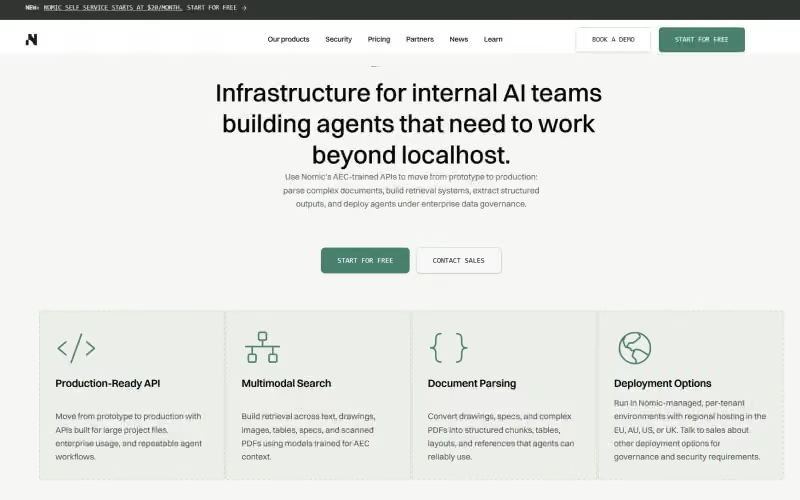
GPT4All is a leading AI tool for running large language models locally and privately on consumer devices. It ensures data privacy, offers free desktop access, and works offline. Though customization is limited, its open-source design makes it ideal for handling secure, confidential data handling and for private AI development.
Overall Rating
Based on 3 users reviews
4.3
Rating Distribution
Positive
100%
Neutral
0%
Negative
0%
Starting Price
$20
per month
GPT4All Specifications
- Natural Language Dialogue
- Automation
- Multi-Language Support
- Context awareness
What Is GPT4All?
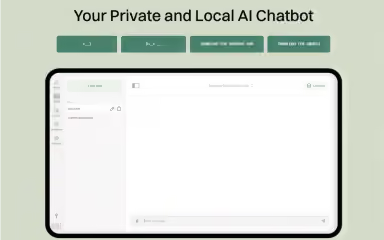
GPT4All is an open-source desktop AI program created by Nomic AI. It lets users download, install, and run quantized open-weight language models locally on their own consumer computers without needing large-scale data banks. The platform can be downloaded on Windows, macOS, and Linux without any custom hardware. It provides an intuitive chat interface and local document search tools, mitigating the need to route data through third-party cloud APIs.
What Is GPT4All Best For?
GPT4All is best known for its primary capability: on-device offline AI execution. The platform allows developers to run high-performance language models natively on their personal hardware. This means that users can process queries, generate text, and analyze files completely locally without routing data through cloud servers. The local processing architecture makes sure that private conversations containing sensitive company files and personal data never leave your device. This added layer of security reduces company reliance on cloud latency and third-party data tracking.
How Much Does GPT4All Cost?
GPT4All pricing plans start at $20/month for their Individual plan, which includes extended agent requests and on-demand top-ups for AI usage. Other plans include:
- Business: $40/user/month
- Enterprise: Custom pricing
The platform also offers a limited free plan. On top of subscription costs, users should consider the following additional charges that might apply:
- Additional AI Usage: $20–$500+/month
- Document Indexing And Processing: $0.01–$0.02/page
- API Usage: $5–$500+/month
- Enterprise Implementation: $2,000–$15,000+
- Custom Integrations: $1,000–$10,000+
- Premium Support And Dedicated CSM: $2,000–$10,000+/year
Disclaimer: The pricing is subject to change.
GPT4All Integrations
GPT4All integrations include:
- Microsoft SharePoint
- Egnyte
- ProjectWise
- ProjectSight
- Fieldwire
- Dropbox
- Google Drive
- MS Teams
How Does GPT4All Work?
You can get started with the platform by following these steps:
- Download and launch the GPT4All desktop installer for Windows, macOS, or Linux, based on the system your operation is running on
- Browse the built-in model library to download open-weight GGUF models according to your workflow
- Select your downloaded model to launch a private offline chat session
- Enable the LocalDocs feature and point the software to a local folder containing PDFs or text files that you need expanded or worked on
- Query your local documents to receive answers backed by cited excerpts from your files
- Allow the local API server to connect external desktop apps to your local model
- Customize hardware acceleration settings to assign processing tasks between your CPU and GPU
Who Is GPT4All For?
GPT4All is a good tool for several industries and sectors, including:
- IT
- Legal services
- Healthcare
- Financial services
- Government and public sector
- Education and research
- Professional services
- Manufacturing
GPT4All Use Cases
Based on what we know about GPT4All’s features and capabilities, we have compiled some use cases where the platform can be a good fit:
Legal And Healthcare Teams Analyzing Sensitive Documents
Law firms and medical practices often deal with strictly regulated records that cannot leave physical hardware. GPT4All addresses this through its LocalDocs feature, which scans and indexes local folders using Nomic Embed models. This way, clinicians and legal teams can query internal case files and patient histories offline, retrieving cited document snippets without transmitting data to external servers.
Software Developers Building Custom Offline AI Tools
GPT4All provides local data hosting that exposes an OpenAI-compatible HTTP endpoint directly on site. Programmers can point existing applications and scripts to this local web server, testing prompt pipelines and integrations entirely offline. This helps engineers who need to build and test local LLM workflows without incurring usage fees or making cloud calls.
Remote Field Operators Working Without Internet Access
Technical operators in field environments, such as aviation, maritime travel, and mining, always need immediate access to data like equipment manuals and guidelines. Using GPT4All’s on-device offline execution engine, teams run quantized data models directly on standard laptops. Operators can use this data to analyze technical specs and troubleshoot machinery in disconnected locations without relying on cellular or satellite internet.
Researchers Comparing Diverse Model Architectures
GPT4All can act like a built-in graphical manager that downloads and updates data from other AI modules like Llama and Mistral. This capability is useful for academics evaluating open-source LLMs who struggle with command-line tools and setup scripts. Researchers can quickly download and compare different model parameter sizes across CPU and GPU backends through the GPT4All interface.
Is GPT4All Right For You?
If your company needs to run secure AI models while making sure your data stays off the cloud, GPT4All can be a good fit. The platform helps users ensure that all proprietary data is secure, offering SOC type 2 certification with US state and global data-processing addenda. Notable clients of the platform include Google, Arcadis, and the Los Angeles Department of Water and Power.
Still doubtful if GPT4All software is the right fit for you? Contact us at (661) 384-7070 for further guidance.
GPT4All Features
Private On-Device Execution
The platform runs all computational tasks directly on the local computer's hardware instead of sending them to cloud servers. This means that GPT4All keeps raw text and generated output strictly contained within your device's memory. The feature can be used with proprietary source code or sensitive patient data without violating privacy regulations.
LocalDocs Feature
This tool connects any chosen offline language model directly to personal folder directories containing files like PDFs and Word documents. It scans local files to pull contextually accurate information and cite specific passages during chats. This allows teams to quickly analyze long research papers or search through historical project notes.
Thousands Of Models Support
A capability offering a built-in repository system that lets users browse and switch between over a thousand open-source AI models. It actively replaces fixed single-model setups by allowing teams to swap between AI architectures with a click. It can be used to select lightweight models for basic writing tasks or deploy specialized models for complex coding and logic problems.
Hardware Flexibility
This acts like a performance engine, translating AI workloads to run on standard consumer computer hardware. It automatically detects and uses the existing CPU, Apple Silicon chip, or NVIDIA/AMD graphics card to process requests without needing extra setup. It can be used to run advanced local AI tools directly on standard work laptops.
Offline Functionality
The platform offers an operational mode allowing the entire application to run completely disconnected from the internet. It maintains full chat and text generation capabilities even when the host device is in airplane mode or off the grid. Meaning users can draft reports during flights or keep working through network outages.
Pros And Cons of GPT4All
Pros
Offers a very generous free model, making it more accessible than other solutions
Compatible with multiple AI modules without complex setup flags, promoting better system support
Works well on standard CPU hardware, saving resources on tech improvements and support
Cons
Lacks a dedicated mobile application
The AI interface can sometimes be slow in its responses
GPT4All Reviews
Total 3 reviews
4.3
All reviews are from verified customers
Rating Distribution
5
Stars33%
4
Stars67%
3
Stars0%
2
Stars0%
1
Stars0%
Share your experience
Not Specified, N/A employees
“privacy first and dependable”
Pros
One of the best parts of using this is its strong focus on privacy! It's reassuring to have a tool I can use for sensitive projects without needing to stay connected to the internet all the time.
Cons
At times the chat feature can be a little slow when generating replies especially when I ask more complex questions.
Rating Distribution
Ease of use
10
Value for money
10
Customer Support
9
Functionality
9
Not Specified, N/A employees
“helpful writing suggestions”
Pros
The writing assistance has been really useful. It offers strong suggestions that noticeably improve my articles.
Cons
The coding side can feel a bit limited at times. It would be better if it handled more complex programming questions in more depth.
Rating Distribution
Ease of use
8
Value for money
8
Customer Support
8
Functionality
7
Not Specified, N/A employees
“Good tool”
Pros
Having the privacy side handled so well is really reassuring. I can use it for sensitive projects without worrying about data leaks.
Cons
Model customization feels a bit limited right now. I'd really like more ways to customize it to my specific needs.
Rating Distribution
Ease of use
8
Value for money
8
Customer Support
8
Functionality
8
Frequently Asked Questions
Who are the typical users of GPT4All?
Typical users of GPT4All include software developers, data scientists, security-conscious enterprises, educational institutions, hobbyists/students, small and medium businesses, and research and development.
What types of pricing plans does GPT4All offer?
GPT4All offers a limited free plan, along with an Individual plan at $20/month, a Business plan at $40/user/month, and a custom Enterprise plan. Request a personalized GPT4All pricing quote today!
What language does GPT4All support?
The platform primarily supports English.
Does GPT4All offer an API?
Yes, GPT4All offers an API.
What other apps does GPT4All integrate with?
The vendor integrates with SharePoint, Egnyte, Google Drive, Dropbox, Fieldwire, ProjectWise, ProjectSight, and MS Teams.
Does GPT4All have a mobile app?
No, GPT4All does not offer a dedicated app.
What level of support does GPT4All offer?
GPT4All provides customer support through a dedicated Discord channel, email, and ticket system.