


Last Updated
Overview
StackAI helps organizations quickly turn processes into AI agents, enabling workflow orchestration and secure deployment across environments. While debugging and workflow visibility may be limited for complex use cases, it supports scalable AI adoption with governance controls. Overall, it is well-suited for IT and enterprise teams managing regulated, complex operations.
StackAI Specifications
- Automation
- Bot Design And Deployment
- Natural Language Dialogue
- Smart Data Discovery
StackAI Features
Workflow Builder
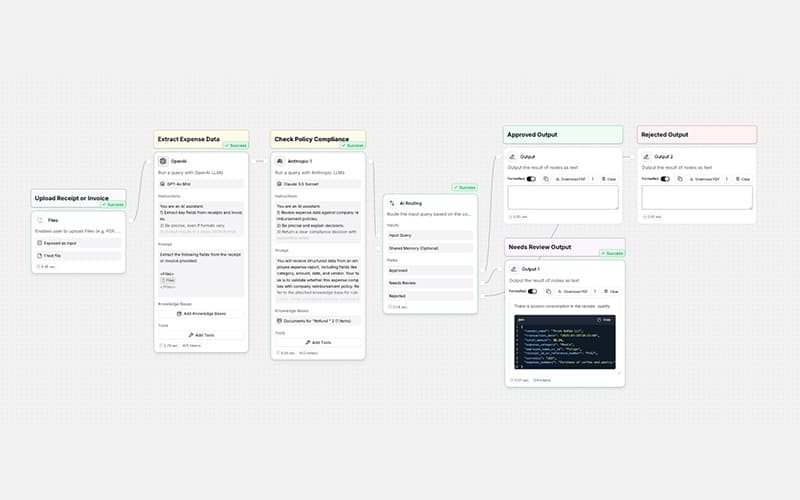
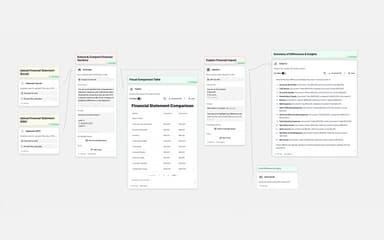
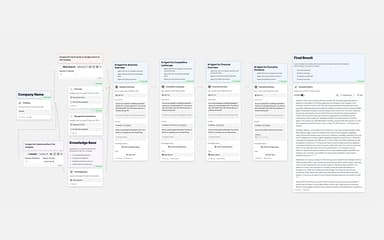
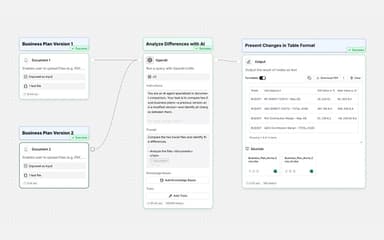
StackAI enables end-to-end AI agent creation through a drag-and-drop workflow builder that combines backend logic, interfaces, and analytics into a unified system. It automates repetitive processes, connects data sources, and streamlines execution while maintaining control and flexibility.
Interfaces
StackAI transforms AI workflows into interactive tools by enabling the creation of dashboards, portals, chatbots, and forms without requiring coding knowledge. It connects agents to multiple channels, allowing seamless execution, monitoring, and interaction across systems and communication platforms.
Knowledge Bases
The platform uses RAG-powered knowledge bases to organize, retrieve, and analyze unstructured data from multiple sources into a unified, searchable system. It enables accurate responses with citations, dynamic memory, and continuous data updates, improving decision-making and compliance.
End-to-End Experience
The software provides a complete AI development lifecycle by combining workflow design, interface creation, deployment, and monitoring within a single environment. It simplifies agent creation and management, enabling efficient execution, scalability, and performance tracking across different operational processes.
AI Pipeline And Integrations
StackAI delivers a unified AI pipeline that enables rapid configuration of data ingestion, retrieval, and processing using built-in tools and abstractions. It integrates seamlessly with enterprise and SaaS systems, simplifying RAG development, function execution, and end-to-end automation workflows.
Pros And Cons of StackAI
Pros
Intuitive drag-and-drop workflow builder
Speeds up workflow and automation creation
Effective document processing and summarization
Cons
Documentation lacks clarity for beginners
Some integrations are missing or limited
StackAI Reviews
Total 10 reviews
4.1
All reviews are from verified customers
Rating Distribution
5
Stars50%
4
Stars20%
3
Stars20%
2
Stars10%
1
Stars0%
Share your experience
Anonymous
Enterprise, 500+ employees
“limited features and uneven performance”
Pros
It handles the main use case reasonably well and doesn't take long to start using. Once you spend a little time in it, the interface becomes fairly simple and it does a good job of bringing tasks together that would otherwise be split across multiple tools. For basic needs, it performs as expected and can save time compared with managing the same processes manually.
Cons
A few parts of the product still come across as limited or not completely refined. Performance isn't always consistent and moving into more advanced use cases involves a noticeable learning curve. The documentation also needs to be clearer, especially for new users and certain workflows depend on workarounds that aren't always obvious to figure out.
Rating Distribution
Ease of use
3
Value for money
4
Customer Support
4
Functionality
4
Anonymous
Mid-Market, 500+ employees
“fast workflow building but busy ui”
Pros
Turning an "idea" into a working AI workflow takes hours instead of weeks with this tool. The visual builder feels simple, setting up RAG is pretty easy and the integrations cover most of what I need, including docs, links, internal knowledge and apps. It's really useful for iterating quickly, validating use cases with real users and then taking that same flow into something production-ready.
Cons
Once workflows become more advanced, debugging starts to feel a little opaque and the interface can look crowded. A few connectors and edge cases still require workarounds and I'd really like better visibility into step-by-step logs and version comparisons. The pricing can also be a bit much for very small teams.
Rating Distribution
Ease of use
6
Value for money
5
Customer Support
6
Functionality
5
Sed M.
Not Specified, N/A employees
“Quick automation with responsive support”
Pros
AI workflow ideas into real automations have been incredibly practical with this platform and I can do it without getting buried in code. It brings together tools, data and processes in one place which saves a lot of time compared with stitching everything together manually. The drag-and-drop logic and light scripting are a perfect fit for someone who is not a full-time developer. Another big plus is how responsive the team is, their quick turnaround really helps when something needs attention and I'm not left waiting around. The time to value has been excellent because we can move from a concept to a working automation very quickly. It fits naturally into our day-to-day business flow and gives us the confidence to prototype fast or roll out a solution without a lot of friction. More than just an automation platform, it feels like having a reliable partner behind the product.
Cons
One thing we are watching closely is security and the separation of environments. Strong multi-environment support, with clear boundaries between development, staging and production, is essential for enterprise governance.
Rating Distribution
Ease of use
8
Value for money
8
Customer Support
8
Functionality
10
Frequently Asked Questions
What other apps does StackAI integrate with?
StackAI integrates with third-party applications such as Slack, Salesforce, Google Drive, Microsoft SharePoint, HubSpot CRM, and Microsoft Azure, enabling smooth connectivity across existing systems.
What types of pricing plans does StackAI offer?
According to estimates, pricing for StackAI ranges between $50 and $500/user/month. The vendor offers a Free plan at $0/month, an Enterprise plan with custom pricing, and a free trial. Request a detailed StackAI price breakdown for your organization today.
What language does StackAI support?
StackAI primarily supports the English language.
Does StackAI have a mobile app?
No, StackAI does not offer a dedicated mobile application.
Does StackAI offer an API?
Yes, StackAI offers an API.
Who are the typical users of StackAI software?
StackAI serves a wide range of industries, including finance, insurance, education, government, and healthcare.
What level of support does StackAI offer?
StackAI offers support through online contact form, documentation, blog, events, FAQs, and email.