


Last Updated
Overview
Arrangr software simplifies scheduling by securely integrating with popular calendars (Apple, Microsoft, Google). It reserves tentative times, schedules meetings, and coordinates conference calls, video chats, and locations. While configuring settings may take time, it helps find convenient off-site meeting locations.
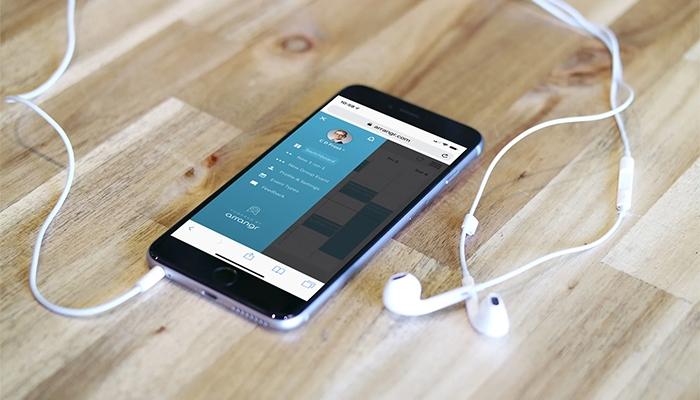



Arrangr Software Specifications
- Real-Time Communication
- File Sharing & Management
- Document Management
- Task & Project Management
What Is Arrangr Software?
Arrangr software is a robust scheduling solution that simplifies appointment and meeting management for both businesses and individuals. With its user-friendly interface, automated reminders, calendar synchronization, and customizable booking links, it boosts scheduling efficiency. The platform integrates seamlessly with existing calendars and provides analytics to optimize time management. By reducing scheduling conflicts and improving meeting attendance, Arrangr enhances productivity and streamlines the entire scheduling process.
Arrangr Software Pricing
The Arrangr software price presents a subscription-based model offering three unique pricing plans, including:
- Basic: $0
- Pro+: $6.99/month
- Enterprise And Teams: $1.50 - $10/user/month (Coming Soon)
Disclaimer: Prices are subject to change.
Arrangr Software Integrations
The software comes with diverse third-party integrations, including:
Who Is Arrangr Software For?
Arrangr software is designed to support diverse facilities and industries and sectors, including:
- Sales
- Freelancers
- Executive recruiting
- Education
- Consulting
- Non-profit
- Real estate
- Cannabis
Is Arrangr Software Right For You?
Arrangr software is an innovative web application that simplifies scheduling for virtual and in-person meetings. Integrating video chats, conference calls, and location searches into a single platform eliminates the need for endless communication and offers a streamlined solution for efficient one-on-one and group meeting arrangements.
Do you still need to learn about Arrangr software? Call our team at (661) 384-7070 for expert guidance on your questions.
Arrangr Software Features
Booking Pages
Arrangr software simplifies scheduling with flexible, integrated booking pages, offering automatic coordination while allowing full control. It supports group meetings, prevents double bookings, and seamlessly integrates preferred virtual video or conference call platforms for convenience.
Custom 1:1
This feature helps streamline one-on-one meeting scheduling with flexible invitations, offering recipients the option to choose dates, times, or blocks. Its integrated tools prevent double booking and support virtual or in-person meetings, achieving a 94% invite close rate.
Meeting Poll
The software helps coordinate meetings with quick polls, letting participants vote on the best date, time, method, or location. It also effortlessly integrates personal calendars to identify open slots and prevent double booking.
Team Scheduling
The solution offers robust team scheduling by enabling group setups with members from any organization. Participants can easily view each other's availability and schedule meetings, fostering seamless collaboration both internally and externally.
Group Meetings
Arrangr software aids group meeting coordination by handling RSVPs, calendar updates, reminders, and sharing directions or meeting links. It eliminates the hassle of managing these tasks, even when meeting details are already set.
Pros And Cons of Arrangr Software
Pros
Helps find mutually agreeable meeting locations outside the office
Intuitive interface, making it easy to schedule meetings, including video calls with Zoom and Google meetings
Intuitive and user-friendly
Offers a robust free version
Cons
No clear feedback on HubSpot integration, according to some users
Limited experience with the group polling feature
Arrangr Software Reviews
Total 1 reviews
5
All reviews are from verified customers
Rating Distribution
5
Stars100%
4
Stars0%
3
Stars0%
2
Stars0%
1
Stars0%
Share your experience
Jonathan
Education, 51-100 employees
More than a year
“Effortlessly schedule meetings with clients and coworkers”
Pros
It's super easy to use for the person I'm scheduling meetings with. The integration with Zoom and Google Meetings makes setting up video calls a breeze. Plus, it's free for me to use, which is a huge bonus!
Cons
The user interface is a bit clunky at first. It took me some time to figure out how to set up my settings and meeting availability. However it's not too difficult and it's definitely gotten better since I started using it.
Rating Distribution
Ease of use
10
Value for money
10
Customer Support
10
Functionality
9
Frequently Asked Questions
What level of support does Arrangr software offer?
Arrangr software offers support through chat.
Who are the typical users of Arrangr software?
Arrangr software is designed to support various industries and facilities, including sales, freelancers, executive recruiting, education, consulting, non-profits, real estate, and cannabis.
What types of pricing plans does Arrangr software offer?
The Arrangr software cost structure offers a subscription-based model with three pricing plans: Basic ($0), Pro+ ($6.99/month), and Enterprise & Teams ($1.50–$10/user/month, coming soon). Users can request a detailed analysis of the Arrangr software price.
What other apps does Arrangr software integrate with?
The software offers diverse third-party integrations, including Google Calendar, Office 365 Calendar, Zoom, GoTo, and more.
Does Arrangr software offer a mobile app?
No, Arrangr software does not offer a dedicated mobile app but is accessible through mobile browsers.
What language does Arrangr software support?
Arrangr software supports the English language.
Does Arrangr software offer an API?
No, Arrangr software does not provide API access.