

Last Updated
Overview
Grammarly software is an AI-powered writing assistant designed to check spelling, grammar, and tone across all content types. While it sometimes miss context for complex sentences and requires an internet connection for complete functionality, the software helps users improve clarity and correct grammatical and punctuation mistakes efficiently.
Grammarly Software Specifications
- Document Management
- Integration With Other Tools
- Feedback Management
- Automation & Workflow
Grammarly Software Features
Grammar And Spell Checking
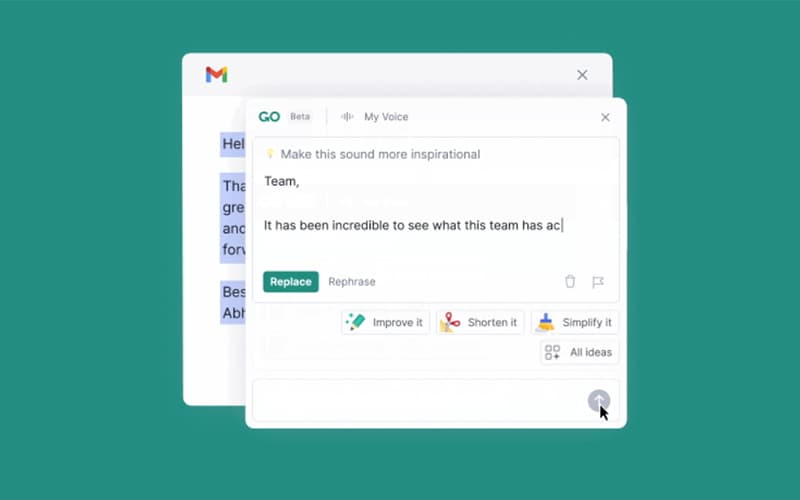
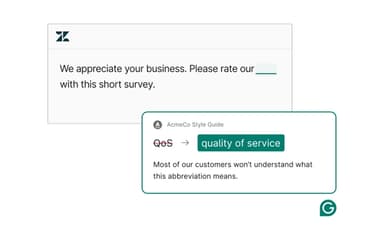
Grammarly features real-time grammar and spell-checking to identify common errors and suggest changes and corrections to improve the accuracy of the text.
Style And Clarity Suggestions
The software offers suggestions to improve sentence structure and clarity to make the content more concise, understandable, and readable.
Plagiarism Checker
Grammarly scans the text against billions of web pages using advanced AI to detect plagiarism and provide originality score based on the uniqueness of ideas in the content.
Parapharsing Tool
The paraphrasing tool assists in creating high-quality, mistake-free paraphrases for essays, articles, and blogs. It helps rewrite the original content while preserving the meaning.
Tone Detection
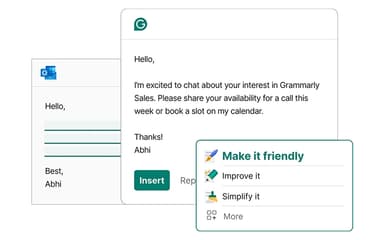
Grammarly software analyzes tone and context of the users to offer recommendations that help them adjust the language according to the audience and the type of content.
Pros And Cons of Grammarly Software
Pros
Assists with formal email drafting
Integrates well with various platforms
Enhances writing quality with various features
Cons
Overcorrection of accurate sentences
Limited mobile devices support
Grammarly Software Reviews
Total 2189 reviews
4.7
All reviews are from verified customers
Rating Distribution
5
Stars73%
4
Stars26%
3
Stars1%
2
Stars0%
1
Stars0%
Share your experience
tina
Advertising, 11-50 employees
More than a year
“ceo”
Pros
All companies should be using this
Cons
support could be better
Rating Distribution
Ease of use
10
Value for money
10
Customer Support
7
Functionality
10
Mohd Danish Khan
Marketing and Advertising, 1-10 employees
Free Trial
“Our team loves it”
Pros
One thing that really stands out with Grammarly Business is how well it keeps writing quality consistent across the whole team. It helps catch grammar mistakes, sharpen clarity and make communication feel more professional without needing to spend extra time editing everything by hand.
Cons
A minor downside is that the advanced tone and clarity suggestions can be repetitive and I've noticed the same feedback showing up in different documents. It's not a major problem though since most of the suggestions are still useful.
Rating Distribution
Ease of use
8
Value for money
7
Customer Support
7
Functionality
8
Tyra Overby
Computer Software, 101-500 employees
More than a year
“reliable writing support”
Pros
Having this tool in my daily routine has been really valuable. It consistently catches mistakes I might otherwise miss and that dependability matters a lot in a professional environment where I need both internal and external communication to look polished and be grammatically accurate. I've used Grammarly for the past five years and it fits into my workflow really naturally every day.
Cons
Something that's frustrating is where the Grammarly pop-up appears. You can move it but if you accidentally hover over it without realizing and keep typing, your text can end up going into the pop-up instead. That interruption can be pretty disruptive and it's the one part of the user experience that doesn't feel ide
Rating Distribution
Ease of use
6
Value for money
5
Customer Support
6
Functionality
6
Frequently Asked Questions
Does Grammarly software offer an API?
Yes, the software offers an API.
Does Grammarly software have a mobile app?
Yes, Grammarly software has a mobile app for both Android and iOS devices.
Who are the typical users of Grammarly software?
The typical users of Grammarly software are individuals, schools, educational institutes, professionals, and businesses
What other apps does Grammarly software integrate with?
Grammarly software can integrate with Gmail, Microsoft Outlook, Slack Software, Google Docs, Microsoft Word, Figma, Chrome, Safari, Edge, Firefox, Skype for Business, Apple Mail, Discord, Jira Software, Confluence Software, Salesforce, Sheets, and HubSpot CRM Software.
What language does Grammarly support?
Primarily, Grammarly supports only the English language, however, it recognizes a number of spelling, grammar, and punctuation differences in American, British, Canadian, Australian, and Indian English.
What level of support does Grammarly software offer?
Grammarly offers support through email, help center (resources), and articles.
How much does Grammarly cost?
Grammarly offers four types of pricing plans including a free version for individuals, a Premium plan costing around $30/member/month for professionals and individuals, a Business plan for teams and businesses for $25/member/month, and an Enterprise plan at custom pricing. Reach out to us for a custom Grammarly price quote.