


Last Updated
Overview
Punchlist offers visual feedback software that centralizes comments on files, speeding up revisions and ensuring accuracy. It reduces email confusion, leading to clearer project outcomes. Although Sync speed varies by volume, its task assignment tools offer quick wins. Overall, Punchlist's targeted approach makes it a strong choice for team coordination.
Be the first one to leave a review!
No review found

Starting Price
Custom
Punchlist Specifications
- Real-Time Communication
- File Sharing & Management
- Document Management
- Task & Project Management
What Is Punchlist?
Punchlist is a cloud-based feedback platform for visual comments on designs and documents. It allows teams to pin notes directly to images or plans, converting input into assigned tasks with deadlines, reducing miscommunication that can delay approvals. Businesses achieve faster cycles by tracking changes in one place, making oversight easier for multiple contributors. It also supports mobile capture to log field issues immediately, helping prevent overlooked details.
Punchlist Pricing
Punchlist cost follows a tiered structure based on team size and project volume. These plans are as follows:
- Studio: $19/month
- Professional: $79/month
- Premium: $139/month
- Enterprise: custom pricing
Disclaimer: The pricing is subject to change.
Punchlist Integrations
The software supports integration with multiple systems and platforms, such as:
Who Is Punchlist For?
Punchlist software is ideal for a wide range of industries and sectors, including:
- Architecture
- Construction
- Interior design
Is Punchlist Right For You?
Looking for a way to end scattered feedback? Punchlist pins comments straight to files, solving vague emails and lost notes that slow teams down. It handles regulatory compliance through secure access controls and audit logs. The platform provides controlled permissions and password protection for data safety. Its design grows with teams, managing hundreds of projects without slowdowns.
Still not sure if Punchlist is right for you? Contact our customer support team at (661) 384-7070, who will help you make the best decision.
Punchlist Features
Visual Feedback Tool
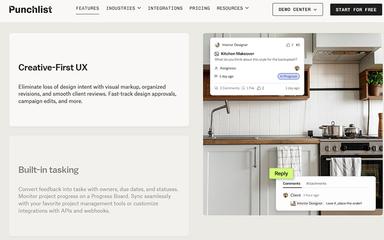
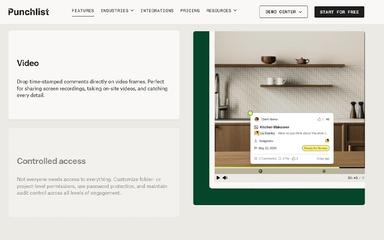
Teams pin comments directly onto images, PDFs, or videos in Punchlist software. This method shows exactly where changes apply, avoiding guesswork in revisions. Users add timestamps for context, making input more precise. The approach gathers all notes in context, speeding up understanding across groups. It aids decisions by clarifying needs, leading to fewer cycles and better alignment.
Task Assignment System
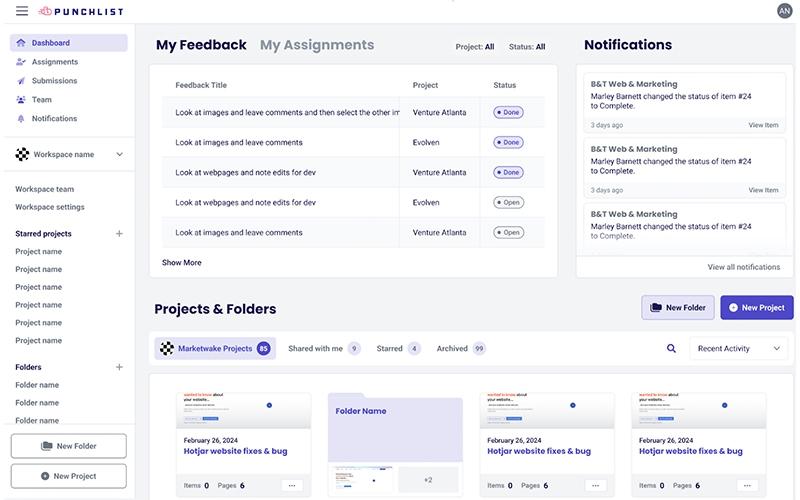
Punchlist features transform feedback into actionable tasks with assigned owners and deadlines set by users. This system clarifies roles, tracks progress through statuses, and sends notifications about updates to keep everyone informed. Additionally, it links tasks back to their original comments for reference. These features enhance efficiency by concentrating efforts, guaranteeing timely fixes, and maintaining project momentum.
Progress Board Tracker
Punchlist software displays timelines, task overviews, and deadlines on its board. Users update statuses to reflect actual progress, highlighting delays. Visual cues show ownership at a glance, and the tool monitors flow without extra meetings. It supports better planning, helping groups meet goals through clear oversight.
Markup And Annotation
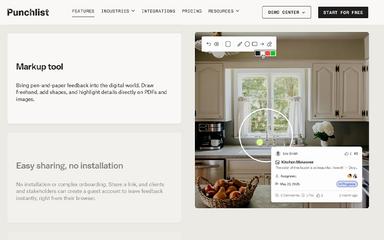
Users draw shapes or highlight sections on uploads using Punchlist features. This captures details like a digital pen, preserving intent in feedback. Layers keep markups organized for each reviewer, and exports include annotations for records. The capability enhances accuracy, helping teams execute visions without errors.
Pros And Cons of Punchlist
Pros
Pins feedback directly to files
Assigns tasks with clear owners
Tracks progress on visual boards
Cons
Export formats need variety
Markup layers could expand further
Punchlist Reviews

No reviews yet!
Be the first to review this product
Frequently Asked Questions
Does Punchlist offer an API?
Yes. Punchlist provides an API.
Does Punchlist have a mobile app?
No. Punchlist does not have a standalone mobile app.
What other apps does Punchlist integrate with?
Punchlist integrates with various software, including Asana, Trello, GitHub, and more.
What types of pricing plans does Punchlist offer?
Punchlist price plans include Studio ($19/month), Professional ($79/month), Premium ($139/month), and Enterprise (custom pricing). Get a personalized Punchlist cost estimate.
Who are the typical users of Punchlist?
Punchlist is commonly used in design, construction, and architecture sectors.
What language does Punchlist support?
Punchlist primarily supports the English language.
What level of support does Punchlist offer?
Punchlist provides support through various channels, including email and chat.