



Last Updated
Overall Rating
Based on 14 users reviews
4.4
Rating Distribution
Positive
86%
Neutral
14%
Negative
0%
Starting Price
$30
per user per month
SurveyMonkey Specifications
- Feedback Management
- Automation & Workflow
- Mobile Accessibility
- Analytics & Reporting
What Is SurveyMonkey?
SurveyMonkey is a cloud-based tool for creating surveys and collecting feedback. It is used by organizations for work involving marketing, human resources, customer experience, product development, and research.
Users can create surveys, send them to respondents, and review the results. Surveys can be shared through email or web links. Other options include social media, SMS, website embeds, and QR codes. SurveyMonkey also offers tools for creating and analyzing surveys with AI assistance. It has many more integrations available for connecting survey data with other business software. Teams can select respondent groups based on specific targeting requirements instead of relying only on their own contacts.
What Is SurveyMonkey Best For?
SurveyMonkey’s Survey Creation and Design lets users build custom surveys from templates or from scratch, with adjustable layouts and branding options. The survey layout can be adjusted to fit the research purpose, and branding can be added before it is sent out. This makes it easier to collect organized feedback for customer research, employee surveys, academic work, and market research.
How Much Does SurveyMonkey Cost?
SurveyMonkey offers paid team plans beginning at $30/user/month for 3 users. Individual subscriptions start at $39/user/month and require at least three users. Other plans include:
- Individual Plans:
- Basic: Free
- Standard Monthly: $99/month
- Premier Annual: $139/month ($1,668 billed annually)
- Team Plans:
- Team Premier: $92/user/month, billed annually; 3-user minimum
- Enterprise: Custom pricing; 5-user minimum
Additional costs include:
- Additional Responses: $0.15 for each response above the plan limit
- SurveyMonkey Audience: Estimated $1–$10+/completed response, depending on survey length and respondent targeting. Actual pricing is provided when an Audience order is created
- Express Audience Delivery: +$1/response when faster response collection is selected
- Enterprise Add-ons: Estimated $1,000–$10,000+/year, depending on the add-ons selected and organization size. Some Enterprise add-ons are purchased separately
- Implementation And Setup: ~$500–$5,000 (one-time)
- Custom Integrations/API: ~$1,000–$10,000+
- Survey Design And Consulting: ~$1,000–$10,000
Disclaimer: The pricing is subject to change.
SurveyMonkey Integrations
SurveyMonkey software integrates with various apps, such as:
How Does SurveyMonkey Work?
Here’s how you can use SurveyMonkey, from setting up a survey through collecting and reviewing responses:
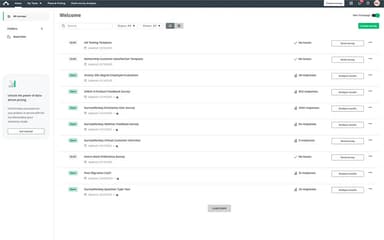
- Log in to your SurveyMonkey account and open the survey dashboard
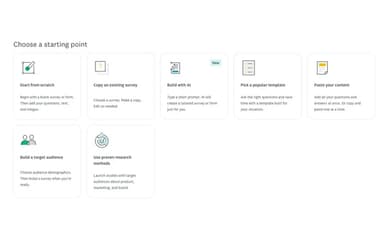
- Create a survey using a template, a generated draft, or a blank survey
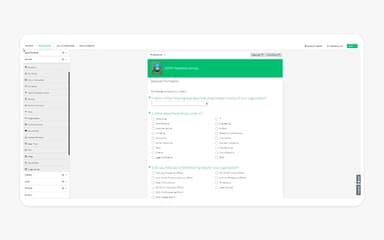
- Add your questions, set up question logic, apply branding, and adjust the survey settings to match your research needs
- Share the survey through a web link, email, social media, website embed, or another available collection method
- Use SurveyMonkey Audience if you need responses from specific demographic groups
- Check incoming responses and review results as people complete the survey
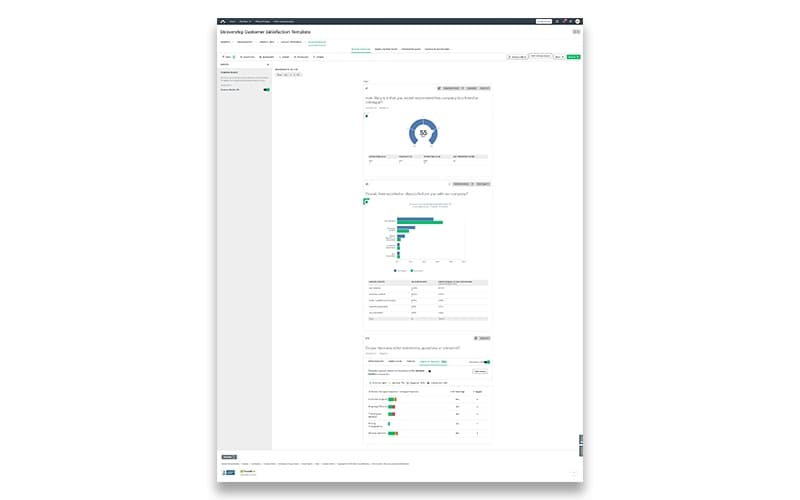
- Analyze the responses with charts, filters, and other available analysis tools. Eligible plans also include AI-assisted and thematic analysis
- Export the survey data or connect it with supported applications if you need to work with the results elsewhere
Who Is SurveyMonkey For?
SurveyMonkey serves different types of teams across the following industries:
- Retail
- Healthcare
- Education
- Nonprofit
- Financial services
- Technology
SurveyMonkey Use Cases
Based on SurveyMonkey’s key capabilities, the following are the key situations where this software is a good fit:
Marketing Teams Validating A Product Before Committing To Launch
When a marketing team is preparing to launch a product, assumptions about pricing, positioning, or messaging can result in expensive decisions. SurveyMonkey gives teams a way to test those assumptions with their target audience before committing major campaign resources. This matters when the team wants market feedback before deciding whether an idea should move ahead.
HR Teams Gauging Employee Sentiment During Workplace Changes
HR teams can have limited visibility into employee reactions during organizational changes. SurveyMonkey can be used to gather feedback around policy changes, workplace transitions, or changes in employee expectations. It can be useful when HR wants a clearer view of employee concerns without depending entirely on informal conversations.
CX Teams Identifying Service Problems Through Customer Feedback
Customer complaints and support conversations do not always show the wider experience. CX teams can use SurveyMonkey to ask customers for feedback after important interactions and look for issues that appear across multiple responses. This gives organizations another way to assess service quality and customer loyalty.
Product Teams Gathering Customer Evidence Before Prioritizing Features
Product teams may have more feature ideas than they have development capacity. SurveyMonkey can help gather customer views on which needs or improvements matter most. Product managers can use those responses alongside other research when deciding which ideas warrant further investigation.
Research Teams Reaching Specific Audiences For Market Studies
Some research projects require responses from people who meet particular demographic or consumer criteria. Existing contact lists may not provide enough suitable participants for a broader study. SurveyMonkey can be used to collect responses from defined audience groups for consumer and market research.
Is SurveyMonkey Right For You?
SurveyMonkey can work for teams that collect customer, employee, or market feedback on a regular basis without having a research department of their own. The free plan lets individuals and smaller teams try out survey creation and response collection first. Higher-priced plans are more relevant when response limits, team use, or deeper analysis become a concern.
For teams running surveys throughout the year, SurveyMonkey can handle repeat feedback and research without the need to build an in-house survey system. If surveys are only sent occasionally, the free plan or a simpler tool may cover what is needed.
Security requirements are worth checking before using SurveyMonkey for sensitive information. Enterprise plans offer SSO and user management along with added security and governance controls. Data can also be stored in the US, Canada, or the EU. Eligible healthcare organizations can use a HIPAA Business Associate Agreement.
Still unsure if SurveyMonkey is the right fit? Connect with us at (661) 384-7070 for further guidance.
SurveyMonkey Features
AI-Powered Analysis
Survey responses with written answers can be examined for sentiment, themes, and response quality. Eligible paid plans also provide summaries of open-ended responses. This gives users another way to review qualitative feedback and spot common points without going through each response separately.
Survey Templates And Question Types
SurveyMonkey has ready-made templates for customer satisfaction, employee engagement, market research, and product feedback. Users can change the template to suit their survey and add the question types they need. Skip logic and branching can also change the questions shown to a respondent based on earlier answers.
Longitudinal Analysis
Results from surveys conducted at different times can be reviewed together to see how responses change. Teams can track measures such as NPS over several survey periods, with survey comparisons available on qualifying plans. This is useful for recurring research where changes in feedback matter over time.
Payment Collection
Eligible SurveyMonkey surveys can include a payment option. This can be used for registrations, donations, and other transactions where respondents need to submit information and make a payment. The payment takes place within the survey process rather than requiring a separate form.
Multilingual Surveys
SurveyMonkey supports surveys in different languages for organizations collecting responses from people with different language preferences. Respondents can choose a language in which the relevant option is available. The languages and multilingual features a user can access depend on the subscription plan.
Pros And Cons of SurveyMonkey
Pros
User-friendly and quick interface
Free access to Build with AI
Broad template library for common survey requirements
Several global users laud it for its multilingual facilities
Offers smooth and secure transactions
Cons
Free and lower tiers limit customization options
Advanced logic can take several steps to configure
Exported reports may require additional formatting
SurveyMonkey Pricing
Team Advantage | Team Premier | Enterprise | Basic (Individual) | Standard Monthly (Individual) | Advantage Annual (Individual) | Premier Annual (Individual) |
|---|---|---|---|---|---|---|
$30 per user per month | $92 per user per month | Custom pricing | Free | $99 per user per month | $39 per user per month | $139 per user per month |
|
|
|
|
|
|
|
Disclaimer: The pricing details were last updated on Sep 25, 2026 from the vendor's website. Please contact us for a tailored pricing list.
SurveyMonkey Reviews
Total 14 reviews
4.4
All reviews are from verified customers
Rating Distribution
5
Stars57%
4
Stars29%
3
Stars7%
2
Stars7%
1
Stars0%
Share your experience
Defense and Space, 500+ employees
More than a year
“For easy and efficient surveys, SurveyMonkey's it”
Pros
I love how simple and easy to use this site is. My company uses this all the time to complete surveys and figure out how to improve our events.
Cons
I don't like that SurveyMonkey sometimes has lagging issues where the screen doesn't load. But once I click on the link again, it loads fine. It doesn't happen too often so that's a plus.
Rating Distribution
Ease of use
10
Value for money
10
Customer Support
10
Functionality
9
E-Learning, 51-100 employees
Less than 6 months
“A powerful and simple survey tool”
Pros
I really liked the variety of models and the different options for analyzing the answers. It made things a lot easier!
Cons
The questionnaire customization is pretty limited in the free version and the data export could use some improvements.
Rating Distribution
Ease of use
8
Value for money
8
Customer Support
8
Functionality
8
Construction, 1-10 employees
Less than 6 months
“Quick and easy survey tool”
Pros
I really love the customization tools on SurveyMonkey. It's a trusted company that has been super loyal to assisting customers and applying feedback for years.
Cons
Honestly there's nothing substantial I don't like about it!
Rating Distribution
Ease of use
10
Value for money
8
Customer Support
8
Functionality
8
Frequently Asked Questions
What types of pricing plans does SurveyMonkey offer?
The SurveyMonkey cost starts at $30/user/month for the Team plans, $39/month for the Individual plans, and a custom quote for the Enterprise plan. Get a detailed rundown of SurveyMonkey costs to pick the plan that best fits your business needs.
What language does SurveyMonkey support?
SurveyMonkey supports 56 languages, including English, Arabic, Hindi, Ukrainian, Persian, Chinese, French, German, Punjabi, and more.
What other apps does SurveyMonkey integrate with?
SurveyMonkey integrates with various third-party apps, such as Power BI, Salesforce, Tableau, Constant Contact, Microsoft Teams, Stripe, Zendesk, Zapier, etc.
Who are the typical users of SurveyMonkey software?
SurveyMonkey is typically used by those in education, healthcare, retail, technology, nonprofits, professional services, financial services, and other such industries.
Does SurveyMonkey have a mobile app?
Yes, SurveyMonkey has a mobile app for iOS and Android.
Does SurveyMonkey offer an API?
Yes, SurveyMonkey software does offer an API.
What level of support does SurveyMonkey offer?
SurveyMonkey offers email, chat, blogs, a resource center, and an online help center.