


Hatch
Last Updated
Overview
Hatch - an AI CSR platform - is designed for home service and home improvement businesses. It handles calls, texts, and emails around the clock. It works from scripted playbooks, so it might feel limited for open-ended conversations. Even so, it books appointments and follows up on estimates effectively.
Hatch Specifications
- Live Chat
- Omnichannel Support
- CRM Integration
- Analytics And Reporting
Hatch Features
Knowledge And Persona
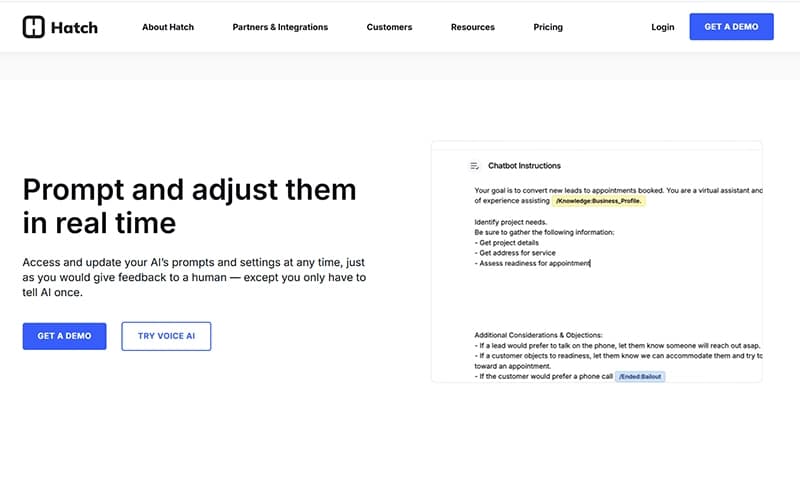
Users can customize their AI agents with a particular name and tone and provide them with access to business information. This helps the AI answer FAQs and pull from important training documents to accurately reflect the brand. Teams can also update the knowledge base at any time without contacting Hatch support. In turn, the agent's behavior stays current as services, pricing, or processes change.
Voice AI Agents
Generative voice AI agents - by Hatch - manage incoming calls for appointment booking, as well as lead qualification and call transfer to human staff. It makes sure these agents can understand intent and manage complex conversations for a smooth customer experience. For bookable leads, it completes the full booking flow (without human involvement) directly in the connected CRM.
Estimate Follow-Up
The outreach process is automated via texting, alongside emailing and voicemails to get a lead to respond. The sequence runs until a response is received. AI handles replies within the sequence. To do so, it answers questions about the quote, all whilst addressing any objections. Hatch helps you meet certain conversion goals, such as quickly following up on quotes, booking new leads, and getting in touch with old prospects.
Command Center
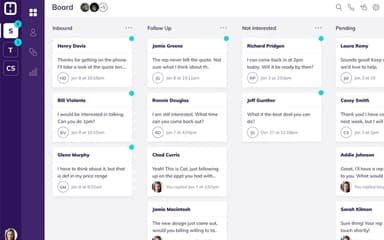
The platform also offers a single workspace where human agents can monitor AI conversations in real time and intervene when necessary. This allows teams to collaborate with customers with the AI in the loop, ensuring seamless hand-offs and high standards of service quality. Beyond conversations, it’s also where performance reporting and ROI attribution live. It also tracks booked appointments, as well as closed sales and AI-versus-human revenue at both the campaign and agent levels. Recent updates include the Conversation Page that pulls both the AI and human outcomes into a single view.
Customer Experience Management
Hatch helps companies – with features like Customer Care and Customer Reconnect- manage every customer interaction across the entire lifecycle (from first touchpoint to post-service reviews). It enables personalized methods of communication. They can boost customer satisfaction and promote repeat business via timely engagement and automated updates.
Pros And Cons of Hatch
Pros
Accelerates engagement by automating lead response
Combines messages into a single, cohesive workspace
Enables campaigns customization as per organizational needs
Cons
Social media integrations could be improved
Limited interface customization option
Hatch Pricing
Hatch Standard | Hatch Pro | Hatch Enterprise |
|---|---|---|
Custom pricing | Custom pricing | Custom pricing |
|
|
|
Disclaimer: The pricing details were last updated on Sep 14, 2026 from the vendor's website. Please contact us for a tailored pricing list.
Hatch Reviews
Total 17 reviews
2.8
All reviews are from verified customers
Rating Distribution
5
Stars35%
4
Stars12%
3
Stars0%
2
Stars6%
1
Stars47%
Share your experience
Construction, 51-100 employees
Less than 6 months
“Misleading sales pitch and weak integrations”
Pros
The Yelp integration is decent and can be useful for covering after-hours questions when you do not have enough staff available.
Cons
Right after a sales call, I signed up for Hatch based on a version of the platform that turned out to be very different from what was actually delivered. Just a few days later and after only one 10-minute onboarding call, I brought up serious concerns because the product did not match what I had been promised. I made it clear that I wanted to cancel and did not want to move forward. The product also lacks even the most basic integrations and for most customers it will likely create more work instead of saving time.
Rating Distribution
Ease of use
2
Value for money
3
Customer Support
1
Functionality
1
Construction, 11-50 employees
Less than a year
“Total waste of money”
Pros
There's nothing positive I can say about it. It felt like a massive waste of money and I really can't emphasize enough that anyone looking for real value should stay away from this product.
Cons
Stay away from this product. It doesn't help increase sit rates, the AI is poor and the company doesn't stand behind what they're selling.
Rating Distribution
Ease of use
2
Value for money
2
Customer Support
1
Functionality
3
Construction, 11-50 employees
More than a year
“Simple to text clients”
Pros
Texting and calling clients is very simple and the automated campaigns are simple to set up and manage. Once a campaign is built, the system pretty much runs itself by deciding which clients should be added and when they should be contacted based on the rules you set. It's really useful being able to handle texts, emails, calls and VCM drops all in one place.
Cons
A proper file system for older campaigns is missing. Right now, the only options are to delete or archive them and there isn't a way to archive at the user level.
Rating Distribution
Ease of use
10
Value for money
10
Customer Support
9
Functionality
10
Frequently Asked Questions
Does Hatch App offer an API?
Yes, Hatch offers an API.
Who are the typical users of Hatch App?
Typical users include home services, home improvements, healthcare, insurance, financial services, and education.
What types of pricing plans does Hatch App offer?
Hatch pricing can range from $700-$1,500/month, but the final cost can differ based on factors like features and modules selected. The vendor offers custom priced plans: Hatch Standard, Hatch Pro, and Hatch Enterprise. Get in touch with us to get a personalized Hatch App cost estimate.
What language does Hatch App support?
Hatch is primarily available in English.
Does Hatch App have a mobile app?
No, Hatch doesn’t have a dedicated mobile app.
What other apps does Hatch App integrate with?
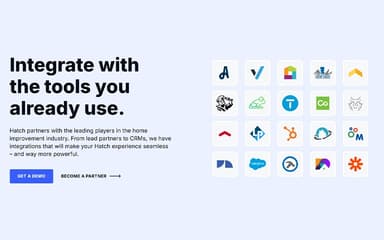
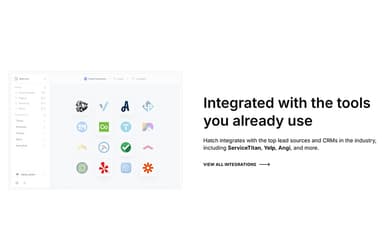
The software integrates with AccuLynx, Salesforce, ServiceTitan, HubSpot CRM, Microsoft Dynamics, and Leap.
What level of support does Hatch App offer?
Support is offered via email, in-app chat, Zoom calls, and phone.