Salesforce CRM

Salesforce CRM

Last Updated

Overview

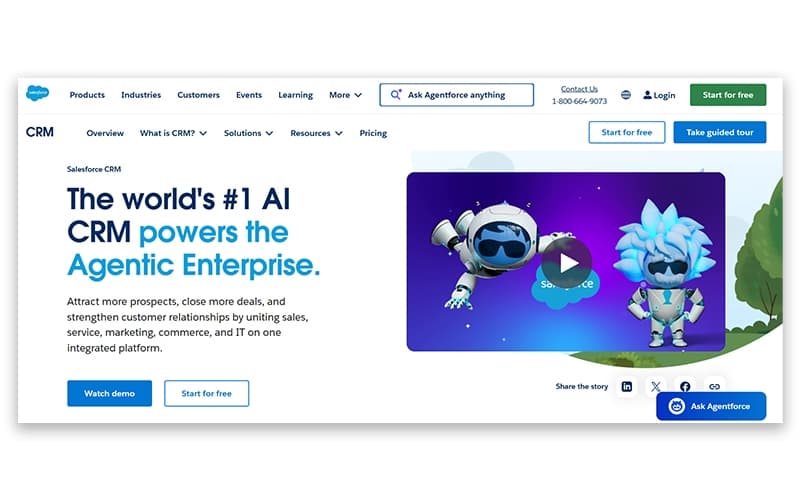
Salesforce CRM unites sales, service, marketing, and commerce teams with AI-powered automation and unified customer insights. While the platform requires initial setup time and technical expertise, it's highly scalable and customizable. If you're seeking enterprise-grade CRM with comprehensive features and integration capabilities, Salesforce delivers exceptional value for growing businesses.

Be the first one to leave a review!

No review found

vendorReviewSummaryStar icon
Starting Price
$25

per user per month
Salesforce CRM Specifications

  • Contact Management
  • Lead Management
  • Opportunity Management
  • Sales Forecasting
View All Specifications

What Is Salesforce CRM? 

Salesforce CRM is an AI-powered Customer Relationship Management software that unites sales, service, marketing, commerce, and IT teams around a single customer data model. It supports customer management through automated workflows, lead scoring, and predictive analytics. AI agents can also take on routine tasks, allowing teams to handle customer and sales activities with less direct intervention. 

Salesforce offers its CRM through several editions and separately licensed products rather than a single package. The main editions include Free Suite, Starter Suite, Pro Suite, Enterprise, Unlimited, and Agentforce 1 Sales. Agentforce is available as a separate AI and automation product through Flex Credits or usage-based contracts. Organizations can also purchase licenses for advanced analytics, CPQ, Data Cloud credits, and additional API access.

What Is Salesforce CRM Best For? 

Salesforce stands out for its AppExchange ecosystem, which lets businesses add third-party applications for sales, marketing, customer service, analytics, and specialized business functions. Organizations can expand their existing CRM with additional tools when new operational requirements arise, without moving to a different system. 

How Much Does Salesforce CRM Cost? 

Salesforce CRM pricing starts at $25/user/month for the Starter Suite. Annual billing is available for the Starter Suite, while the Pro Suite requires an annual contract. 

Other paid plans include: 

  • Free Suite: $0/user/month 
  • Pro Suite: $100/user/month

Salesforce Success Plans 

  • Standard Success Plan: Included with all licenses 
  • Premier Success Plan: 30% of net license fees 
  • Signature Success Plan: Custom pricing 

Additional Costs includes: 

  • Implementation And Setup: Costs typically range from $5,000 to $50,000 or more as a one-time expense. This covers Salesforce configuration, workflow setup, integrations, data migration, and deployment 
  • Salesforce Consulting And Customization: Consulting rates typically range from $150 to $300 or more per hour. This service covers custom workflows, reports, objects, integrations, and ongoing Salesforce administration 
  • Third-Party AppExchange Apps: Paid applications typically cost $10 to $100 or more per user per month. These apps add functions such as e-signatures, document management, reporting, and data enrichment 
  • Premier Success Plan: The plan costs 30% of net license fees. It provides additional Salesforce support, including expert guidance, health checks, product education, and assistance with critical issues 
  • Data Migration: Migration services typically cost $2,000 to $15,000 or more as a one-time expense. They cover transferring customer records, mapping fields, cleaning data, and removing duplicate records 

The platform also offers a free trial period. 

Contact us for a personalized Salesforce CRM cost tailored to your specific requirements. 

Disclaimer: The pricing is subject to change. 

Salesforce CRM Integrations 

The platform integrates with various third-party applications and tools, including: 

How Does Salesforce CRM Work? 

Here is how users can start working with Salesforce CRM:

  • Sign up for the Free Suite or a paid edition based on team size and budget
  • Import existing customer records into Salesforce, with larger deployments often involving an implementation partner
  • Create shared customer records so sales, service, marketing, and commerce teams work with the same information
  • Configure workflows and lead scoring to handle tasks such as updating records and directing inquiries
  • Monitor completed deals through dashboards and project timelines
  • Create reports and dashboards to analyze sales activity and customer engagement
  • Extend Salesforce with third-party applications available through AppExchange when additional functions are needed
  • Add Agentforce separately for organizations that require AI agent functionality
  • Move to a higher edition if the existing plan no longer meets requirements for users, storage, or usage
You can also a schedule a free Salesforce CRM demo to see its end-to-end capabilities.

Who Is Salesforce CRM For? 

The software is suitable across various industries and sectors, which include: 

  • Automotive 
  • Education 
  • Energy and utilities 
  • Manufacturing 
  • Public 
  • Real estate 
  • Healthcare and life sciences 

Salesforce CRM Use Cases 

Based on Salesforce CRM’s features, the following use cases are particularly relevant for growing and enterprise organizations: 

1. Companies Running Sales, Service, and Marketing Through Different Systems 

Salesforce can help organizations bring customer information together when sales, service, and marketing teams currently use separate systems. With shared customer records, each department can view relevant interactions and history instead of relying on information passed between teams. This setup becomes more useful as customer data and internal processes become too complex for basic spreadsheets or contact lists. 

2. Mid-Size Companies Planning Full Implementation, Not Just A License Purchase 

Organizations adopting Salesforce need to account for more than the software subscription. Data migration, workflow configuration, system setup, and user adoption can all form part of the implementation process. Companies with established processes and larger customer databases may also work with an implementation partner to manage the rollout and configure Salesforce according to their requirements. 

3. Sales Teams Wanting AI To Handle Routine Prospecting And Follow-Up 

Sales teams can use Salesforce’s AI agents to assist with routine activities related to leads and follow-ups. These functions can include surfacing potential leads, update customer information, and identifying records that require attention. This use case is relevant to sales organizations where representatives spend significant time maintaining records alongside their prospecting and follow-up activities. 

4. IT Teams Extending The CRM Instead Of Building Custom Tools 

Organizations that require functions beyond the standard CRM can use Salesforce AppExchange to add third-party applications. Available applications can support areas such as accounting, electronic signatures, and project tracking. This approach gives IT teams another option when a required function is not available within the existing Salesforce setup, and developing a custom tool is not practical. 

5. Regulated Industries Needing Workflows Configured Around Compliance 

Healthcare, financial services, and other regulated organizations may need CRM workflows that reflect specific business and compliance requirements. Salesforce allows teams to configure processes around these requirements rather than relying entirely on predefined workflows. This can be useful when customer data handling, and internal processes must follow industry-specific rules. 

Is Salesforce CRM Right For You? 

Salesforce CRM stands as the industry-leading solution, recognized for 13 consecutive years as the world's #1 CRM by IDC. It combines customer data management with AI-supported automation and industry-specific tools. Its editions can be configured for different organizational requirements, while its customization options and security features support more complex business environments. The software is used across sectors including healthcare, financial services, manufacturing, and retail. 

The Spring ’26 update expanded Agentforce’s prospecting functions by using web and third-party data to identify and prioritize potential leads. Salesforce also introduced Flexible Hierarchies for financial services, giving organizations a way to map relationships between parent companies, subsidiaries, and related entities. 

Together, these developments show Salesforce’s move toward embedding AI agents within existing workflows. Agentforce can assist with tasks across CRM and Slack instead of functioning only as a standalone chatbot. 

Still doubtful if Salesforce CRM is the right fit for your team? Contact us at (661) 384‑7070 for further assistance. 

Salesforce CRM Features

AI-Powered Automation

The platform leverages AI to automate repetitive tasks, streamline workflows, and deliver predictive insights that help teams work efficiently. The built-in AI agents operate continuously to handle customer inquiries, update sales data, and provide intelligent recommendations. This automation frees employees to focus on strategic initiatives while ensuring consistent customer interactions across all touchpoints.

See How It Works
Unified Customer View

The software consolidates customer data from sales, service, marketing, and commerce into a single profile accessible across the entire organization. Every team member can view complete interaction histories, preferences, and engagement patterns in real-time. This 360-degree customer perspective enables personalized experiences and ensures seamless handoffs between departments. This eliminates data silos and improves collaboration.

See How It Works
Project Management

The project management capabilities help to plan, organize, and track project timelines, budgets, and deliverables. Teams can coordinate tasks, manage dependencies, and monitor progress through customizable dashboards and visual tools like Gantt charts. Moreover, automated workflows streamline project initiation from closed deals, while collaboration features like Chatter enable seamless communication.

See How It Works
Reporting

Salesforce CRM reporting gathers and analyzes customer data to provide insights into sales performance, customer engagement, and operational health. Built-in reporting tools generate customizable reports using charts, graphs, and interactive dashboards that visualize key metrics and trends. The AI-powered analytics identify patterns and deliver actionable recommendations for data-driven decision-making, and optimized resource allocation.

See How It Works

Pros And Cons of Salesforce CRM

Pros

  • Easy to customize the software according to the requirements

  • Automates the process of lead generation and closing

  • Offers high customization flexibility

  • Strong analytics provide clear visibility into sales performance

  • Extensive integrations connect Salesforce with a wide range of business tools

Cons

  • The platform is complicated to use for new users

  • The user interface is outdated, making it difficult to drag and drop files

  • Data management features can be hard to work with large datasets

Salesforce CRM Pricing

Free Suite

eye

View Price

What's Included

  • Lead, opportunity, and case management

  • AI assistance through Employee Agent

  • Email campaigns, forms, and analytics

  • Connected Slack conversations

Starter Suite

eye

View Price

What's Included

  • Built-in sales flows and lead routing

  • Email nurturing and lead scoring

  • Secure payment links

  • Ecommerce storefront

  • Unlimited users

Pro Suite

eye

View Price

What's Included

  • Enhanced real-time chat

  • Sales quoting and forecasting

  • Advanced customization and automation

  • AppExchange access

  • Premier Support add-on

Standard Success Plan

eye

View Price

What's Included

  • Knowledge articles and documentation

  • Trailhead resources

  • Trailblazer Community access

Premier Success Plan

eye

View Price

What's Included

  • Expert guidance and product education

  • Health checks and recommendations

  • 24/7 support for critical issues

Signature Success Plan

eye

View Price

What's Included

  • Dedicated Customer Success Manager

  • Customer Success Score

  • Proactive monitoring

  • Fastest 24/7 support response times

Disclaimer: The pricing details were last updated on Jul 20, 2026 from the vendor's website. Please contact us for a tailored pricing list.

Salesforce CRM Reviews

no-reviews

No reviews yet!

Be the first to review this product

Frequently Asked Questions

What level of support does Salesforce CRM offer?

Salesforce CRM offers support through live chat assistance, ticket system, phone, and knowledge hub.

What other apps does Salesforce CRM integrate with?

Salesforce CRM connects with various third-party tools and applications, including Slack, MailChimp, Docusign, Dropbox, Jira, and QuickBooks.

Does Salesforce CRM offer a mobile app?

Yes, the platform offers a dedicated mobile app for Android and iOS users.

What languages does Salesforce CRM support?

Salesforce CRM software supports the English language only.

Who are the typical users of Salesforce CRM?

The software is used by various industries and sectors, which include real estate, public, healthcare and life sciences, manufacturing, education, energy and utilities, and automotive.

Does Salesforce CRM offer an API?

Yes, the software offers an API.

What type of pricing plan does Salesforce CRM offer?

The vendor offers three Salesforce CRM pricing plans, which include Free Suite ($0/user/month), Starter Suite ($25/user/month), and Pro Suite ($100/user/month). Contact us for a specific Salesforce CRM price quotation.