


RemotePC
Last Updated
Overview
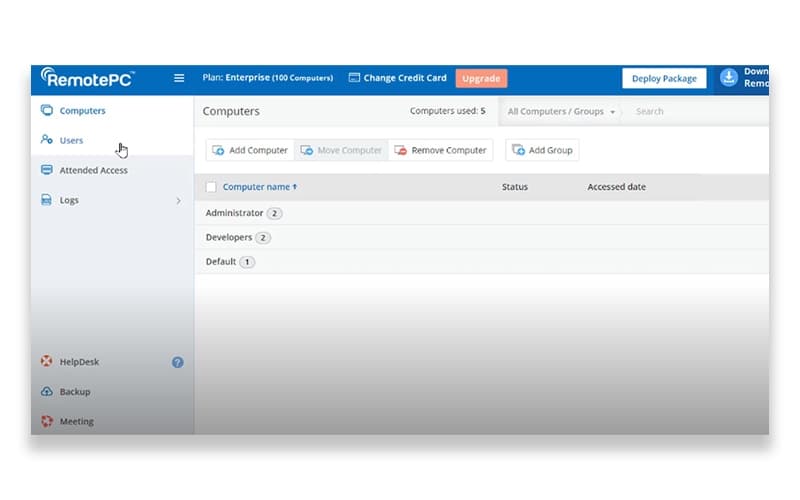
RemotePC can easily access and control users’ computers remotely with secure connections, file transfer, and multi-platform support. While it may not offer extensive advanced features, it suits small to mid-sized businesses and IT teams needing reliable remote access.
RemotePC Specifications
- CRM Integration
- Analytics And Reporting
- Escalation Management
- Self-Service Portal
RemotePC Features
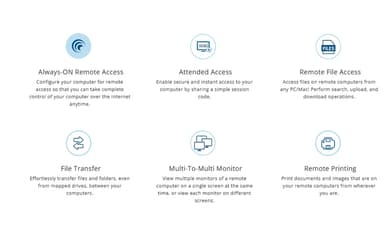
Always-ON Remote Access
This feature allows users to configure their computer for remote access anytime, providing full control over their device via the internet. It ensures you can connect whenever needed without requiring user intervention at the remote end. This capability supports continuous availability and seamless workflow.
Remote File Access
The software allows users to access files on remote computers from any PC or Mac, allowing you to search, upload, and download documents as needed. This feature streamlines file management across devices, making it easy to work with data regardless of location. It enhances productivity by eliminating the need for manual file transfers.
Multi-To-Multi Monitor
The platform helps view multiple monitors of a remote computer on a single screen or separate screens, offering flexibility in managing multiple displays. This functionality helps users monitor various tasks simultaneously, improving efficiency during remote sessions. It is particularly beneficial for users to handle complex workflows or large data sets.
Remote Printing
RemotePC allows users to print documents and images stored on remote computers directly from their local devices. This feature removes the hassle of transferring files before printing, saving time and reducing workflow interruptions. It supports seamless operations across locations and devices.
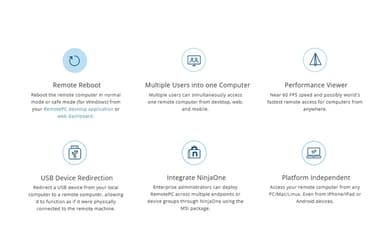
Remote Reboot
This feature helps users reboot a remote Windows computer in normal or safe mode directly from the desktop application or web dashboard. This feature allows maintenance or troubleshooting without physical access, increasing convenience and reducing downtime. It is especially useful for IT teams managing multiple machines remotely.
Pros And Cons of RemotePC
Pros
Affordable compared with many remote‑access tools
Quick and simple to install and set up
Reliable remote access and file transfer speed
Cons
Occasional lag or performance drop for some users
Some users find the user interface less intuitive or a bit outdated
RemotePC Reviews
Total 70 reviews
4.7
All reviews are from verified customers
Rating Distribution
5
Stars83%
4
Stars13%
3
Stars1%
2
Stars1%
1
Stars1%
Share your experience
Information Technology and Services, N/A employees
More than a year
“Work from anywhere”
Pros
Price is excellent and it lets me work remotely without any problems. It feels almost the same as being at my desk in the office but with the added flexibility to work from anywhere at any time.
Cons
I have had a couple of issues when working with PDFs while logged in. I can open and view the files fine but the cursor sometimes disappears even though I'm still able to click and select things.
Rating Distribution
Ease of use
10
Value for money
10
Customer Support
10
Functionality
10
Not Specified, N/A employees
Less than a year
“Feature-packed and budget-friendly”
Pros
Compared with other IT tools I used before, this one gives much better value for the price. I switched mainly because of the cost and it offers a lot of features without the high price tag.
Cons
There are times when the software doesn't connect right away and file transfers can be a bit unreliable as well.
Rating Distribution
Ease of use
8
Value for money
9
Customer Support
8
Functionality
8
Retail, N/A employees
More than a year
“unreliable connectivity”
Pros
Getting it up and running for remote access was easy and the cost is low enough if all you need is a basic, quick way to connect to an unattended computer.
Cons
Reliability is where it really struggled. Connections would drop often and it reached a point where other team members were getting frustrated by the freezes, disconnects and constant "connection interrupted" messages. After that the only option was usually to wait around for a while or close it completely and try again. Data transfer between computers could also be slow sometimes appearing glitchy.
Rating Distribution
Ease of use
4
Value for money
5
Customer Support
5
Functionality
4
Frequently Asked Questions
What language does RemotePC support?
RemotePC primarily supports the English language.
Who are the typical users of RemotePC?
RemotePC features are used by a wide range of industries and sectors, including accounting, education, and healthcare.
What level of support does RemotePC offer?
RemotePC offers support through phone, email, and an online contact form.
Does RemotePC offer an API?
Yes, RemotePC offers an API.
What other apps does RemotePC integrate with?
RemotePC integrates with multiple systems and platforms, including Freshservice, Jira software, Zendesk, and Freshdesk.
What types of pricing plans does RemotePC offer?
RemotePC price plans include Consumer at $29.50/year, SOHO at $99.50/year, Team at $299.50/year, and Enterprise at $599.50/year. Pricing varies based on the number of users and devices supported. Get a detailed RemotePC cost breakdown tailored to your specific requirements.
Does RemotePC have a mobile app?
Yes, RemotePC offers a dedicated mobile app.