


Textline
Last Updated
Overview
Textline offers straightforward SMS-based customer support that helps teams manage and respond to inquiries efficiently. While it requires some setup for team workflows, its clean interface and essential integrations make it a reliable tool for enhancing customer communication.
Textline Specifications
- Ticket Management
- Live Chat
- Omnichannel Support
- CRM Integration
What Is Textline?
Overview
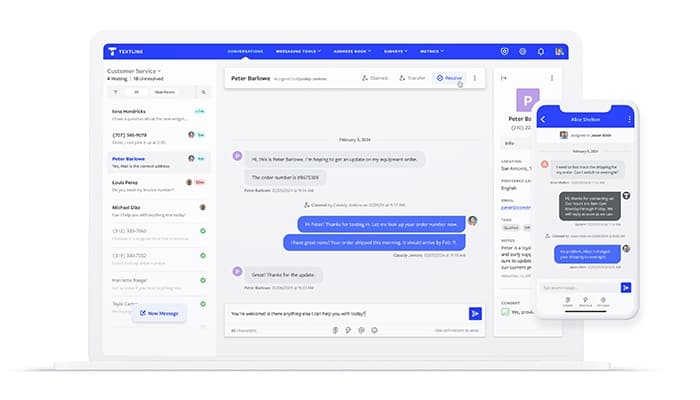
Textline is a cloud-based customer service software designed for industries that rely on quick, efficient customer communication, including retail and logistics. It enables businesses to manage SMS-based interactions, helping teams address customer inquiries rapidly and improve response times. By centralizing text communication, Textline streamlines processes like customer support and appointment scheduling, solving challenges such as delayed responses, scattered communications, and customer follow-up gaps.
Textline Pricing
The software offers four packages:
- Limited: $20/agent/month
- Standard: $30/agent/month
- Pro: $50/agent/month
- Enterprise: custom quote provided
Disclaimer: Prices are subject to change.
Textline Integrations
Textline software seamlessly integrates with various business applications, including:
- Salesforce
- Zendesk Support
- Slack
- Talkdesk
- Aircall
- Zapier
- HubSpot
- Pipedrive
Who Is Textline For?
The software is designed for businesses of all sizes across various industries, such as:
- Financial services
- Marketing and advertising
- Entertainment
- Education management
- Sports
- Farming
- Non-profit organization management
Is Textline Right For You?
Widely recognized for enhancing customer satisfaction and team productivity, Textline stands out as a straightforward and dependable solution in the customer messaging software landscape. The software enhances teamwork and collaboration, is scalable and secure, and is SOC 2-compliant.
Still trying to figure out if Textline is right for you? Contact our customer support team at (661) 384-7070, and they will help you make a confident decision.
Textline Features
Address Book
Store customer contact information for quick access, enabling personalized communication. By organizing contacts in one place, it reduces search time and enhances the efficiency of customer interactions.
Announcements
The announcements feature lets teams send one-way messages to a large audience simultaneously, ideal for updates or promotions. This saves time and ensures that critical information reaches all customers instantly.
Group Messaging
Group messaging allows teams to communicate with multiple recipients within a single thread, improving collaboration on customer issues and streamlining team discussions to provide cohesive responses.
Conversation Management
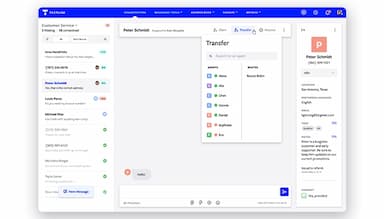
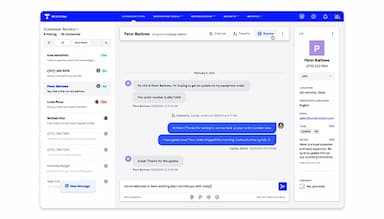
Conversation management tools help teams organize, assign, and track customer inquiries effectively, preventing missed messages and ensuring timely responses. This feature boosts team accountability and customer satisfaction.
Surveys
Surveys in Textline allow businesses to gather customer feedback directly through SMS, facilitating quick insights on customer satisfaction and service improvements. This feature enhances customer experience by prioritizing feedback-based improvements.
Pros And Cons of Textline
Pros
Excellent customer support, ensuring timely assistance
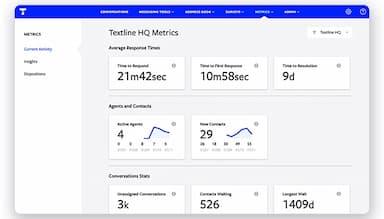
Helpful reporting tools to simplify communications
Promotes stronger team collaboration
Cons
Some CRM integration limitations
Requires third-party tools for advanced features
Textline Reviews
Total 9 reviews
4.8
All reviews are from verified customers
Rating Distribution
5
Stars78%
4
Stars22%
3
Stars0%
2
Stars0%
1
Stars0%
Share your experience
Insurance, 1-10 employees
More than a year
“Excellent texting service”
Pros
The platform is easy to use and training agents on it is also very simple.
Cons
The native features in Pipedrive could be enhanced a bit further.
Rating Distribution
Ease of use
10
Value for money
10
Customer Support
10
Functionality
10
Nonprofits, 11-50 employees
More than a year
“Amazing product! So Easy to use!”
Pros
It's very userfriendly and the support team is responsive and helpful. It does more than expected and has made programming and client follow-up easier.
Cons
No issues !! we enjoy using it. The automation and shortcuts are very helpful and we haven't noticed any cons.
Rating Distribution
Ease of use
10
Value for money
10
Customer Support
10
Functionality
10
Healthcare, 1-10 employees
More than a year
“I had a great experience using it!”
Pros
The experience has been positive, with Skylar from customer support being especially patient with someone who isn't very tech savvy.
Cons
Customer support is only available Monday through Friday, which is a limitation.
Rating Distribution
Ease of use
8
Value for money
6
Customer Support
6
Functionality
6
Frequently Asked Questions
Does Textline offer an API?
Yes, Textline offers an API.
What language does Textline support?
Textline supports English.
What other apps does Textline integrate with?
Textline integrates with Zendesk Support, Slack, Salesforce, HubSpot, and many more.
Does Textline have a mobile app?
Yes, Textline has a mobile app.
What type of pricing plans does Textline offer?
Textline price starts at $20/agent/month for the Limited plan, $30/agent/month for the Standard plan, and $50/agent/month for the Pro plan. Users can also get pricing for a tailormade plan.
Who are the typical users of Textline?
The typical users of Textline are those in the sports, farming, and sports management industries.
What level of support does Textline offer?
Textline offers chat, email, helpdesk, and Knowledge Base.