


Wati
Last Updated
Overview
Wati helps businesses streamline WhatsApp communication through automated messaging and AI-driven support. While reporting depth is somewhat limited, it offers seamless integrations and scalable management of high-volume customer interactions. Overall, it is a dependable platform for improving engagement and operational efficiency.
Wati Specifications
- Live Chat
- Omnichannel Support
- CRM Integration
- Canned Responses
Wati Features
No-Code Chatbots
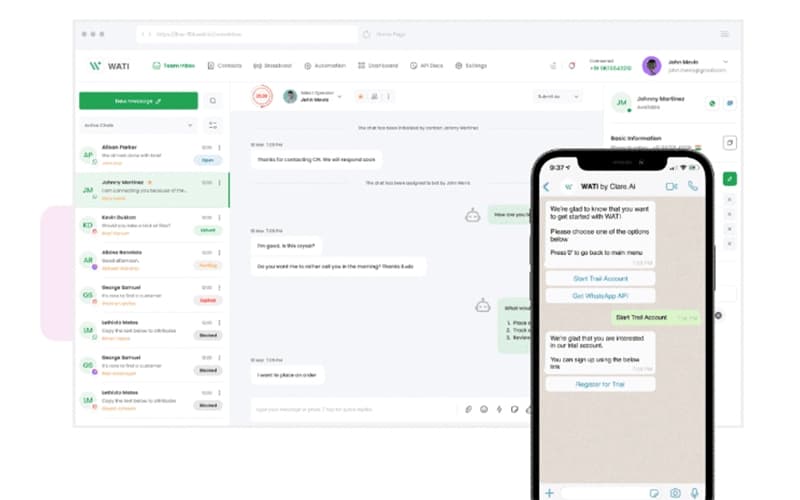
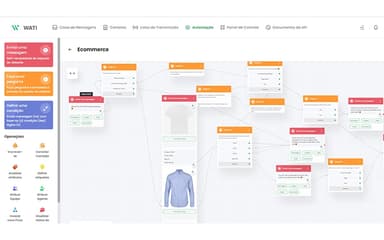
Wati enables automated engagement through configurable WhatsApp chatbots built without coding. It streamlines customer interactions by distributing timely information across marketing, support, and sales touchpoints, creating responsive workflows that adapt to evolving operational needs.
AI Support Agent
The platform applies artificial intelligence to manage routine customer conversations, addressing inquiries, resolving simpler issues, and escalating complex matters to human agents when required. This balanced approach enhances operational efficiency while maintaining oversight during high-value or sensitive interactions.
Broadcasts
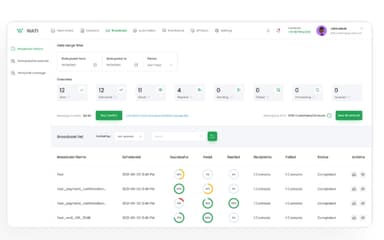
The software supports official WhatsApp broadcasts that deliver personalized campaigns at scale. Messages can be scheduled, automated, and customized using templates or APIs, enabling targeted outreach aligned with customer behavior, compliance requirements, and evolving communication strategies.
Team Inbox
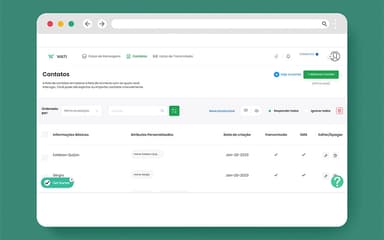
Wati centralizes conversation management by organizing teams, assigning dialogues, and supporting efficient collaboration. Its unified workspace streamlines contact handling, message tracking, and instant translation, ensuring seamless communication across varied regions and languages for improved operational coordination.
WhatsApp Business Calling
Wati integrates high-quality voice calling into WhatsApp workflows for smoother customer experiences. This feature includes click-to-call, analytics, business-hour controls, and multi-number management, allowing organizations to handle complex interactions, enhance trust, and increase conversion potential through real-time conversations.
Pros And Cons of Wati
Pros
Reliable automation and WhatsApp communication performance
Clean user interface and easy-to-use automation builder
Efficient inbox setup that keeps teams organized
Cons
Content approval delays may slow down campaign execution
The reporting suite lacks custom KPI options
Wati Reviews
Total 50 reviews
4.5
All reviews are from verified customers
Rating Distribution
5
Stars78%
4
Stars12%
3
Stars0%
2
Stars0%
1
Stars10%
Share your experience
Furniture, N/A employees
More than a year
“Stronger WhatsApp control”
Pros
Bringing all of our WhatsApp customer communication into one place has helped us handle enquiries in a much more organized way. The shared team inbox, automation rules, contact management, routing and AI features have been especially valuable. We now have far better visibility into conversations and it is much easier to manage handovers, assign ownership and keep follow-ups structured across the team.
Cons
Initial setup and automation configuration can take a while to fully understand especially when AI agents, routing rules, permissions and multiple channels are all involved. A more easy and simple setup process would make onboarding much easier.
Rating Distribution
Ease of use
9
Value for money
9
Customer Support
10
Functionality
9
Hospitality, N/A employees
Less than 6 months
“Support failures and denied refunds”
Pros
The part I appreciated most was the fresh, modern interface the quick and easy setup and the mobile app which made it convenient for our team to handle customer conversations while away from the desk. In terms of usability and design, it is genuinely very user-friendly.
Cons
The biggest drawback for me was the lack of proper personal customer support when technical problems came up. From the very beginning, we had issues with the WhatsApp calling feature, clients were able to call us but we often could not hear them and ended up having to call them back. We reported this several times but most of the responses felt automated or AI-generated rather than like real technical help. I was also very disappointed with the refund policy. Even though the calling feature never worked properly for us, our refund request was rejected. On top of that, we still had about USD 50 in unused conversation credits that were not refunded either.
Rating Distribution
Ease of use
1
Value for money
1
Customer Support
1
Functionality
1
Arts and Crafts, N/A employees
Less than a year
“Versatile chatbot”
Pros
Building chatbots with it is very easy and the voice and text agents make it useful for a wide range of use cases.
Cons
Because it is not very well known, it can be hard at first to find reviews or feedback from other users.
Rating Distribution
Ease of use
10
Value for money
10
Customer Support
9
Functionality
10
Frequently Asked Questions
Who are the typical users of Wati software?
Wati features are used by teams and businesses across a variety of industries, including eLearning, e-commerce, marketing, healthcare, and sales.
What language does Wati support?
Wati supports multiple languages, including English, Spanish, Portuguese, Arabic, Traditional Chinese, and Simplified Chinese.
What level of support does Wati offer?
Wati offers support through blogs, chatbot library, eBooks, chat, help center, and email.
Does Wati have a mobile app?
Yes, Wati offers a dedicated mobile application for iOS and Android devices.
What types of pricing plans does Wati offer?
Pricing for Wati is structured across three plans: Growth at $49/month, Pro at $99/month, and Business at $249/month. It also offers a free trial. Request a detailed Wati price breakdown for your organization today.
What other apps does Wati integrate with?
Wati integrates with various third-party applications, including HubSpot, Zapier, Shopify, Klaviyo, Twilio, Zoho, and PayTabs.
Does Wati offer an API?
Yes, Wati offers an API.