


Last Updated
Overview
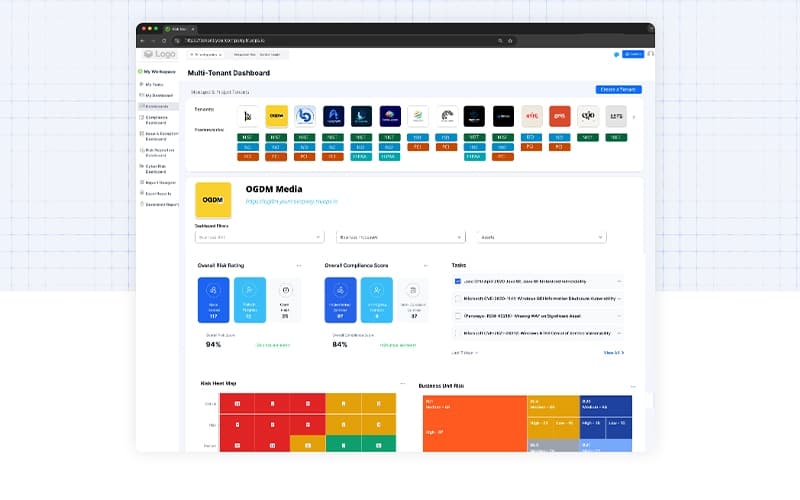
TruOps empowers businesses with intelligent risk management and compliance solutions. While the implementation of new features may take longer than expected, TruOps excels in automating risk management. Designed for enterprises and security teams, it enhances visibility, minimizes risks, and ensures compliance, enabling businesses to focus on growth with confidence.
TruOps Specifications
- Security Measure
- Vulnerability Management
- Security Audits and Reporting
- Cloud Security
TruOps Features
Risk Management
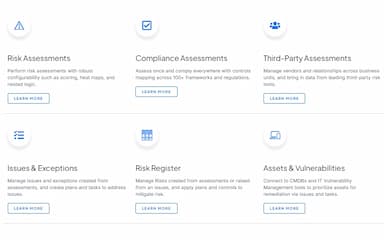
This feature provides a comprehensive view of risks across your business. It helps users identify, assess, and manage risks in one place, enabling smarter, risk-aware decisions for improved security and compliance
Compliance Management
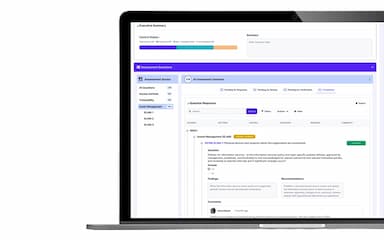
TruOps helps simplify compliance processes and stay audit-ready. It assists in managing policies, regulations, and governance requirements, ensuring your organization meets industry standards without the usual complexity or manual work.
Third-Party Risk Management
This helps users to easily assess and monitor vendor risks. It automates onboarding, due diligence, and ongoing monitoring, helping you manage third-party relationships while minimizing security threats and compliance gaps.
Vulnerability Management
Vulnerability Management helps you find, prioritize, and fix security gaps. It consolidates data from multiple sources to provide a clear view of vulnerabilities, enabling you to take action and protect your business.
Continuous Controls Monitoring
This enables users to check their security and compliance status. It also connects with key systems to track vulnerabilities, vendor risks, and cloud security, giving you real-time insights for better decision-making.
Policy Management
Policy Management empowers users to easily create, review, and manage company policies. It also helps standardize policy workflows, ensuring policies are properly documented, reviewed, and acknowledged by employees for better compliance.
Pros And Cons of TruOps
Pros
Automation capabilities that streamline risk management processes
Highly configurable to fit various organizational needs
Frequent enhancements and consideration of user feedback
Cons
Initial setup is lengthy and challenging, according to some software users
New feature implementations take longer than expected
TruOps Reviews
Total 14 reviews
4.7
All reviews are from verified customers
Rating Distribution
5
Stars71%
4
Stars29%
3
Stars0%
2
Stars0%
1
Stars0%
Share your experience
Verified User
Aviation & Aerospace, 500+ employees
“Swift and efficient support”
Pros
Whenever I run into any issues, the support team is always quick to respond and they are incredibly friendly, which I really appreciate.
Cons
The implementation of new features sometimes take quite time.
Rating Distribution
Ease of use
8
Value for money
8
Customer Support
8
Functionality
6
Verified User
Security and Investigations, 51-100 employees
“Satisfied with the experience so far”
Pros
TruOps is super easy to use and can be customized to meet specific needs, which makes it a great fit for our different requirements.
Cons
Automation amount and the bugs we encountered during the integration were pretty frustrating. But, they have been addressing and fixing the bugs, which is a relief.
Rating Distribution
Ease of use
10
Value for money
10
Customer Support
10
Functionality
8
Verified User
Pharmaceuticals, 500+ employees
“Amazing customer support”
Pros
It's really easy to get in touch with someone when you need help and their response time is always fast.
Cons
Some settings weren't configured correctly at first but they were quick to resolve it once we brought it to their attention.
Rating Distribution
Ease of use
8
Value for money
8
Customer Support
8
Functionality
8
Frequently Asked Questions
What other apps does TruOps integrate with?
TruOps software integrates with AWS Inspector, Jira Software, Okta SSO, Qualys VMDR, ServiceNow ITSM, Tenable.io, and Windows Defender.
What types of pricing plans does TruOps offer?
TruOps cost consists of three flexible plans, i.e., Projects at $600/tenant/quarter, Engagements at $1,250/tenant/quarter (excluding platform license fees), and a Bundle & Save plan with custom pricing.
Does TruOps have a mobile app?
No, TruOps does not have a mobile app.
Who are the typical users of TruOps?
Typical users of TruOps are professionals working in MSSPs, private equity and audit firms, organizations, and vCISOs.
What language does TruOps support?
TruOps supports only the English language.
Does TruOps offer an API?
No, TruOps does not offer an API.
What level of support does TruOps offer?
TruOps offers phone, email, FAQs, and knowledge base support.