



Last Updated
Overview
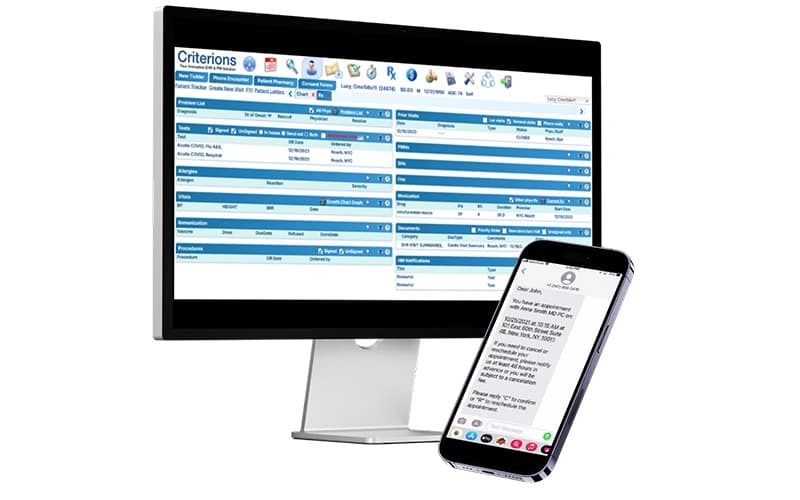
Criterions EHR is a cloud-based solution designed to streamline electronic health records and practice management with customizable workflows, powerful e-prescribing, and lab integrations. While it may have limited features and functionalities, the platform compensates with strong financial management capabilities and ensures efficient and reliable practice operations.
Criterions EHR Specifications
- Appointment Management/Scheduling
- e-Prescriptions
- Lab Integrations
- Patient Portal
Criterions EHR Features
Electronic Prescribing Services (eRx)
Criterions include an electronic prescribing feature that allows providers to send prescriptions directly to pharmacies, check drug interactions, and monitor controlled substances. It integrates a national drug database and supports streamlined medication workflows for improved patient safety.
Patient Portal
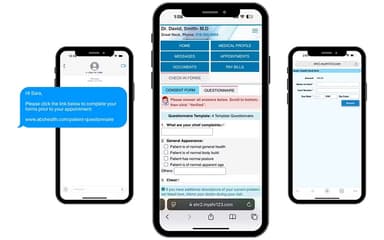
The HIPAA-compliant patient portal gives patients access to their health records, lab results, and visit summaries. It also enables direct messaging with providers and allows patients to request refills, appointments, and update personal health information. It reduces front desk workload, captures more accurate patient data, and offers contactless experience to both patients and practitioners.
Schedular
This Criterions feature supports real-time scheduling with customizable calendar views, resource tracking, and role-based permissions. Practices can manage multiple providers, appointment types, and location in a single platform. Patients can check-in virtually from anywhere to confirm appointments by text. By using this feature, clinicians can also verify a patient’s insurance before the visit.
Patient Appointment Reminders
Criterions software includes automated reminders via phone, email, or SMS which helps to reduce no-shows and late cancellations. It enables providers to customize messages by appointment type, time, or practitioner while tracking patient responses to improve communication. Patients can also confirm or decline appointments without a phone call. This texting module helps front-desk staff save time they would otherwise spend calling patients.
Lab Interface
The software offers bi-directional, uni-directional, and ADT lab interfaces that connect seamlessly with laboratories, public health organizations, and imaging centers. The user-friendly interface allows practitioners to automate the ordering process for diagnostic tests. They can also create a favorites list for frequently used laboratories or requisition forms to place bulk orders.
Practice Management
Criterions practice management suite includes integrated medical billing, scheduling, insurance verification, and claims management tools. These tools help practices manage administrative and financial workflows within a single system. Staff can generate electronic claims, track claim statuses, manage accounts receivable, and process payments without switching between multiple platforms. Its real-time insurance eligibility verification and reporting tools help practices reduce claim denials, improve reimbursement tracking, and streamline overall revenue cycle management.
Pros And Cons of Criterions EHR
Pros
Easy to navigate
Simplifies custom medical documentation
Reliable and streamlined billing
Improves daily appointment scheduling
Cons
Limited-third-party integrations
May have limitations in advanced tools
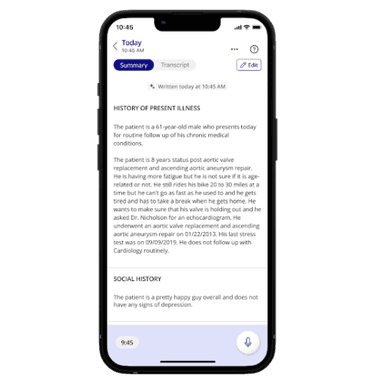
HPI templates may lack easy edits
Criterions EHR Reviews
Total 6 reviews
3.8
All reviews are from verified customers
Rating Distribution
5
Stars33%
4
Stars50%
3
Stars0%
2
Stars0%
1
Stars17%
Share your experience
Abel A.
Hospital & Health Care, 11-50 employees
Less than a year
“Great EHR at a reasonable price”
Pros
As a user, I find the platform excellent, particularly for practices that are either newly established or switching over from paper charts. The workflow is streamlined and straightforward to navigate. I appreciate that menus and how files are organized can be tailored extensively so that you can truly fit the system to the specific needs of your practice. Support has been wonderful -- when an issue comes up (which isn't frequent), I usually get a reply almost immediately or by the end of the same day.
Cons
I'd love to have the option to generate PDF "fillable" forms directly from the system. For the type of care we provide, that feature would significantly streamline our process and save time. I've recently learned that their in-house development team is already working on adding this capability, which is encouraging.
Rating Distribution
Ease of use
10
Value for money
10
Customer Support
10
Functionality
10
Donna
Medical practice, 11-50 employees
More than a year
“wonderful team to work with”
Pros
I find the software very user-friendly, and whenever we submit requests they're handled professionally and promptly; the members of the support team are wonderful people, and I've never experienced any issues with their assistance.
Cons
There's not a lot I can complain about; I consistently receive the utmost attention for our needs, and the support team even assists with things like financial reports and similar tasks.
Rating Distribution
Ease of use
10
Value for money
10
Customer Support
10
Functionality
10
Beatriz R.
Medical practice, 11-50 employees
More than a year
“a few improvements can further enhance the user experience”
Pros
My team is really happy with their service. Their tech support team is exceptional, particularly the tech who was assigned to us, who responds quickly and resolves issues promptly.
Cons
That said, when I create an HPI template there's no way for me to modify it later; I can't perform even small edits like hiding specific template tabs or simply adding a period at the end of a template sequence, which feels unnecessarily restrictive.
Rating Distribution
Ease of use
8
Value for money
10
Customer Support
8
Functionality
8
Frequently Asked Questions
Does Criterions have an API?
Yes, Criterions supports API-based integrations that allow approved third-party systems to securely exchange data with the platform. API access helps practices and partners connect Criterions with billing services, laboratory systems, and other healthcare applications as needed.
What other apps does Criterions EHR integrate with?
Criterions integrates with a range of third-party healthcare and billing applications, including laboratory systems and billing service partners. Available integrations support interoperability across clinical, administrative, and financial workflows.
How much does Criterions cost?
Criterions EHR pricing is estimated to range from $300 to $600/provider/month. Criterions offers custom pricing based on practice size, feature requirements, and implementation needs. Practices can request a personalized quote to better understand pricing options based on their specific workflows.
Does Criterions EHR have a mobile app?
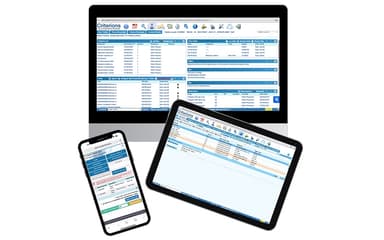
Criterions is a cloud-based platform that can be accessed through web-enabled devices, including tablets and mobile browsers. This allows providers and staff to access the system without requiring dedicated on-device software.
What practice sizes does Criterions support?
Criterions is designed to support a wide range of outpatient medical practices, from small and independent clinics to growing multi-provider organizations. The platform’s modular, cloud-based design allows practices to scale features and users as their needs evolve without requiring a complete system change.
Who are the typical users of Criterions EHR?
Criterions EHR is commonly used by outpatient medical practices, multi-provider clinics, and organizations that work with billing services. Typical users include physicians, clinical staff, administrative teams, and billing partners who need access to shared workflows.
What languages does Criterions support?
Criterions is primarily offered in English for providers and staff.
What level of support does Criterions offer?
Criterions provides ongoing customer support to assist practices throughout onboarding and day-to-day system use. Support includes help from knowledgeable team members who are familiar with clinical, administrative, and billing workflows. Many customers note the responsiveness and helpfulness of the support team when questions or issues arise.