


Ventla
Last Updated
Overview
Ventla transforms your events with its all-in-one solution for seamless planning and engagement. Its customizable features enhance attendee experiences. Although some users have faced technical issues during live streams, its interactive attendee features offer great convenience. Ventla simplifies event management and helps people experience something memorable.
Ventla Specifications
- Budgeting Tools
- Attendee Communication
- Registration Management
- Venue and Resource Management
Ventla Features
Event Page
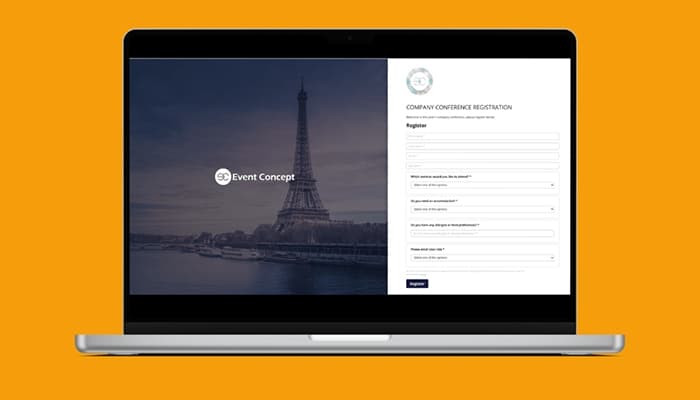
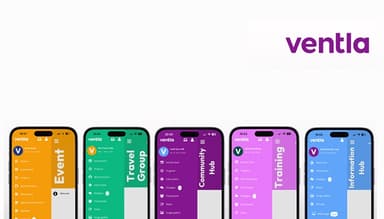
This feature facilitates users to easily customize the appearance of their events by adding their logo and colors. It enables personalized attendee experiences with custom fields and grouping options. Moreover, it ensures smooth check-ins and enriching interactions throughout the event.
Registration And Ticketing
Ventla manages events effortlessly by selling tickets through Ventla Invite. Organizers do not need IT skills to securely process payments using Stripe, making ticket sales and registration straightforward.
Native Apps And Web App
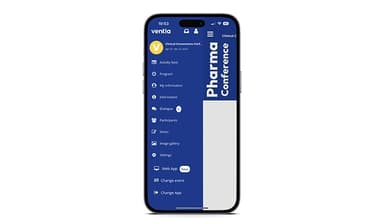
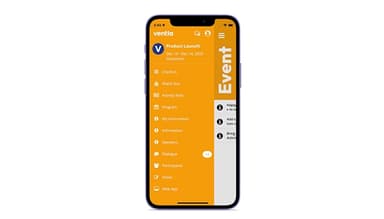
The software helps users stay connected without needing the internet. It provides push notifications and personalized programs. It enhances participant engagement with seamless video streaming and easy networking opportunities with speakers and peers.
Video Streaming
It promotes ongoing conversations through easy streaming integration. It includes an "Evergreen" option that keeps content accessible for a year. Ventla allows participants to engage continuously, ensuring relevant discussions long after the event.
Date And Insights
The feature utilizes data insights to improve future events. It enables informed decision-making, helps organizers refine their strategies based on past experiences, and ensures that each gathering becomes even better than the last.
Pros And Cons of Ventla
Pros
All-in-one platform convenience
Seamless registration process
Interactive attendee features
Improved reporting capabilities
Cons
Technical issues during live stream, according to some software users
Customization limitations on the side panel
Limited check-in options
Ventla Reviews
Total 11 reviews
4.8
All reviews are from verified customers
Rating Distribution
5
Stars82%
4
Stars18%
3
Stars0%
2
Stars0%
1
Stars0%
Share your experience
Media, 1-10 employees
Free Trial
“An amazing ll-in-one platform for events”
Pros
The platform is really comprehensive and easy to use. What I loved most was being able to create and manage my entire event in one place, from attendee registration to providing a mobile app for participants.
Cons
It has a few features that could be improved to make it even easier to use. We did run into some technical issues during the live stream that caused a bit of concern, but in the end, everything worked out fine.
Rating Distribution
Ease of use
8
Value for money
6
Customer Support
10
Functionality
8
IT, 51-100 employees
Less than 6 months
“Perfect for sales kickoff events”
Pros
The software was great for driving engagement throughout our event. From the admin side, it was simple to use and attendees found it easy to navigate as well. The customer success manager did an amazing job of responding to my requests. I highly recommend MeetApp; not only for the platform itself but also for the fantastic support we received during the event.
Cons
The Zoom integration caused some problems for us, mainly because when Zoom was embedded directly into the platform, only the presenter's video was visible, not the other participants. To work around this, we had participants log into Zoom in a separate window but that wasn't ideal since it allowed them to bypass using MeetApp entirely.
Rating Distribution
Ease of use
10
Value for money
10
Customer Support
10
Functionality
8
Transportation, 500+ employees
More than a year
“Love using MeetApp!”
Pros
MeetApp has really helped us move away from old fashioned event booklets and transition to modern technology, putting all the important information right at attendees' fingertips. The team has been so helpful with all the questions I have as we learn the new features. The app itself is super easy to use, anyone can figure it out.
Cons
There are still a few bugs to iron out, but the MeetApp team has been great about working quickly to resolve them.
Rating Distribution
Ease of use
9
Value for money
9
Customer Support
8
Functionality
8
Frequently Asked Questions
Does Ventla offer an API?
No, Ventla does not offer an API.
What other apps does Ventla integrate with?
Ventla integrates with HubSpot, Microsoft Dynamics 365, Eventbrite, Salesforce, Zapier, and Pipedrive.
What language does Ventla support?
Ventla supports English and Swedish languages.
What types of pricing plans does Ventla offer?
The Ventla cost is offered in three plans: a three-month one-time access, an annual subscription, and a white-label option. Its pricing details are available upon request.
Who are the typical users of Ventla?
Ventla is typically used by corporate teams, event managers, travel coordinators, HR professionals, and event managers.
What level of support does Ventla offer?
Ventla supports through email, live chat, FAQs/forums, and knowledge base.