


Last Updated
Overview
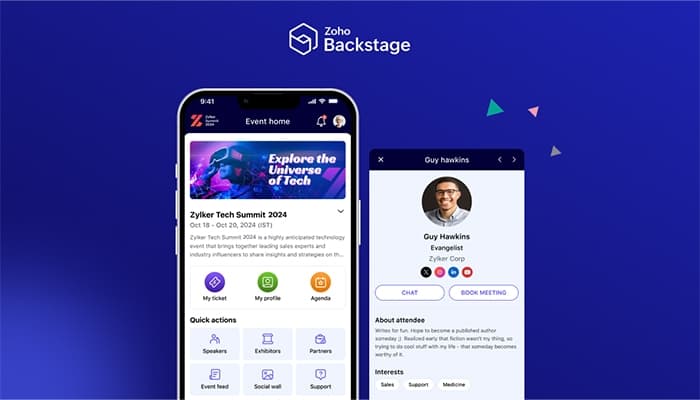
Zoho Backstage offers a streamlined solution for event management, focusing on attendee engagement and seamless coordination. While it provides a wide range of features, some users may find the setup time demanding. Nevertheless, its robust tools are valuable for enhancing event experiences.
Zoho Backstage software Specifications
- Budgeting Tools
- Attendee Communication
- Registration Management
- Venue and Resource Management
Zoho Backstage software Features
Website Builder
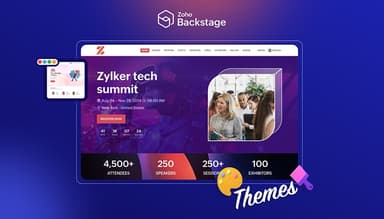
Zoho Backstage includes a user-friendly website builder that enables organizers to create customized event pages effortlessly. This allows for brand consistency and enhances attendee engagement, ensuring all event information is easily accessible and visually appealing.
Ticketing System
The integrated ticketing system streamlines ticket purchasing, allowing organizers to create, sell, and manage tickets efficiently. This simplifies revenue generation while offering attendees a smooth purchasing experience, contributing to higher attendance and satisfaction rates.
Marketing Tools
The software provides a suite of marketing tools to promote events effectively. From email campaigns to social media integration, these tools enhance visibility and outreach, helping organizers engage potential attendees and boost ticket sales through targeted marketing efforts.
Sponsorship Management
This feature helps organizers streamline the process of acquiring and managing sponsors. The software ensures effective communication and fulfillment by providing tools to track sponsorships and deliverables, ultimately leading to stronger partnerships and increased event funding.
Lead Capture
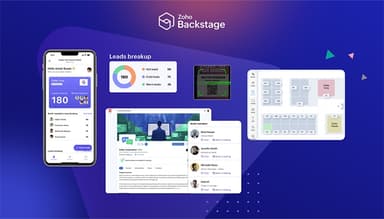
Zoho Backstage offers lead capture forms that collect attendee information during registration and event interactions. This enables organizers to gather valuable data for future marketing efforts, foster relationships, and improve engagement with potential attendees and sponsors.
Pros And Cons of Zoho Backstage software
Pros
Intuitive software
Offers ease of designing
Customizable
Feature-rich
Cons
Some initial training is required
Limited landing page templates
Zoho Backstage software Reviews
Total 10 reviews
4.5
All reviews are from verified customers
Rating Distribution
5
Stars60%
4
Stars30%
3
Stars10%
2
Stars0%
1
Stars0%
Share your experience
Nick
IT, 11-50 employees
Less than a year
“Convenient and effective software”
Pros
Zoho Backstage has transformed my event planning from complete chaos to a much more manageable process. Tracking sales and attendee information has become much easier, and setting up ticket options was a breeze. With everything from registration to promotion in one place, I no longer have to switch between platforms, saving me both time and frustration. The easy interface and ready-to-use templates have made me look like a design pro.
Cons
My event had some limitations that affected the expression of the unique style of the app. The web platform is user-friendly, but the mobile app could use some improvement. Participating in the platform to promote my event was a bit confusing. Better integration with social media and marketing tools right from the start would be helpful.
Rating Distribution
Ease of use
8
Value for money
8
Customer Support
8
Functionality
6
Kalpana
IT, 11-50 employees
More than a year
“Great for online and offline events”
Pros
Setting up the landing page was simple. The app covers most of the essentials needed for hosting my event, making it easy for anyone to create a landing page and sell tickets online without needing much tech support.
Cons
The available landing page templates are quite limited. It would be great to have more options with various design styles.
Rating Distribution
Ease of use
8
Value for money
8
Customer Support
8
Functionality
8
Domingo Antonio
Media, 1-10 employees
Free Trial
“Beautiful layout and a perfect solution for event management”
Pros
I was really impressed by how easy it was to design and customize my event website. The platform offers a variety of templates and design tools, allowing me to create a professional page in just a few minutes.
Cons
I've found that starting to use this software was a bit steep, but the platform offers a flexible and user-friendly interface. Some of the more advanced features may take a little extra time to master.
Rating Distribution
Ease of use
10
Value for money
8
Customer Support
8
Functionality
8
Frequently Asked Questions
Does Zoho Backstage software offer an API?
Yes, Zoho Backstage offers an API.
What language does Zoho Backstage software support?
Zoho Backstage software supports English, Spanish, Portuguese, and German.
What other apps does Zoho Backstage software integrate with?
Zoho Backstage software integrates with Stripe, PayPal, and Zoom.
Does Zoho Backstage support mobile devices?
Zoho Backstage software supports Android and iOS devices.
What type of pricing plans does EventsAIR offer?
Zoho Backstage software price starts at $99/month. Users can get pricing for a tailormade plan.
Who are the typical users of Zoho Backstage software?
The typical users of Zoho Backstage software are IT, higher education and events services.
What level of support does Zoho Backstage software offer?
Zoho Backstage software offers email, chat, phone support, Knowledge Base, and FAQs.