



Last Updated

Overview
Overall Rating
Based on 4 users reviews
4.5
Rating Distribution
Positive
75%
Neutral
25%
Negative
0%
Starting Price
$2
per user per month
Vacation Tracker Specifications
- Employee Information Management
- Recruitment and Applicant Tracking
- Employee Onboarding
- Benefits Administration
Vacation Tracker Features
Automated Approvals
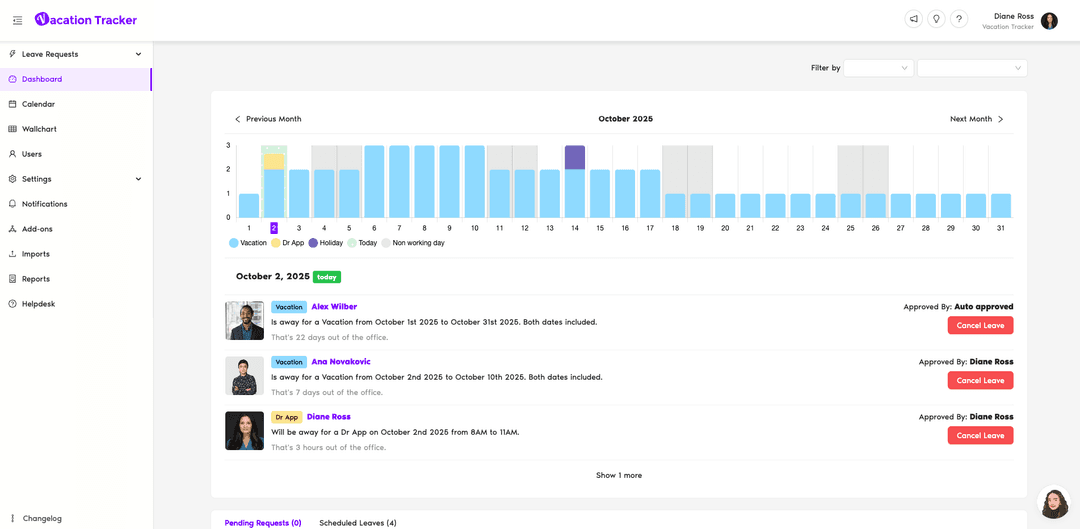
Employees can submit a leave request directly through the platform. Approvers can review the request details and approve or deny them from the relevant channel or the dashboard.
Hourly Leave Tracking
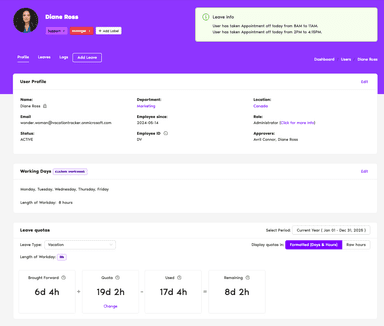
This feature enables users torecord time off by hours instead of relying only on full- or half-day entries. Employees can enter specific start and end times for hourly leave, giving organizations a way to track shorter periods of absence alongside regular PTO.
Time Off In Lieu
Vacation Tracker records time earned through overtime as Time Off in Lieu (TOIL). Employees can submit TOIL requests through the dashboard, Slack, or Microsoft Teams, with the corresponding balance updated after approval.
Leave Policies
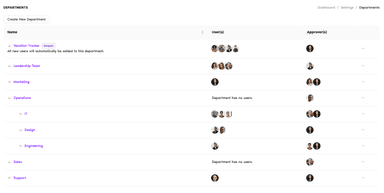
Administrators can configure leave rules for different teams, departments, and locations. Policies can cover factors such as leave entitlements, approval requirements, notice periods, and other conditions that determine how employees request and use time off.
Accruals
This feature helps automatically calculate earned time off based on the rules configured for each leave policy. It updates employee PTO balances as leave accrues instead of requiring administrators to calculate those balances manually.
Vacation Tracker Pricing
CoreGreat for simple leave tracking | CompleteComplete leave tracking needs |
|---|---|
$2 per user per month | $4 per user per month |
|
|
Disclaimer: The pricing details were last updated on Sep 14, 2026 from the vendor's website. Please contact us for a tailored pricing list.
Vacation Tracker Reviews
Total 4 reviews
4.5
All reviews are from verified customers
Rating Distribution
5
Stars75%
4
Stars0%
3
Stars25%
2
Stars0%
1
Stars0%
Share your experience
Religious Institutions, 11-50 employees
Less than 6 months
“Simple and teams friendly”
Pros
Vacation Tracker is simple to use and connects smoothly with Microsoft Teams. I recently tried their new app too and it looks great and works just as well.
Cons
There's not a lot to complain about. It does sometimes feel like a smaller company which shows through in random bugs or downtime. But even with that, I still think they're great to work with.
Rating Distribution
Ease of use
9
Value for money
10
Customer Support
9
Functionality
9
Food & Beverages, 11-50 employees
Less than 6 months
“Promising product”
Pros
Requesting leave is now quick and effortless. We used to rely on paper and email, so this has been a big upgrade in convenience and clarity.
Cons
I'd really like to be able to control a bit more of what team members can see or mess with. Right now, there aren't enough limits I can set.
Rating Distribution
Ease of use
8
Value for money
10
Customer Support
10
Functionality
7
Internet, 11-50 employees
Less than 6 months
“Love the reports and layout”
Pros
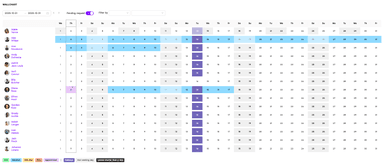
I really like the Slack integration and the monthly reports. The wallchart view is also a nice touch, it gives a quick snapshot of everything at once.
Cons
The Slack connection gives me trouble sometimes. The messages aren't always clear, the status doesn't update when someone's on hourly leave and I can't set alerts for last minute time off which kinda throws things off.
Rating Distribution
Ease of use
7
Value for money
5
Customer Support
5
Functionality
4
Frequently Asked Questions
What types of Vacation Tracker pricing plans are available?
Vacation Tracker offers two pricing plans: Core ($12user/month with a $50 monthly minimum) and Complete ($4/user/month with a $100 monthly minimum). Get a custom Vacation Tracker price specific to your requirements.
What languages does Vacation Tracker support?
Vacation Tracker supports English, Spanish, and French languages.
Does Vacation Tracker offer an API?
Yes, Vacation Tracker offers an API.
Does Vacation Tracker have a mobile app?
Yes, Vacation Tracker offers a mobile app for both Android and iOS users.
What other apps does Vacation Tracker integrate with?
Vacation Tracker integrates with Slack, Google Workspace, and Microsoft Teams.
Who are the typical users of Vacation Tracker?
Typical users include HR professionals operating in technology, finance, marketing, healthcare, education, and construction industries.
What level of support does Vacation Tracker offer?
Vacation Tracker offers support via live chat.