

Last Updated

Overview
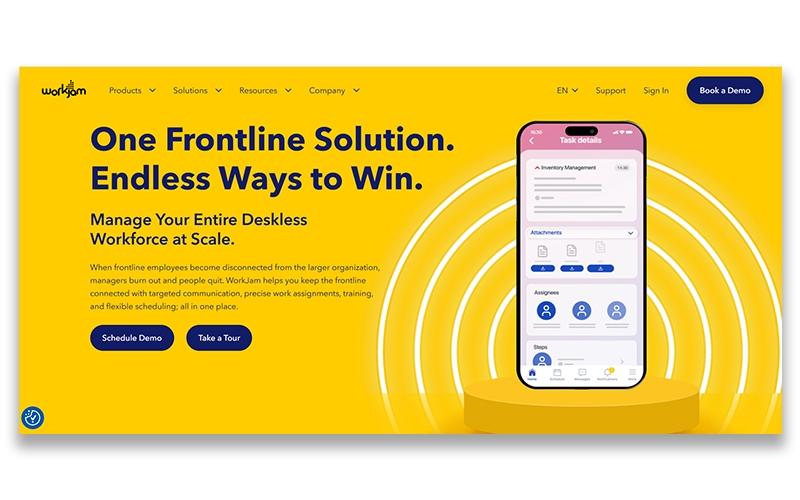
WorkJam helps frontline teams stay connected and productive through integrated communication, task management, scheduling, and training tools. While some users may experience occasional login challenges, it remains a reliable platform for large organizations seeking to streamline workforce operations and enhance employee engagement.
WorkJam Specifications
- Attendance And Time Tracking
- Employee Onboarding
- Training And Development
- Employee Engagement
What Is WorkJam?
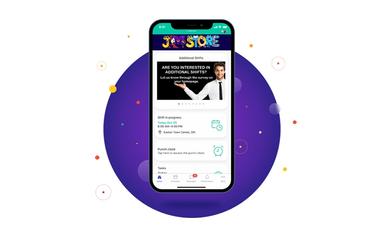
WorkJam is an AI-powered workforce orchestration platform designed for large organizations. The system centralizes communication, task management, scheduling, training, and compliance in a single application. Its built-in AI tools automate alerts and assign tasks, tracking completion in real time. The platform also helps organizations streamline operations, enhance employee engagement, reduce turnover, and simplify daily workforce management, ensuring teams have the tools they need to work efficiently and stay connected.
WorkJam Pricing
The pricing of WorkJam is estimated to fall between $5 and $30/user/month, according to industry benchmarks for similar cloud-based workforce management solutions. This range is intended for general budgeting purposes, as actual costs can differ based on the number of users, selected modules such as communication, task management, scheduling, training, and earned wage access, as well as any custom integrations or implementation services.
In addition to the base subscription costs, organizations should account for the following expenses:
- Implementation: $1,000–$10,000 for small to mid-sized deployments; $10,000–$50,000 for enterprise deployments with multiple locations
- Content And Data Migration: $2,000–$8,000 depending on the volume of employee records, tasks, training modules, and historical data to migrate
- Admin And Manager Training: $1,500–$10,000 for configuration guidance, manager onboarding, and training sessions, depending on the number of administrators and teams
- SSO, HRIS, And System Integrations: $2,000–$15,000, depending on integration scope with payroll, HRIS, ERP, or other enterprise tools
- Optional Add-On Modules: $500–$5,000 per month, depending on selected modules such as task management enhancements, learning management, or earned wage access
Disclaimer: Pricing references are based on publicly available third-party information and industry benchmarks. Actual costs may vary.
WorkJam Integrations
The software supports integration with multiple systems and platforms, such as:
- ADP
- DailyPay
- Honeywell
- Go1
- Onaroll
Who Is WorkJam For?
WorkJam is ideal for organizations across a wide range of industries and sectors, including:
- Retail
- Hospitality and food service
- Healthcare
- Manufacturing and distribution
- Logistics
- Oil and gas
Is WorkJam Right For You?
WorkJam is ideal for organizations seeking to streamline frontline workforce management while maintaining enterprise-grade security and scalability. Its standout features include integrated communication, task and activity management, flexible scheduling, and AI-driven automation. Trusted by global brands such as Aramark, Woolworths, The Venetian, Ulta Beauty, Shell, Marks & Spencer, WorkJam has earned recognition for its impact on employee engagement and operational efficiency.
Still doubtful if WorkJam is the right fit for you? Connect with our customer support staff at (661) 384-7070 for further guidance.
WorkJam Features
Communication
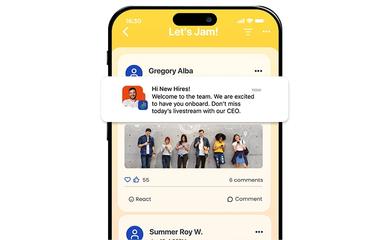
The platform centralizes team communication, ensuring all frontline employees receive important updates instantly. It supports targeted messaging, announcements, and alerts to keep teams aligned. This also reduces information gaps, enhances employee engagement, and improves operational efficiency across multiple locations.
Task And Activity Management
The software streamlines the assignment and tracking of daily tasks for frontline teams. Managers can monitor progress, set priorities, and ensure completion in real time. This also increases accountability, optimizes workflow, and helps teams execute operational goals effectively.
Audits And Forms
WorkJam software allows organizations to create, distribute, and track compliance audits and forms efficiently. Teams can complete checklists, submit reports, and maintain records digitally. This improves adherence to policies, simplifies regulatory compliance, and reduces administrative overhead.
Learning And Knowledge
This feature provides a centralized hub for employee training, knowledge sharing, and skill development. Frontline staff can access learning modules, and company resources on demand. It enhances employee competence, supports continuous development, and ensures consistent organizational knowledge across all teams.
Earned Wage Access
The platform enables employees to access a portion of their earned wages before the standard payday. It integrates securely with payroll systems to ensure accuracy and compliance. This boosts financial flexibility, improves employee satisfaction, and helps retain talent by addressing urgent financial needs.
Pros And Cons of WorkJam
Pros
Helps streamline task management and scheduling
Improves communication between employees and managers
Offers early or on‑demand earned wage access
Cons
Some users report slow performance during peak use
Certain features require configuration for specific workflows
WorkJam Reviews
Total 5 reviews
4.6
All reviews are from verified customers
Rating Distribution
5
Stars60%
4
Stars40%
3
Stars0%
2
Stars0%
1
Stars0%
Share your experience
Gregoria G.
Enterprise, 500+ employees
“accessible and user friendly”
Pros
Getting started with it is easy. The interface feels simple and accessible so it doesn't take much training at all to learn how to use it.
Cons
One thing that bothers me is that certain features are restricted to specific modules instead of being available as standard functions across the whole platform. For instance the new Target Audience option for posts only works in certain areas and even things like Channel replies or @mentions still aren't available in Chat.
Rating Distribution
Ease of use
10
Value for money
10
Customer Support
10
Functionality
10
Jeff K.
Enterprise, 500+ employees
“central hub with responsive support”
Pros
This has become our go to place for communication and task management which is a big plus since everything lives in one central hub, from company updates and documents to task ownership and accountability. It's very approachable for end users and the platform feels accessible without any difficulty. The interface has also kept getting better over time which helps it feel current and user friendly. Another strong point is the support team. Whenever something comes up both our Customer Success Manager and the Support Desk respond quickly and do a solid job getting things sorted out. From an end user perspective the initial rollout of this went quite smoothly and was largely trouble free.
Cons
That said the messaging tool is still missing a few features that are pretty standard on other platforms, such as direct quoting and the ability to @mention users. The knowledge base search could also be more effective since it's not always the easiest way to find what you need. On top of that reporting tends to be slow and the exported files often come out bulky and disorganized.
Rating Distribution
Ease of use
8
Value for money
9
Customer Support
9
Functionality
7
Angel W.
Enterprise, 500+ employees
“very beneficial!”
Pros
Having on hand feels like it was actually built with the end user in mind. It puts my entire workday in one place which has been a huge benefit. I don't have to bounce between separate apps anymore just to check my schedule, manage tasks or read updates. The standout feature for me is channels, it has genuinely changed the way our departments communicate and stay connected with their teams.
Cons
The app is really strong when it comes to daily communication and engagement but a few upgrades could take it even further especially for those of us who manage content. At the top of my wishlist are better organizational tools like folders and improved ways to sort surveys and target audiences because that would make content management much more efficient. I'd also love to see a more capable calendar with options for users to RSVP directly to events and for admins to add a specific location to each entry. Another feature that would make a big difference is an administrator "view as" option so we could sign in as a Team Member, troubleshoot issues more effectively and make sure the experience is consistent from the user side.
Rating Distribution
Ease of use
8
Value for money
8
Customer Support
8
Functionality
8
Frequently Asked Questions
Does WorkJam have a mobile app?
Yes, WorkJam offers a dedicated mobile app.
What language does WorkJam support?
WorkJam supports French, Spanish, English, and German languages.
What other apps does WorkJam integrate with?
WorkJam supports integration with multiple platforms, such as DailyPay, Honeywell, ADP, and Blue Yonder.
Who are the typical users of WorkJam?
WorkJam features are used by organizations across industries and sectors, including retail, healthcare, manufacturing and distribution, logistics, hospitality and food service, and oil and gas.
What types of pricing plans does WorkJam offer?
WorkJam price plans are estimed to range from $5 to $30/user/month. Get a detailed WorkJam cost breakdown tailored to your specific requirements.
What level of support does WorkJam offer?
WorkJam offers support through phone and a contact form.
Does WorkJam offer an API?
No, WorkJam does not offer an API.