


Last Updated
Overview
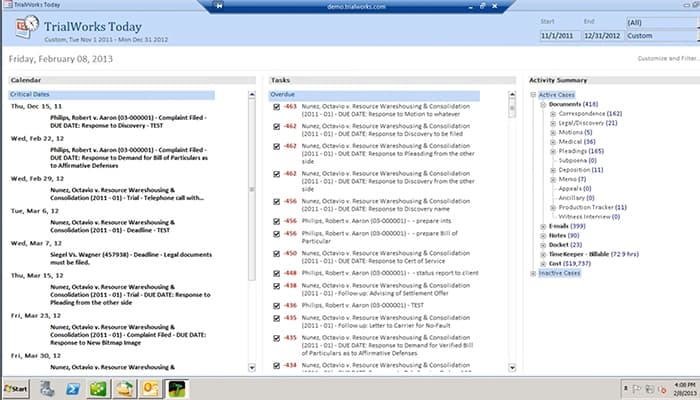
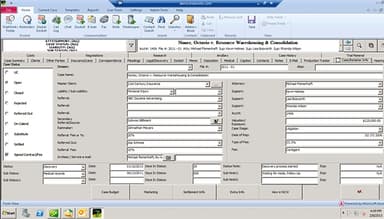
TrialWorks is a comprehensive case management software for legal firms. It offers powerful features like document management, billing, and advanced reporting. Although some users experience occasional service interruptions, it effectively organizes client data. Overall, TrialWorks simplifies the workflow of legal cases with its advanced and AI-enabled tools.
TrialWorks Specifications
- Case Management
- Document Management
- Client Management (CRM)
- Billing & Invoicing
TrialWorks Features
Case Management
This feature streamlines case workflows and organizes case-related data in one secure location. By automating repetitive tasks, it saves time and reduces errors. With access from anywhere, TrialWorks enhances collaboration and minimizes the risk of lost documents, ensuring efficient case management.
Billing And Invoicing
The software assists users in seamless billing and timekeeping. Its automated time tracking and easy invoice creation minimize lost billable hours. Integrations with accounting software ensure financial accuracy, making the invoicing process efficient and straightforward.
Document Management
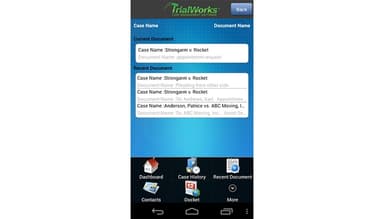
TrialWorks maintains the complete organization of legal documents. With advanced search capabilities, bulk generation, and secure sharing options, the software ensures that files are easily accessible. Customized tagging and document safeguards enable firms to organize and protect sensitive information, streamlining document management tasks.
Reporting And Analytics
The software drives informed decisions based on data-driven insights. Advanced analytics and customizable reporting provide valuable performance metrics and help firms maximize efficiency and productivity. Users can easily share this relevant information across teams with automated and permission-based access.
Communication
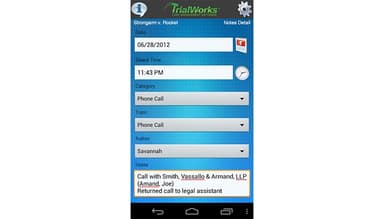
TrialWorks enhances interactions between staff and clients. Seamless integration with SMS, email, and Microsoft Outlook ensures all communications are organized and easily accessible. Automated updates and internal messaging improve team collaboration and enrich the client experience.
Pros And Cons of TrialWorks
Pros
Easy to learn and navigate
Seamless integration possibilities
Organizes client data effectively
Flexible functionality
Cons
Client communication could improve
Maximum case limit can restrict usage
Occasional service interruptions are reported
TrialWorks Reviews
Total 20 reviews
4
All reviews are from verified customers
Rating Distribution
5
Stars50%
4
Stars20%
3
Stars20%
2
Stars5%
1
Stars5%
Share your experience
Jessica
Legal, 1-10 employees
Less than a year
“Keeps updating”
Pros
TrialWorks software is easy to learn and navigate.
Cons
Well there are few limitations in terms of what I can do within the system.
Rating Distribution
Ease of use
8
Value for money
8
Customer Support
8
Functionality
6
Lisa
IT, PHP, HTML5, 1-10 employees
More than a year
“Helps manage all of the case info”
Pros
I have been using TrialWorks for over 20 years. I must say it is a product that I can easily manage and learn as it provides many quick and valuable tools that simplify workflows for law firms.
Cons
The only aspect I dislike about TrialWorks is that dashboards need to be created by the company unless you know SQL which is a paid service.
Rating Distribution
Ease of use
10
Value for money
10
Customer Support
10
Functionality
10
Jay
Legal, 51-100 employees
Less than a year
“Nice features!”
Pros
I really like the ability to create, delete and organize my own tabs within a saved screen.
Cons
There is room for improvement in how it facilitates communication with clients.
Rating Distribution
Ease of use
8
Value for money
6
Customer Support
8
Functionality
8
Frequently Asked Questions
Does TrialWorks offer an API?
No, TrialWorks does not offer an API.
Who are the typical users of TrialWorks?
Typical users of TrialWorks law firms and their legal teams, including attorneys, paralegals, and support staff.
What other apps does TrialWorks integrate with?
TrialWorks integrates with various third-party apps, including DocuSign, LawPay, Zapier, InfoTrack, GAVL, CasePulse, and YoCierge.
What language does TrialWorks support?
TrialWorks supports only the English language.
What types of pricing plans does TrialWorks offer?
The TrialWorks cost is not mentioned on its website, but you can get pricing estimates based on your firm’s requirements.
What level of support does TrialWorks offer?
TrialWorks offers support through phone, email, and a knowledge base.