


Last Updated
Overview
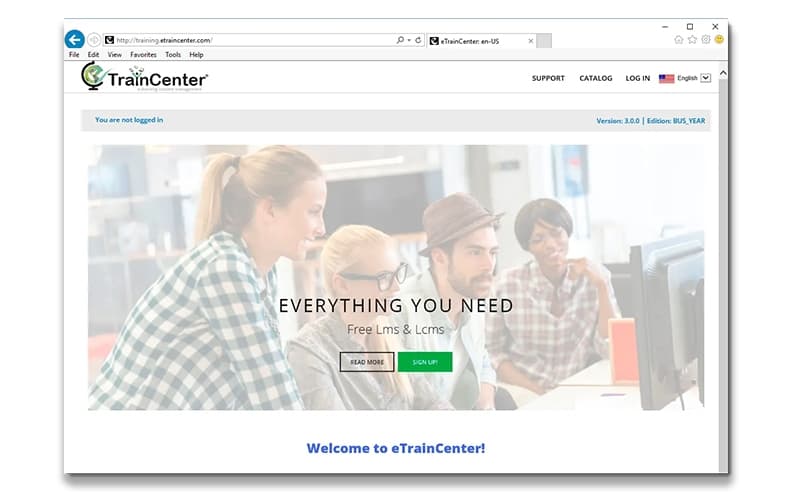
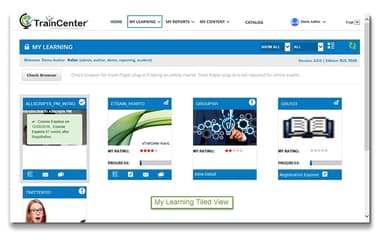
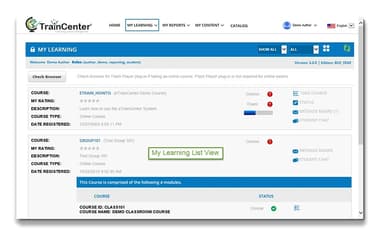
eTrainCenter offers streamlined online learning management with tools for course creation, virtual classrooms, and certification tracking. While its interface can feel slightly dated, its robust reporting, mobile accessibility, and SCORM-compliant capabilities make it a reliable choice for businesses and educational institutions managing diverse training programs.
eTrainCenter Specifications
- Activity Dashboard
- Asynchronous Learning
- Activity Tracking
- Access Controls/Permissions
eTrainCenter Features
Online Courses
eTrainCenter allows users to upload SCORM-compliant content or create courses using the SiteBuilder editor. The platform provides an intuitive interface for designing, organizing, and delivering online courses, helping organizations streamline content management and enhance the accessibility of training programs for learners.
Certification Management
The software enables organizations to create, manage, and issue certificates for course completions. eTrainCenter ensures certifications are properly tracked, automatically awarded upon meeting course requirements, and can be customized to reflect organizational branding, helping businesses maintain professional standards and demonstrate learner achievements.
Online Assessments
The platform supports the creation and management of online assessments to evaluate learner knowledge effectively. eTrainCenter offers customizable quizzes, tests, and evaluation tools, enabling organizations to monitor progress, identify skill gaps, and ensure that employees meet the required competency levels efficiently.
Classroom-Led Learning
eTrainCenter facilitates the creation, scheduling, and management of live classroom sessions. The software allows trainers to organize instructor-led courses, track attendance, and coordinate logistics, offering a seamless blend of online and offline learning experiences while ensuring consistent training delivery.
Learning Paths
The software allows organizations to structure Learning Paths, grouping related courses into guided sequences. eTrainCenter can enforce course order or allow flexible progression, helping learners systematically acquire skills, complete necessary prerequisites, and achieve targeted learning outcomes effectively and efficiently.
Pros And Cons of eTrainCenter
Pros
User-friendly interface simplifies course creation and management
Rapid onboarding enables deployment within days
Comprehensive reporting tools enhance performance tracking
Cons
Documentation often outdated or lacking detailed guidance
Some customization options can be restrictive for unique needs
eTrainCenter Reviews
Total 1 reviews
5
All reviews are from verified customers
Rating Distribution
5
Stars100%
4
Stars0%
3
Stars0%
2
Stars0%
1
Stars0%
Share your experience
Anonymous
Mid-Market, 51-100 employees
“easy data export with visual charts and graphs”
Pros
I really like that I can export visual charts and graphs from the survey data. It makes sharing the results so much easier especially when presenting them.
Cons
Nothing really bothers me about this platform. It meets all my expectations without any major issues, so I'm happy with it.
Rating Distribution
Ease of use
10
Value for money
10
Customer Support
10
Functionality
10
Frequently Asked Questions
What other apps does eTrainCenter integrate with?
eTrainCenter integrates with multiple platforms, including Shopify and PayPal, enabling seamless eCommerce and payment management for training programs.
Does eTrainCenter have a mobile app?
Information about a mobile app is currently unspecified by the vendor.
What level of support does eTrainCenter offer?
eTrainCenter offers a range of support options, including implementation planning, technical consulting, and systems training. Direct support is available via phone or through a technical support contact form on their website.
Does eTrainCenter offer an API?
Yes, eTrainCenter offers an API.
What types of pricing plans does eTrainCenter offer?
eTrainCenter price starts at $151/month for 200 registrations and $495/month for 200 user seats. Get a detailed eTrainCenter cost breakdown tailored to your specific requirements.
What language does eTrainCenter support?
eTrainCenter software is primarily available in English, with support for multiple languages.
Who are the typical users of eTrainCenter?
eTrainCenter features are used by training managers, HR professionals, corporate trainers, learning and development teams, small to medium businesses, educational institutions, and healthcare organizations.