


Last Updated
Overview
Teach Up transforms digital and hybrid learning with adaptive artificial intelligence, interactive modules, and seamless LMS compatibility. Authors and learners enjoy intuitive collaboration, personalized pathways, and real-time progress tracking. While fully custom games are limited, the platform excels in creating engaging, high-quality training experiences that drive skill mastery and retention.


Teach Up Specifications
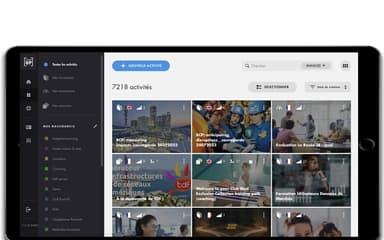
- Activity Dashboard
- Asynchronous Learning
- Activity Tracking
- Access Controls/Permissions
Teach Up Features
Collaborative Studio
Teach Up offers a collaborative studio where authors and learners interact in shared workspaces via a single link. Automated email reminders boost course completion, encourage engagement, provide supplementary resources, and reinforce knowledge retention after training concludes.
Learners' Engagement
The platform provides personalized dashboards to monitor learners’ skill development, including time, mastery, and completion. It generates detailed statistics on module content, while customizable group compartments enhance visibility and support continuous improvement of training programs.
Training Ecosystem
Teach Up enables distribution of training courses in multiple formats, including SCORM, HTML5, and offline. It seamlessly integrates with existing technologies, ensuring smooth interoperability and a consistent, connected learning experience across organizational ecosystems.
Course And Cohort Management
The software allows autonomous management of digital and hybrid training across smartphones, tablets, and computers. It creates independent workspaces, organizes learner and author groups, and customizes spaces and courses to align with corporate identity.
Pros And Cons of Teach Up
Pros
Facilitates the quick creation of interactive and adaptive training modules
Enables in-person trainers to enhance courses with digital elements
Very intuitive and easy to use
Cons
Limited interaction options for images
More game mechanics for memorization could enhance engagement
Teach Up Reviews
Total 1 reviews
5
All reviews are from verified customers
Rating Distribution
5
Stars100%
4
Stars0%
3
Stars0%
2
Stars0%
1
Stars0%
Share your experience
Nathalie B.
Furniture, N/A employees
“simple & adaptive learning”
Pros
The platform feels very simple and I love that adaptive learning lets each learner progress at their own pace. The support team is always responsive which makes me feel supported as an administrator.
Cons
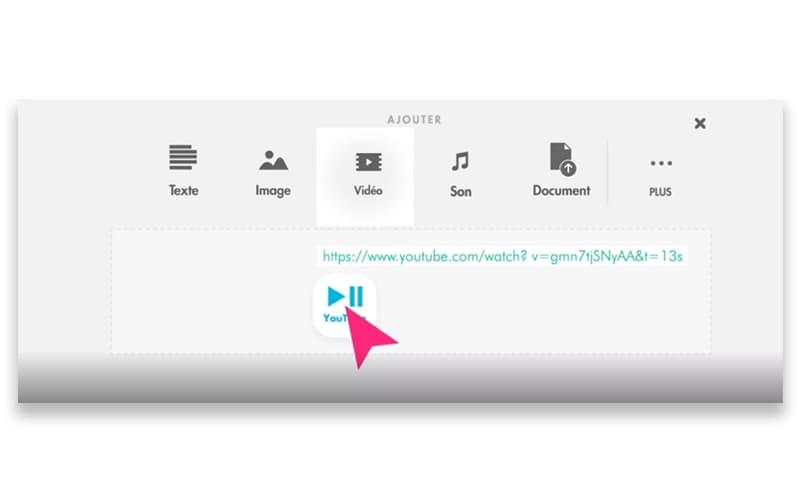
For me, the image interactions feel limited and I have to host videos on other platforms.
Rating Distribution
Ease of use
9
Value for money
9
Customer Support
10
Functionality
8
Frequently Asked Questions
What language does Teach Up support?
Teach Up is available in 32 languages, including French, English, German, Spanish, Indonesian, Italian, Japanese, Korean, Dutch, and others.
Who are the typical users of Teach Up software?
Teach Up serves organizations across diverse sectors, from corporate services and pharmaceuticals to manufacturing, marketing, and fashion retail.
What types of pricing plans does Teach Up offer?
Teach Up pricing depends on the selected training type and the features required. Request a detailed Teach Up cost breakdown for your organization today.
What other apps does Teach Up integrate with?
Information about third-party integrations has not been specified by the vendor.
Does Teach Up offer an API?
Yes, Teach Up offers an API.
Does Teach Up have a mobile app?
Teach Up lacks a dedicated iOS or Android app, but its fully responsive platform ensures training modules are accessible and fully functional on smartphones, tablets, and computers.
What level of support does Teach Up offer?
Teach Up offers support through a help center, chat, FAQs, and an online contact form.