


Teamcenter
Last Updated
Key Takeaways
Generated from the text of customer reviews
Our Verdict
Overall Rating
Based on 47 users reviews
4.5
Rating Distribution
Positive
96%
Neutral
4%
Negative
0%
Starting Price
Custom Pricing
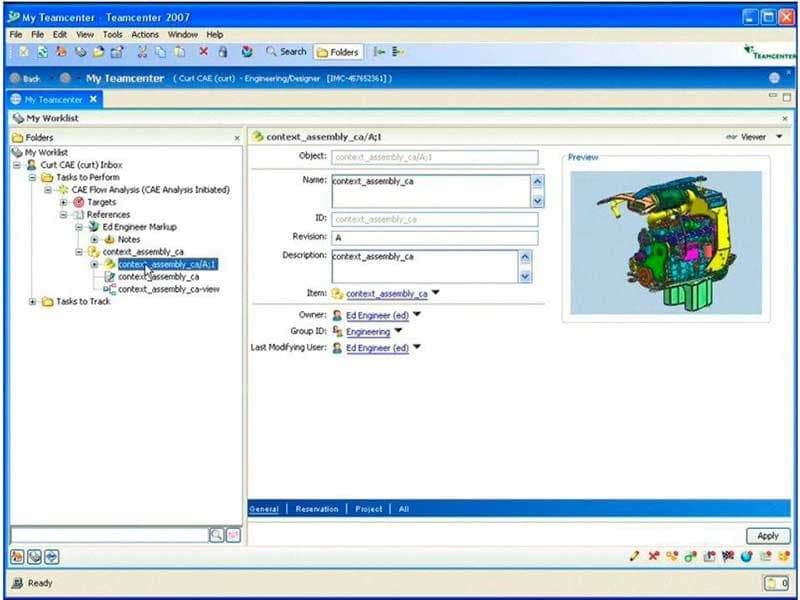
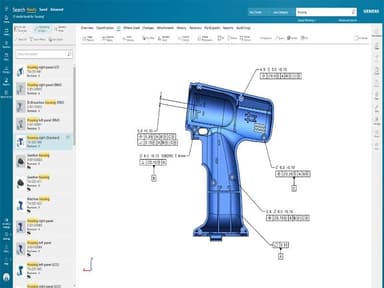
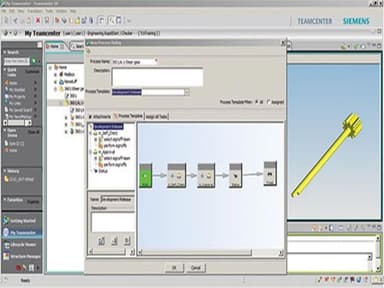
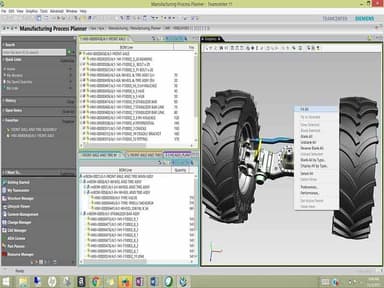
Teamcenter Specifications
- Bill of Materials (BOM) Software
- Discrete Manufacturing Software
- Electronics Manufacturing Software
- ETO Manufacturing Software
Teamcenter Features
Model-Based Systems Engineering
Teamcenter lets engineering teams create integrated product blueprints using ISO standard systems methodology. It captures product architecture, interfaces, requirements, and parameters in one interface. Also, it incorporates PLM-based configuration, change and workflow management, and trade studies that link architectural decisions to requirements, parts, suppliers, simulations, processes, and tests.
Bill Of Materials Management
With this function, teams can manage product BOMs through a multi-domain structure that covers software, electrical, and manufacturing parts. The platform integrates automated domain reconciliation, change tracking, historical configurations, baselines, release states, effectivity, and variant management. It also includes smart discovery for review and impact analysis and BOM partitions for tailored views.
Simulation Process And Data Management
This feature helps manage simulation and product data across the product lifecycle. Included within are digital thread traceability linking engineering data and models, and automated, template-based workflows for simulation and MDAO studies. It also provides KPI extraction, lightweight visualization, customizable dashboards, and integrations with Simcenter and third-party CAD and simulation tools.
PLM Analytics
Teamcenter helps users find product data and monitor lifecycle performance through connected dashboards, reports, and search tools. There are over 100 preconfigured reports in it. In addition, it offers natural language self-service analytics and dynamic search across product attributes, relationships, and geometry. It also includes classification tools for organizing, filtering, and reusing parts, documents, and other product data.
Pros And Cons of Teamcenter
Pros
Simplifies the management of product data and CAD files
Automates approval, release, and change workflows
Organizes product structures and bills of materials (BOMs)
Improves collaboration across engineering teams and stakeholders
Keeps a single source of truth through data reuse
Cons
Interface may be overwhelming for new users
Requires substantial computer resources and RAM
Inconsistent measurement selection and accuracy in visualization
Teamcenter Pricing
Essentials | Standard | Advanced | Premium |
|---|---|---|---|
Custom Pricing | Custom Pricing | Custom Pricing | Custom Pricing |
|
|
|
|
Disclaimer: The pricing details were last updated on Sep 14, 2026 from the vendor's website. Please contact us for a tailored pricing list.
Teamcenter Reviews
Total 47 reviews
4.5
All reviews are from verified customers
Rating Distribution
5
Stars53%
4
Stars43%
3
Stars4%
2
Stars0%
1
Stars0%
Share your experience
Manufacturing, 1-10 employees
More than a year
“Teamcenter is the world's most renowned and adopted PLM”
Pros
The modular user interface of Teamcenter provides exceptional features for item management, workflow release management, structure management and visualization integration with leading CAD tools like NX. It covers the entire product lifecycle from ideation to market release, offering out of the box features that cater to most use cases with minimal customization required. Teamcenter boasts a state-of-the-art architecture and exposes APIs through the integrated toolkit (ITK), allowing for easy customization of server-side and client-side APIs. Additionally, the user-friendly business modeler interface facilitates instant modification and deployment of business rules.
Cons
Personally, I don't have anything specific to mention about Teamcenter when it comes to negatives. However, I have noticed that it significantly slows down when integrated with other applications like Visualization.
Rating Distribution
Ease of use
8
Value for money
7
Customer Support
8
Functionality
10
IT, 500+ employees
Less than a year
“Your Cyber Friend”
Pros
I have found Siemens Teamcenter to be a very stable tool for creating product trees.
Cons
This tool demands powerful computers and high RAM capacities to run smoothly.
Rating Distribution
Ease of use
10
Value for money
9
Customer Support
9
Functionality
10
Auto Dealership, 500+ employees
More than a year
“Effective and comprehensive PLM tool”
Pros
Managing the product lifecycle becomes seamless with the help of Teamcenter. I can easily check out and check in files while tracking modifications. It proves effective for large teams of engineers working on the same files, offering the ability to manage working requests and tasks among different stakeholders. Additionally, proper management of bills of materials is possible.
Cons
It may not be the most user-friendly software, as it requires some training to use efficiently. Also occasionally, it can be a bit slow.
Rating Distribution
Ease of use
9
Value for money
8
Customer Support
9
Functionality
8
Frequently Asked Questions
Does Teamcenter offer an API?
What language does Teamcenter support?
The platform supports multiple languages, including English, French, Italian, and German.
What other apps does Teamcenter integrate with?
Teamcenter integrates with third-party software like SAP, Oracle, CoLab, and Aras Innovator.
Does Teamcenter have a mobile app?
Teamcenter does offer a mobile app for iOS.
What types of pricing plans does Teamcenter offer?
Teamcenter pricing typically falls between $75 and $300/user/month based on industry benchmarks. Request a Teamcenter price quote today!
Who are the typical users of Teamcenter?
It is typically used by professionals across industries like aerospace, automotive, healthcare, and electronics.
What level of support does Teamcenter offer?
Teamcenter offers support through the Siemens support center.