


Last Updated
Overview
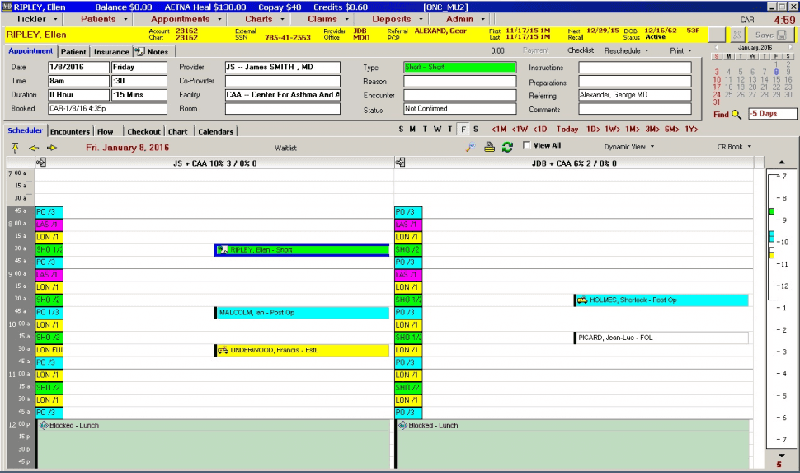
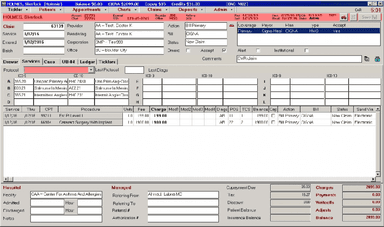
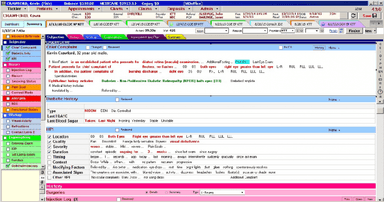
MD Office EMR by Eye Care Leaders is an integrated EMR and practice management suite for ophthalmology practices. It offers custom charts and forms, organizes patient records, includes reporting functions, streamlines workflows, provides medical billing services, and has a mobile app. Read the profile and contact us for pricing details.
MDoffice Specifications
- Appointment Management/Scheduling
- e-Prescriptions
- Lab Integration
- Patient Portal
Pros And Cons of MDoffice
Pros
Specialized features tailored for eye care practices
Comprehensive patient management and charting capabilities
Integration with diagnostic imaging and ophthalmic equipment
Customizable templates for ophthalmology-specific documentation
Scheduling and appointment management tools reduce administrative burdens
Cons
Initial learning curve for new users
Challenges in integrating with certain third-party software
Some reporting and analytics tools could be improved
MDoffice Reviews
Total 18 reviews
3.8
All reviews are from verified customers
Rating Distribution
5
Stars22%
4
Stars50%
3
Stars17%
2
Stars11%
1
Stars0%
Share your experience
Demi
W. Physiotherapy, 2-9 employees
“Easy To Customise”
Pros
I like how the software adapts to our unique requirements and can be customised in any way we want. Patient care and billing are made easy with this software.
Cons
When the software freezes, we lose our reports which is really frustrating!
Rating Distribution
Ease of use
7
Value for money
8
Customer Support
8
Functionality
7
Taylor
OSNC, 50-99 employees
“A good Option”
Pros
Customizable and extremely useful.The customer support is also not bad.
Cons
Its difficult to use on other mediums than it is to use on a desktop
Rating Distribution
Ease of use
7
Value for money
9
Customer Support
7
Functionality
8
Abby
Hunter Vision, 10-49 employees
“We love it!”
Pros
It is extremely easy to comprehend and administer. It saves us a great deal of time, and our work has become much more effective and productive as a result! A Great Software Indeed
Cons
The system glitches a lot and slows down during work!
Rating Distribution
Ease of use
9
Value for money
9
Customer Support
7
Functionality
7
Frequently Asked Questions
Who are the typical users of MDoffice EMR?
The typical users of MDoffice EMR include ophthalmologists, optometrists, and opticians.
Does MDoffice EMR offer a free trial?
No, MDoffice EMR does not offer a free trial.
What level of support does MDoffice EMR provide?
MDoffice EMR provides a phone support option to its users.
How much does MDoffice EMR cost?
The cost of MDoffice EMR varies based on your specific requirements. Request a custom pricing quote from our sales team today!
What are the main features of MDoffice EMR?
The main features of MDoffice EMR include practice management, patient health records, reporting, appointment scheduling, billing, and claims management.