


Amber-JCS
Last Updated
Overview
Streamline construction project management with Amber JCS, a powerful software featuring scheduling, budgeting, and reporting tools. An invaluable asset for construction businesses, it enhances project efficiency and profitability, contributing to successful project outcomes. Learn more about its features.
Overall Rating
Based on 4 users reviews
4.8
Rating Distribution
Positive
100%
Neutral
0%
Negative
0%
Starting Price
£5
per user per month
Amber-JCS Specifications
- Time Tracking
- Task Management
- Reporting
- Budget Management
Amber-JCS Features
Reporting & Analytics
The inherent uncertainty in the project management sphere requires PM leads to analyze real-time project billing insights from the field to the office. The Amber-JCS software comes with powerful reporting and analytics tools that offer real-time project insights to speed up construction billings and payments. It also helps teams generate reports on inventory performance and revenue values to accurately gauge profitability.
Billing & Invoicing
Billing and invoicing tools help businesses manage their finances and track their sales. Amber-JCS project management software eliminates the human-error associated with the billing process to improve a company’s financial management accuracy. Project managers can also access a financial dashboard to monitor balances, income, payables, receivables, and many more.
Budgeting & Forecasting
The budget forecasting functionality of the system allows PM leads to accurately map out the financial resources they need to execute their project activities. Businesses can also analyze and manage expected costs, as well as get a bird's eye view of the financial status of their construction project.
Pros And Cons of Amber-JCS
Pros
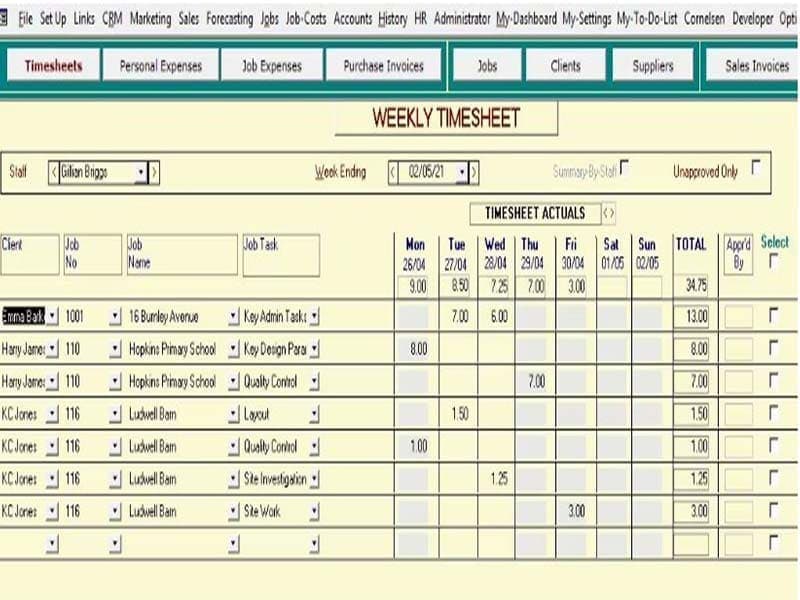
Provides timesheet and expense tracking capabilities to improve project cost visibility
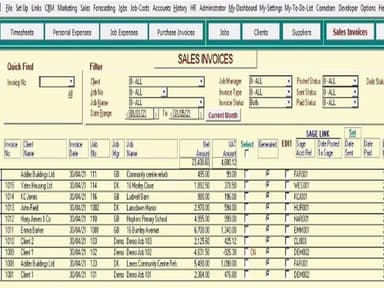
Integrated invoicing enables faster billing and improved cash flow
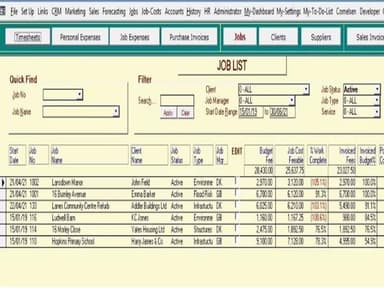
Reporting tools give insights into staff utilization and job profitability
Standardizes processes across offices and teams for greater efficiency
Flexible to use on desktop, laptop, mobile for anytime access
Cons
Learning curve for users unfamiliar with the software
Limited scalability for larger businesses
Customer support response times may vary
Amber-JCS Pricing
Amber-JCS JobTime | Amber-JCS Desktop Pro |
|---|---|
£5per user per month | £10per user per month |
|
|
Disclaimer: The pricing details were last updated on Sep 14, 2026 from the vendor's website. Please contact us for a tailored pricing list.
Amber-JCS Reviews
Total 4 reviews
4.8
All reviews are from verified customers
Rating Distribution
5
Stars75%
4
Stars25%
3
Stars0%
2
Stars0%
1
Stars0%
Share your experience
Construction, 1-10 employees
More than a year
“Time recording and invoicing made easy”
Pros
Time recording is simplified to the utmost degree, making it accessible even for new staff members. The invoicing feature is robust, allowing for coverage of specific periods and effortless inclusion of subcontractors' invoices, streamlining the billing process.
Cons
Generating credit notes can be perplexing and presents a steep learning curve, making it difficult to grasp initially.
Rating Distribution
Ease of use
10
Value for money
10
Customer Support
10
Functionality
10
Management Consulting, 11-50 employees
Less than 6 months
“Amber-JCS's review”
Pros
Once you become accustomed to it, the software proves to be straightforward and intuitive to navigate. Moreover, its affordability makes it a compelling option for businesses seeking efficient job costing solutions without breaking the bank.
Cons
The frontend interface leaves something to be desired, as it can be challenging to navigate.
Rating Distribution
Ease of use
10
Value for money
5
Customer Support
10
Functionality
8
Building Materials, 1-10 employees
More than a year
“Brilliant product”
Pros
The software saves considerable time by eliminating the need for extensive paper-based time sheets or job records. It offers easy access to job cards and comprehensive information for each specific job, contributing to its user-friendly interface. Its widespread adoption among our staff speaks to its effectiveness in recording hours and managing overtime efficiently.
Cons
We haven't encountered any significant issues; everything has proven to be highly advantageous for our business.
Rating Distribution
Ease of use
10
Value for money
10
Customer Support
10
Functionality
10
Frequently Asked Questions
Who are the typical users of Amber-JCS?
The typical users of Amber-JCS include freelancers and small businesses.
What languages does Amber-JCS support?
Amber-JCS only supports the English language.
Does Amber-JCS offer an API?
No, Amber-JCS does not offer an API.
What type of pricing plans does Amber-JCS offer?
Amber-JCS offers two standard pricing plans, startinng at £5/user/month (min. £25).
What level of support does Amber-JCS provide?
Amber-JCS provides phone and email support options.