


Last Updated
Dynatrace Specifications
- Time Tracking
- Task Management
- Reporting
- Budget Management
Dynatrace Features
Digital Experience Monitoring (DEM)
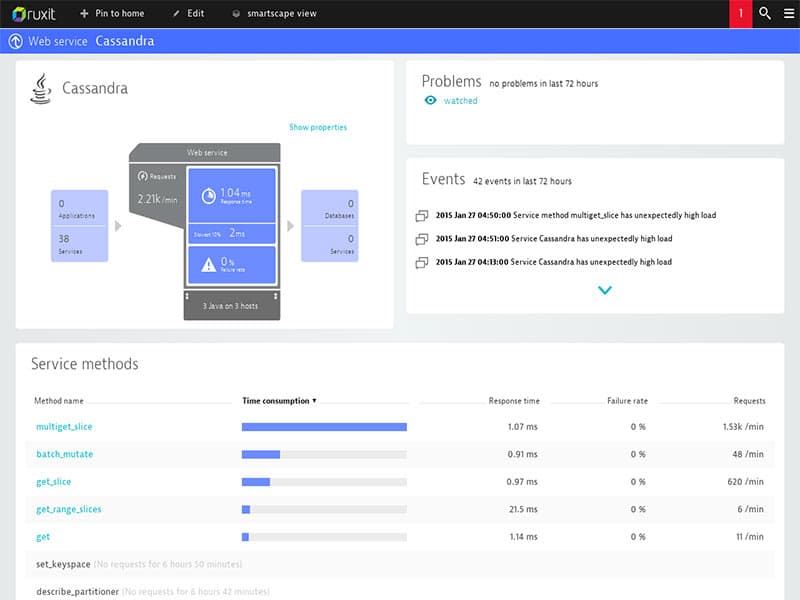
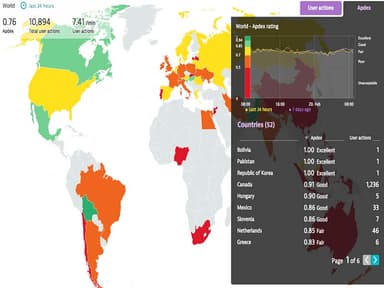
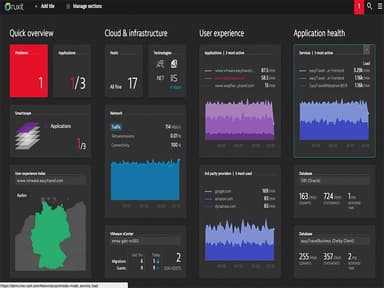
The Dynatrace Project Management System assists DevOps teams in optimizing application performance, enhancing customer service, and enhancing the user experience. Its comprehensive monitoring approach combines real-user monitoring (RUM), synthetic monitoring, and session replay in a centralized workspace.
Digital Business Intelligence
The operations management software provides real-time, AI-driven responses to analytic queries involving metrics and key performance indicators that are already flowing through applications. With complete visibility into their day-to-day processes and answers to root-cause questions, businesses can improve their operations.
Performance Measurement
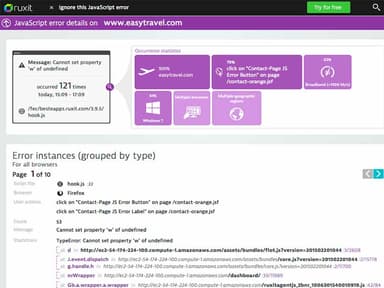
The program quickly measures response times and detects JavaScript errors directly in customers' browsers. It even monitors the performance of business-reliant third-party applications or calls (for example, Twitter, Facebook, or CDNs).
Dynatrace Reviews
Total 1 reviews
5
All reviews are from verified customers
Rating Distribution
5
Stars100%
4
Stars0%
3
Stars0%
2
Stars0%
1
Stars0%
Share your experience
Chirag A.
Transportation/Trucking/Railroad, 500+ employees
“powerful automation”
Pros
One of the biggest advantages is how automated the platform is. Instead of only alerting you that something is wrong, the AI drills down to the actual root cause which removes a lot of the manual effort from troubleshooting. It also connects easily with both custom-built and SaaS applications. Performance is extremely fast and the UI is accessible and user-friendly. Getting started is fairly easy as well since onboarding mainly involves installing OneAgent for full monitoring.
Cons
Pricing is a major drawback especially when compared with competing tools and that makes it hard for many small to mid-sized businesses to justify. Larger enterprises can absorb the cost but startups would likely struggle to procure it. There's also a fairly steep learning curve so it takes real training and time before teams can use it effectively. On top of that some parts of the documentation are outdated for certain frameworks and troubleshooting topics which leaves me relying on trial and error more often than I'd like.
Rating Distribution
Ease of use
8
Value for money
7
Customer Support
8
Functionality
8
Sabina K.
Mid-Market, 500+ employees
“clear insights and real-time visibility”
Pros
What I absolutely love about this tool is that it doesn't just throw out a generic error and leave you guessing, it actually tells you why something went wrong. Instead of dealing with a flood of 100 confusing alerts, you get one clear answer which cuts down troubleshooting time in a big way. It also tracks what customers are doing on your website or app in real time so you can quickly spot where they get stuck or which pages are loading slowly for them. That kind of visibility is a huge help when you're trying to keep users satisfied.
Cons
Biggest downside is the price because it's definitely one of the most expensive tools out there. On top of that, it takes quite a bit of training before a team can really get comfortable using it well. And if you want the more advanced features, like custom business dashboards, to work exactly the way you need, be prepared to put in a lot of manual effort.
Rating Distribution
Ease of use
8
Value for money
7
Customer Support
8
Functionality
8
Umair
IT, 500+ employees
“Manage Your IT Assets”
Pros
It is an exceptional analytical tool for managing IT assets and applications. It allows monitoring and analysis of customer experience. The customer and technical support provided are top-notch.
Cons
Compared to other options, I found it to be more expensive.
Rating Distribution
Ease of use
10
Value for money
10
Customer Support
10
Functionality
10