


Last Updated
Overview
Are you struggling with complicated project management? Explore Hitask's user-friendly software for managing tasks, documents, and team collaboration. Effectively address project management challenges of your business, streamline your workflows, and enhance collaboration among team members.
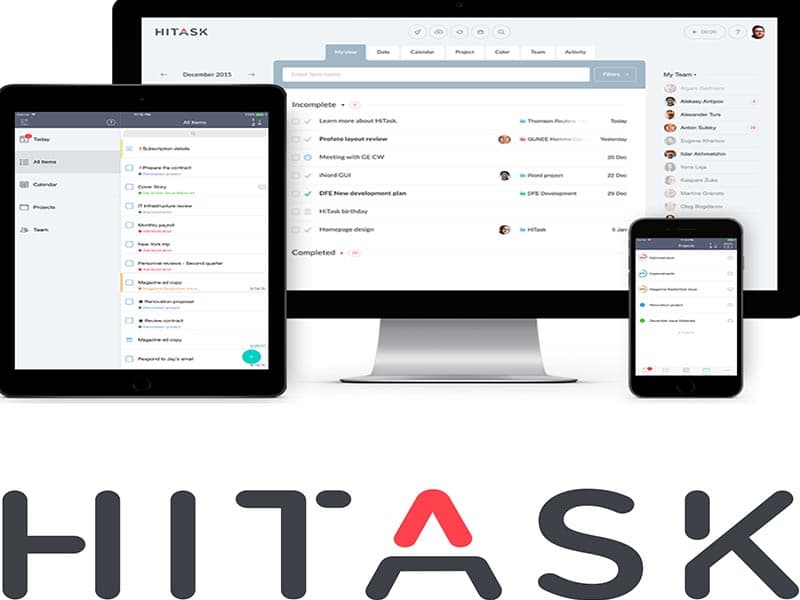
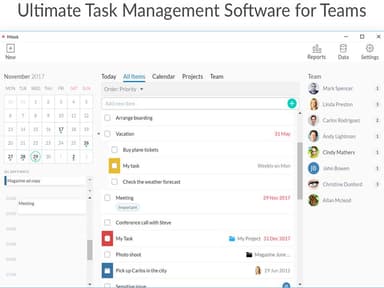
Hitask Specifications
- Time Tracking
- Task Management
- Reporting
- Budget Management
Hitask Features
Projects, Tasks, Events
Hitask provides a structured way to organize your work into projects, tasks, and events. It keeps track of all your tasks, helping manage your workflow more efficiently. The software provides a clear view of your ongoing projects and their associated tasks, ensuring no task is overlooked. Moreover, users can prioritize tasks based on their importance and deadlines.
Document Storage
Upload and attach files to tasks and projects. This simplifies sharing important documents with your team and ensures all relevant files are easily accessible. Hitask eliminates the need for external storage solutions, reducing the chances of misplacing important files.
Shared Calendar
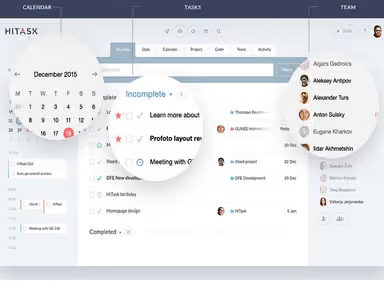
This feature provides an overview of all your team events. It ensures that everyone is aware of important dates and deadlines. The software fosters transparency within the team by allowing everyone to view the team’s schedule. Additionally, Histask aids in avoiding scheduling conflicts and ensures that all team members are on the same page regarding project timelines.
Time Tracking
The platform lets you track the time spent on tasks and generate time reports. It is useful for managing workloads and ensuring tasks are completed within set timelines. Hitask provides valuable insights into how much time is spent on each task, which can aid in future project planning and resource allocation.
Team Chat
This functionality lets you exchange messages with your team without leaving your workspace. It can significantly improve communication within your team and make collaboration more efficient. Instant communication enables teams to quickly resolve issues, make decisions, and share updates.
Pros And Cons of Hitask
Pros
Easy-to-navigate, user-friendly interface
Seamless collaboration among team members
Simplifies document sharing and storage within the platform
Responsive customer service team
Good value for money
Cons
Initial set-up complexity
Resource intensive, according to some reviews
Hitask Pricing
Team Free | Team Business | Enterprise |
|---|---|---|
$0.00per month | $5.00per month | $20.00per month |
|
|
|
Disclaimer: The pricing details were last updated on Sep 07, 2026 from the vendor's website. Please contact us for a tailored pricing list.
Hitask Reviews
Total 25 reviews
4.1
All reviews are from verified customers
Rating Distribution
5
Stars56%
4
Stars20%
3
Stars12%
2
Stars4%
1
Stars8%
Share your experience
Liam
IT, 500+ employees
Less than a year
“An advanced and exceptional tool for project management.”
Pros
Hitask is a fantastic and light tool that allows me to easily handle my projects and tasks. I like how simple and speedy it is to create and assign tasks to my team members now. Installing Hitask is a hassle free process and also it is convenient with time tracking.
Cons
Hitask fulfills all my expectations, so there is nothing I dislike about this software. It is a fantastic tool for managing time, tasks and projects.
Rating Distribution
Ease of use
10
Value for money
10
Customer Support
10
Functionality
10
Salma
Finance, 500+ employees
More than a year
“Excellent and straightforward tool for task management.”
Pros
Organizing and creating daily tasks is a breeze now. Prioritizing important tasks is a piece of cake. The tool makes it easy to remember task deadlines with due dates.
Cons
My experience with Hitask has been exceptional and remarkable which leaves no room for complaints.
Rating Distribution
Ease of use
10
Value for money
10
Customer Support
10
Functionality
10
Veronica
Telecommunications, 500+ employees
More than a year
“Best and recommendable application for project and task management.”
Pros
I use Hitask every day and I love how it empowers me to manage my daily activities with ease. It is a remarkable and excellent platform that requires no prior training to use. I also like the ability to effortlessly create and assign new tasks to my teams.
Cons
Hitask is an excellent and dependable solution for managing projects and tasks. Its interface is highly intuitive and easy to navigate, making it a breeze to use. It seamlessly integrates with other top-notch software like Google Calendar and Gmail, enhancing its effectiveness.
Rating Distribution
Ease of use
10
Value for money
10
Customer Support
10
Functionality
10
Frequently Asked Questions
What other apps does Hitask integrate with?
Hitask project management software integrates with Outlook, Google Calendar, iCalendar, Zapier, and any platform that uses Hitask's open API.
Who are the typical users of Hitask?
Hitask is used in finance, insurance, telecommunications, information technology, design, marketing, and advertising businesses. Moreover, the software is also used by software companies.
Does Hitask support mobile devices?
Yes, Hitask supports Android and iOS devices.
Does Hitask offer an API?
Yes, Hitask offers API access.
What types of pricing plans does Hitask offer?
Customers can choose from three Hitask price plans: Team Free ($0), Team Business ($5.00/user/month), and Enterprise ($20.00/user/month).
What languages does Hitask support?
Hitask supports several languages, including English, Arabic, French, Chinese, German, Portuguese, Japanese, Spanish, Russian, and Turkish.
What level of support does Hitask offer?
Hitask software offers 24/7 customer representatives, phone, email, a help desk, chat, FAQs, forums, and a knowledge base.
What do the users of Hitask say about it?
Hitask has a very satisfied customer base. Most users have reported an outstanding and remarkable experience with the software. Some also describe it as a brilliant and amazing platform. Overall, users praise Hitask as an excellent and straightforward tool for project management.
Is there any alternative to Hitask?
There are alternative software to Hitask that offer similar functionalities to help remember tasks, deadline dates, and goals. However, some of those platforms may perform functions in a less-than-desirable manner.