
Article
ERP And Cloud Computing: A Practical Guide For Buyers Evaluating Cloud ERP In 2026
11 mins read
Last Updated


By Shehzeen Arif and


Article
11 mins read
Last Updated
By Shehzeen Arif and
For many businesses, Enterprise Resource Planning (ERP) software still comes with familiar challenges. Infrastructure can be costly to maintain, upgrades may take longer than expected, and the system does not always adapt smoothly as teams, locations, or workflows change.
These challenges often carry through into day-to-day work. Finance reporting can slow down, procurement approvals may take longer to move through the system, and coordination across departments may require additional manual setups.
As organizations grow, those limitations become more difficult to ignore. This is one of the main reasons many businesses are rethinking how ERP should be deployed. Instead of expanding on-premise infrastructure, many are moving toward cloud ERP.
In this article, we explain how cloud computing and ERP work together, where cloud ERP can create practical business value, and what buyers should evaluate before making a decision.
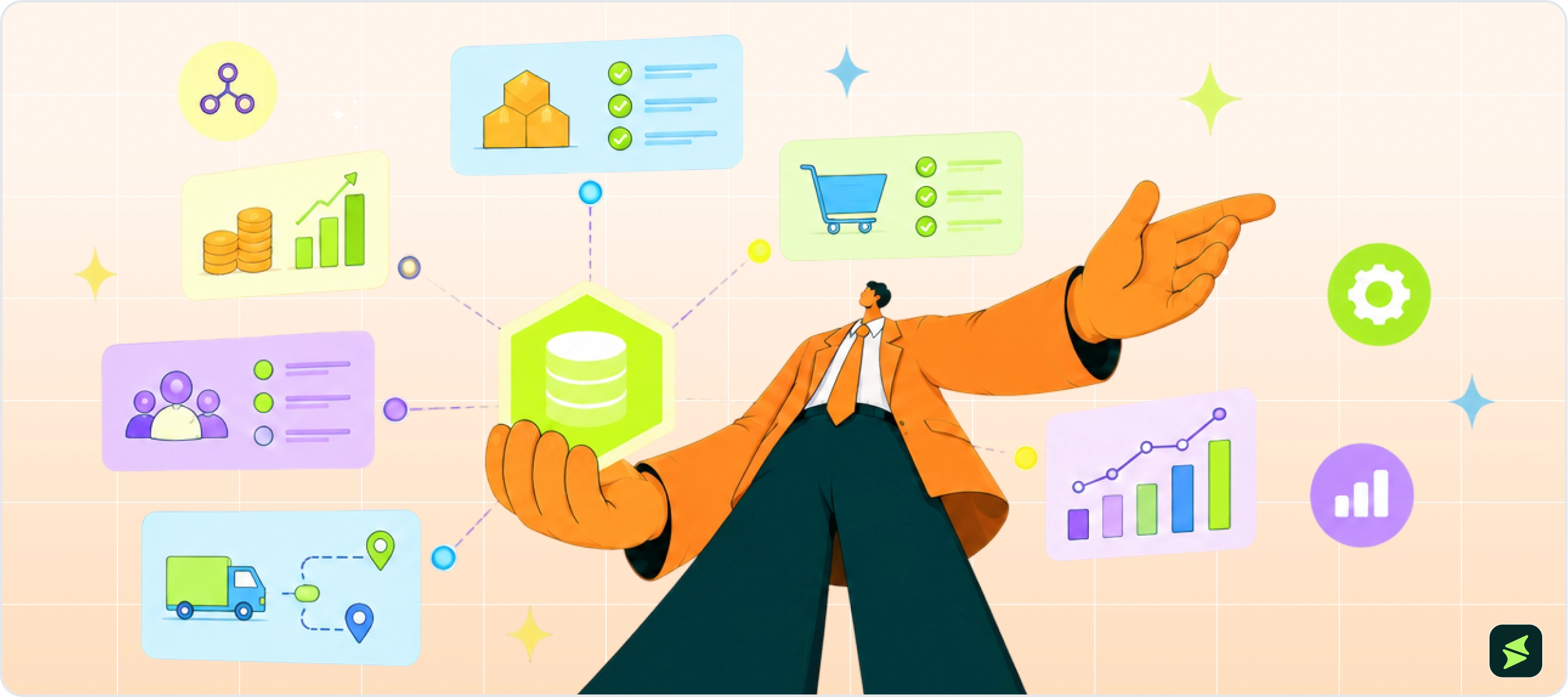
ERP software connects a company's core business processes into a single shared system. These processes include finance and accounting, inventory management, procurement, human resources, supply chain activity, sales, and reporting.
For many growing businesses, these functions are often managed using separate tools with no shared data layer. Finance, warehouse, and HR teams each work in their own systems, which means the same transaction can look different depending on where the data is accessed. When that gap exists, teams may spend more time checking figures, reconciling records, and confirming which version of the data is accurate.
ERP helps reduce that gap by connecting processes that depend on the same data. Instead of maintaining separate records across multiple applica tions, ERP allows every department to work from the same source of business information. For example, when a sales order is entered, inventory levels can be updated in the same system. When a purchase request is approved, finance can see the related cost. Similarly, when HR adds a new employee, payroll records can be managed in the same connected system.
With an ERP, decision-makers can get a clearer view of what is happening across the organization. They can also see how different parts of the business affect each other. For instance:
However, ERP is not simply a replacement for scattered software. It is also a way to standardize how teams work together. The right ERP system can help businesses improve reporting accuracy, reduce duplicate data entry, and create more consistent processes across departments.
For buyers, the key question is simple: can the ERP support how their teams work each day?
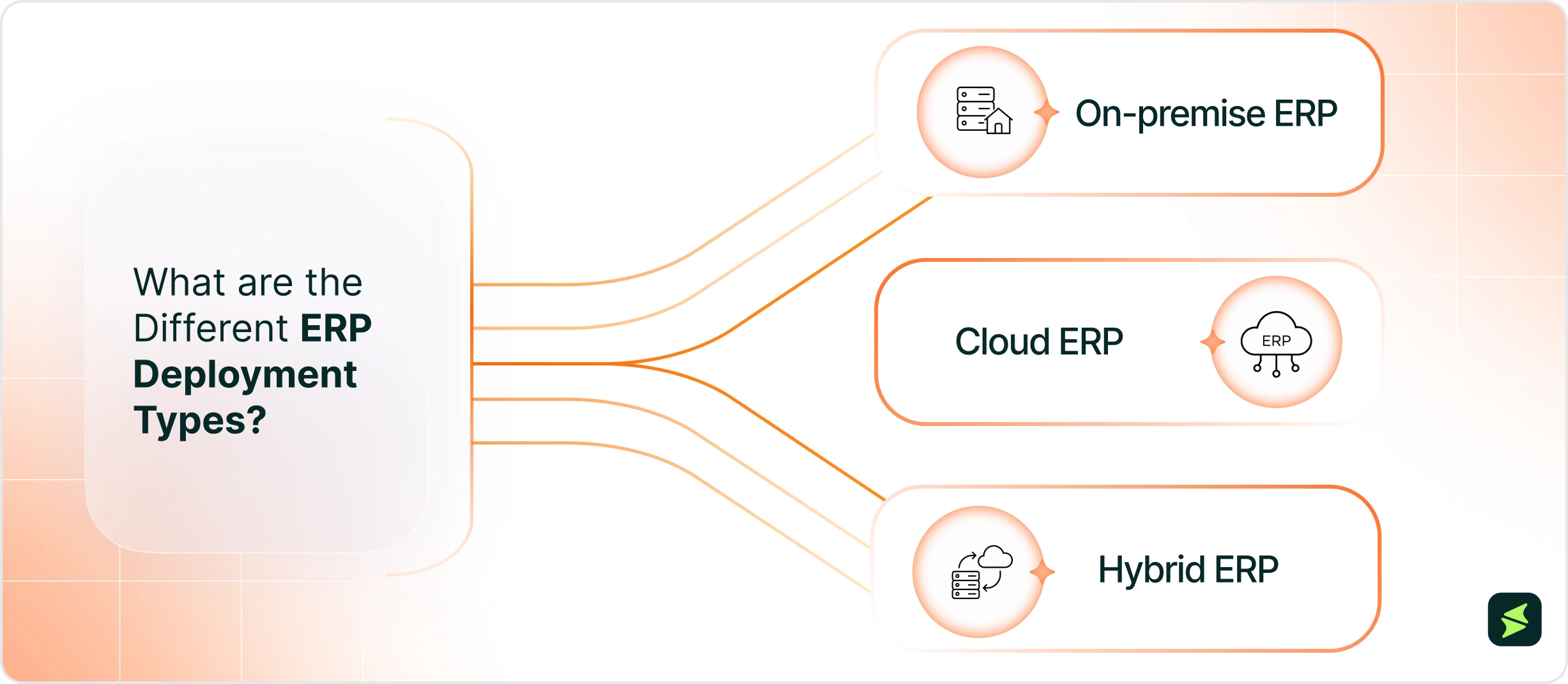
Once an organization decides that ERP is the right direction, the next consideration is which deployment option is the best fit. Buyers evaluating ERP in 2026 compare three main options:
For many organizations, the move to cloud-based ERP software is increasingly influenced by vendor direction. Long-term support timelines, product roadmaps, and vendor focus are now active factors in ERP planning.
In many cases, ERP vendors are prioritizing cloud platforms. For instance:
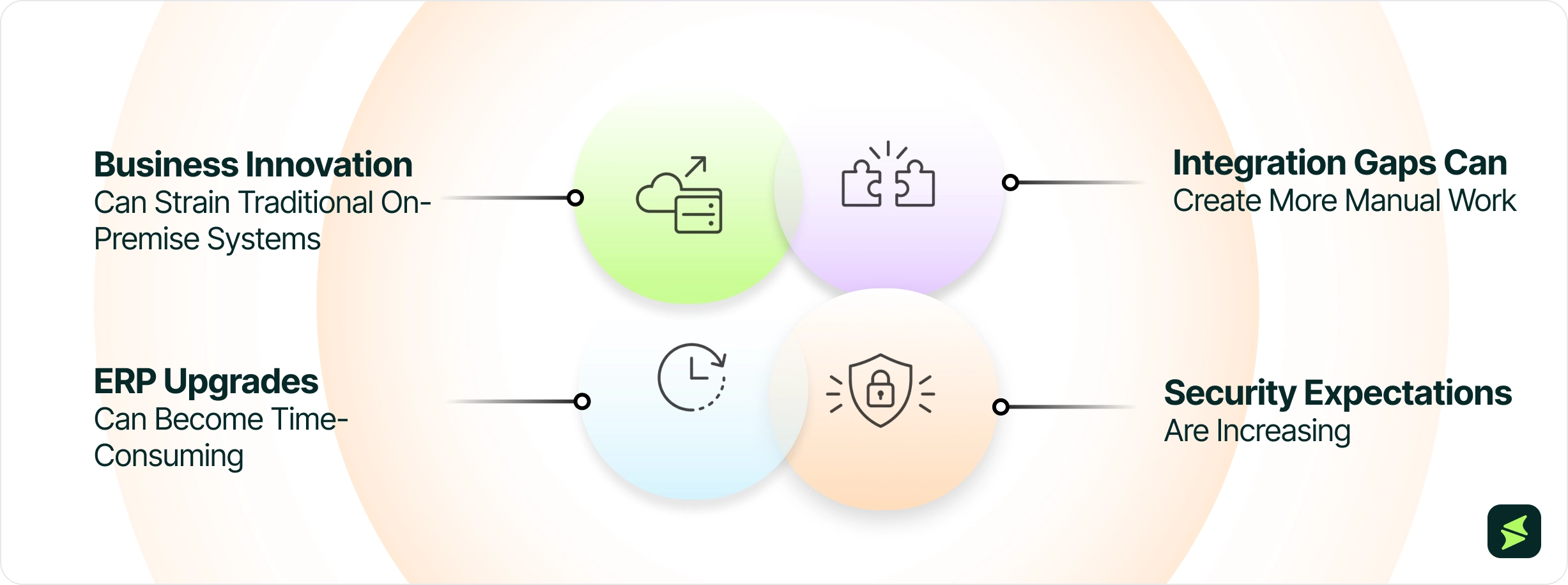
As more ERP vendors shift their focus to cloud platforms, buyer adoption is moving in the same direction. Panorama Consulting Group’s 2026 ERP Report indicates that 73.5% of ERP deployments now run on cloud infrastructure. This suggests that cloud ERP has become the default deployment model for many new implementations rather than an emerging option. Aside from the vendor focus, other reasons to switch to the cloud model can be summed up as follows:
As organizations grow, the way they operate rarely stays the same. They may expand into new markets, introduce new products or services, acquire another company, or adapt to new regulatory requirements. These changes often require the ERP system to support different approval structures, business rules, and ways of working.
With on-premise ERP, making these changes can become more difficult over time. Many organizations customize their ERP to match existing business practices and integrate it with multiple business applications. As these customizations and integrations accumulate, even relatively small changes can require additional planning to avoid disrupting other parts of the system.
For example:
Cloud ERP systems can support change more easily. Instead of relying heavily on customizations, organizations can use built-in capabilities that are easier to configure and expand. As a result, they can introduce new approval rules, automate routine work, and support business growth more quickly.
Most organizations rely on more than just their ERP system. They also use CRM software, payroll platforms, e-commerce applications, business intelligence tools, and other business systems that need to exchange information.
With on-premise ERP, connecting business applications can become more difficult over time, especially in heavily customized environments. Adding new software or updating existing integrations may require additional development, testing, and maintenance.
As a result, information may not move between systems as quickly or consistently as expected. Employees may spend more time entering data, checking reports, and verifying information across systems. This can delay decisions and reduce productivity.
Cloud ERP platforms are generally designed to simplify integrations through standardized APIs and pre-built connectors for many commonly used business applications. This reduces manual work and helps keep information consistent across systems. As a result, employees can spend less time checking data and more time acting on it.
On-premise ERP gives organizations full control over how and when software upgrades are deployed. This can be valuable for businesses that want to review changes before they go live. It also allows them to schedule deployments around critical business periods.
However, that level of control also means the organization is responsible for planning, testing, and coordinating every major release. In ERP environments with extensive configurations and integrations, these projects can require significant time and technical resources. As a result, some organizations postpone them to avoid disrupting day-to-day operations.
Research supports this pattern. A 2025 ScienceDirect study notes that traditional on-premise ERP systems receive major updates every few years. In contrast, cloud ERP systems are updated more regularly through vendor-managed releases. This allows organizations to access new features, performance improvements, and security enhancements sooner without planning large-scale upgrade projects.
As cyber threats become more sophisticated and compliance requirements continue to evolve, organizations are expected to protect business data more effectively than ever before. At the same time, employees expect secure access to ERP systems from different locations and devices, making security an ongoing business priority rather than a one-time implementation task.
With on-premise ERP, organizations have direct control over their security environment. This can be beneficial for businesses with dedicated IT and security teams or strict regulatory requirements. However, they are also responsible for keeping the ERP system secure. This includes applying security patches and monitoring threats. Furthermore, organizations must also manage user access and maintain backup and recovery plans.
Cloud ERP shifts much of this responsibility to the vendor. Many providers apply security patches as part of their regular release process and continuously monitor emerging threats. They also have dedicated security teams focused on protecting the platform. This helps organizations strengthen security while reducing the workload for internal IT teams.
Cloud computing changes more than where ERP is hosted. It also affects how:
Understanding these differences can help buyers choose the deployment model that best fits their organization's needs.
One of the biggest differences between cloud and on-premise ERP is how users access the system. While on-premise ERP is deployed within an organization's own IT environment, cloud ERP is accessible over the internet through a web browser or mobile application.
This allows employees to use ERP from different locations with an internet-connected device, provided they have the appropriate permissions. It can also make it easier to provide system access as organizations add new employees or expand into new locations.
For buyers, this supports a more flexible workforce while giving employees a consistent way to use the ERP system.
Cloud computing also changes how organizations adopt AI and automation. While on-premise ERP can support these technologies, adding new capabilities often requires additional implementation, infrastructure, or software deployments.
In contrast, with cloud ERP, vendors can introduce new AI features as part of the platform's regular service updates. Organizations can begin using these capabilities without deploying separate applications or making significant changes to their existing ERP system.
As a result, ERP is evolving beyond a system that records what has already happened. It can also help users anticipate what might happen next and recommend appropriate actions.
For example, embedded AI can:
Automation also becomes more proactive. Instead of simply following predefined workflows, it can trigger actions based on changing business conditions.
For buyers, this means cloud ERP can do more than improve efficiency. It can help teams identify potential issues sooner, make more informed decisions, and respond before small problems become larger business challenges.
Cloud computing also changes how organizations expand their ERP environment. As businesses grow, they often add employees, locations or subsidiaries that place greater demands on the system.
As business needs evolve, on-premise ERP may require additional hardware and IT resources to support increased demand. Cloud ERP makes this easier by allowing organizations to scale their ERP environment through the vendor's cloud platform instead. This reduces the need to manage the underlying infrastructure themselves.
This also gives organizations more flexibility to grow over time. They can start with the ERP modules they need today and add new users, locations, or business functions as their requirements change. For example, a healthcare group can bring a new facility into its ERP environment without building a separate system from the ground up.
For buyers, this means expansion is often easier to manage. Organizations can support new users and locations on the same cloud platform instead of planning major infrastructure changes alongside business growth.
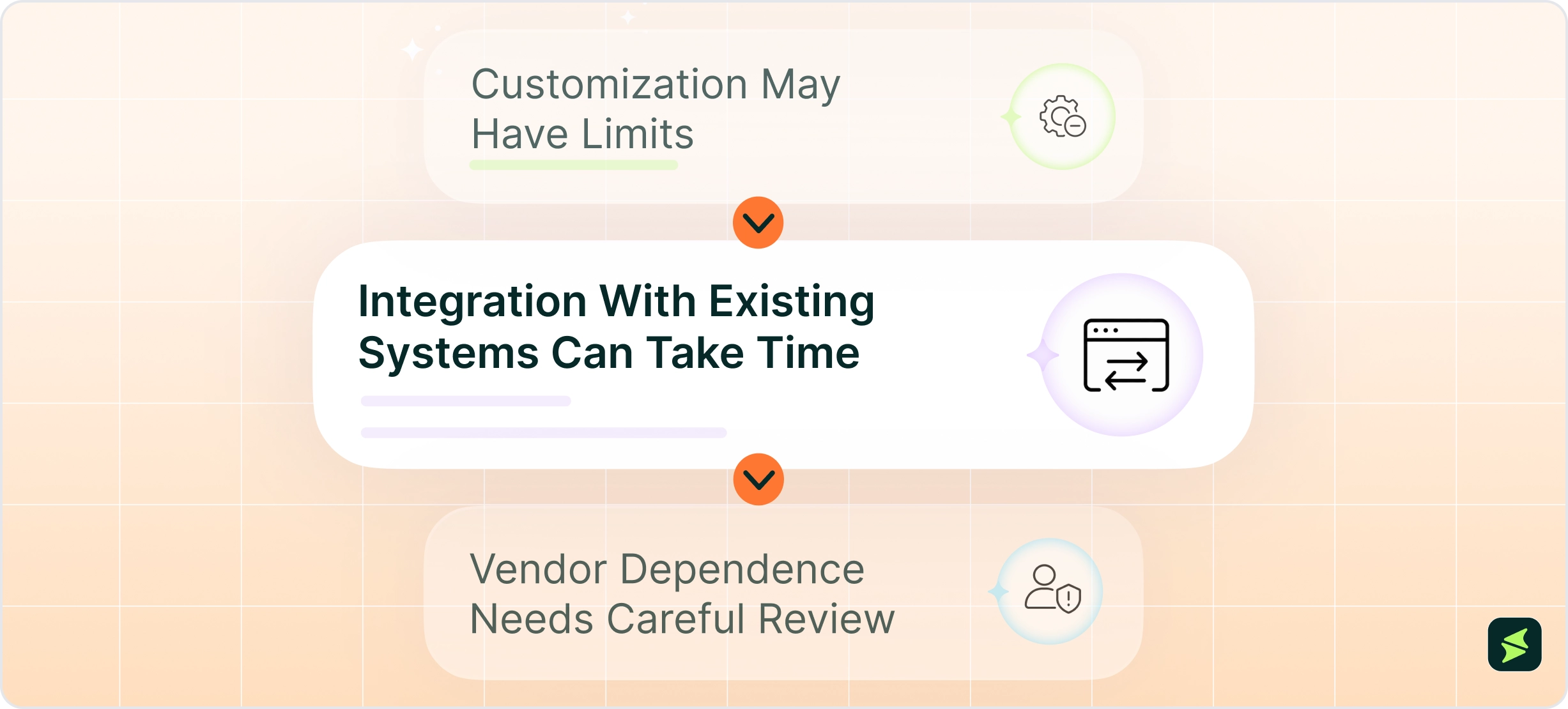
Cloud ERP can make ERP easier to access, update, and scale. However, buyers still need to understand where cloud systems may create new constraints. The best results usually come when buyers evaluate both the benefits and trade-offs.
Cloud ERP systems often rely more on configuration than deep code-level customization. This can help keep the platform stable and easier to update. However, it may create limits for businesses with highly specific workflows.
For example, a manufacturer may rely on custom shop floor processes. Similarly, a healthcare organization may have specialized approval rules. In both cases, standard configuration may not be enough.
In these cases, buyers should ask vendors how much the system can be adapted without custom development. They should also review whether custom changes could affect future updates, integrations, or support.
Most businesses do not move to cloud ERP from a clean starting point. They may already use existing payroll tools, reporting platforms, or industry-specific software. These systems may still need to connect with the new ERP. This essentially means that even though cloud ERP may be easier to maintain in the long term, it will still require upfront integration work.
This is why integration planning should happen during vendor evaluation, not after selection. Buyers should raise integration scope, data mapping, and API availability early in vendor evaluation.
Moving to cloud ERP also means relying more on the vendor’s infrastructure and pricing model. This does not make cloud ERP a poor choice. However, it does mean buyers should review contract terms before signing.
Important areas include:
Buyers should also ask how easily they can move data out of the system if their needs change later. This helps reduce the risk of being locked into a platform that becomes too expensive or too restrictive over time.
Choosing the right cloud ERP depends on how well the platform supports daily work, reporting needs, integrations, and long-term growth.
Buyers should look beyond feature volume and focus on how each system helps teams manage finance, inventory, procurement, orders, reporting, and cross-location coordination.
Software Name | Buyer Value |
|---|---|
NetSuite offers no-code tools for creating custom fields, reports, and buttons. Its SuiteCloud platform supports more advanced customizations and integrations. This gives growing businesses the flexibility to adapt the system as their needs change. | |
SAP S/4HANA Cloud combines regular cloud updates with SAP Joule, its embedded AI assistant. This helps organizations adopt new innovations more quickly. It also supports a more standardized ERP environment. | |
Dynamics 365 integrates natively with Microsoft 365, Power Platform, and Copilot. Organizations already using Microsoft 365 and Power Platform can build low-code automations and continue working with familiar tools. This can reduce training needs and make adoption easier for employees. | |
Sage Intacct offers a feature called ‘dimensional accounting’ that lets organizations analyze financial data across locations, departments, projects, and funding sources. This makes reporting more flexible. It also eliminates the need to create separate charts of accounts, which can become harder to manage as the business grows. | |
Oracle Fusion Cloud ERP combines built-in AI, embedded controls, and automatic updates in a single platform. This helps organizations strengthen financial oversight while giving them faster access to new features and improvements. |
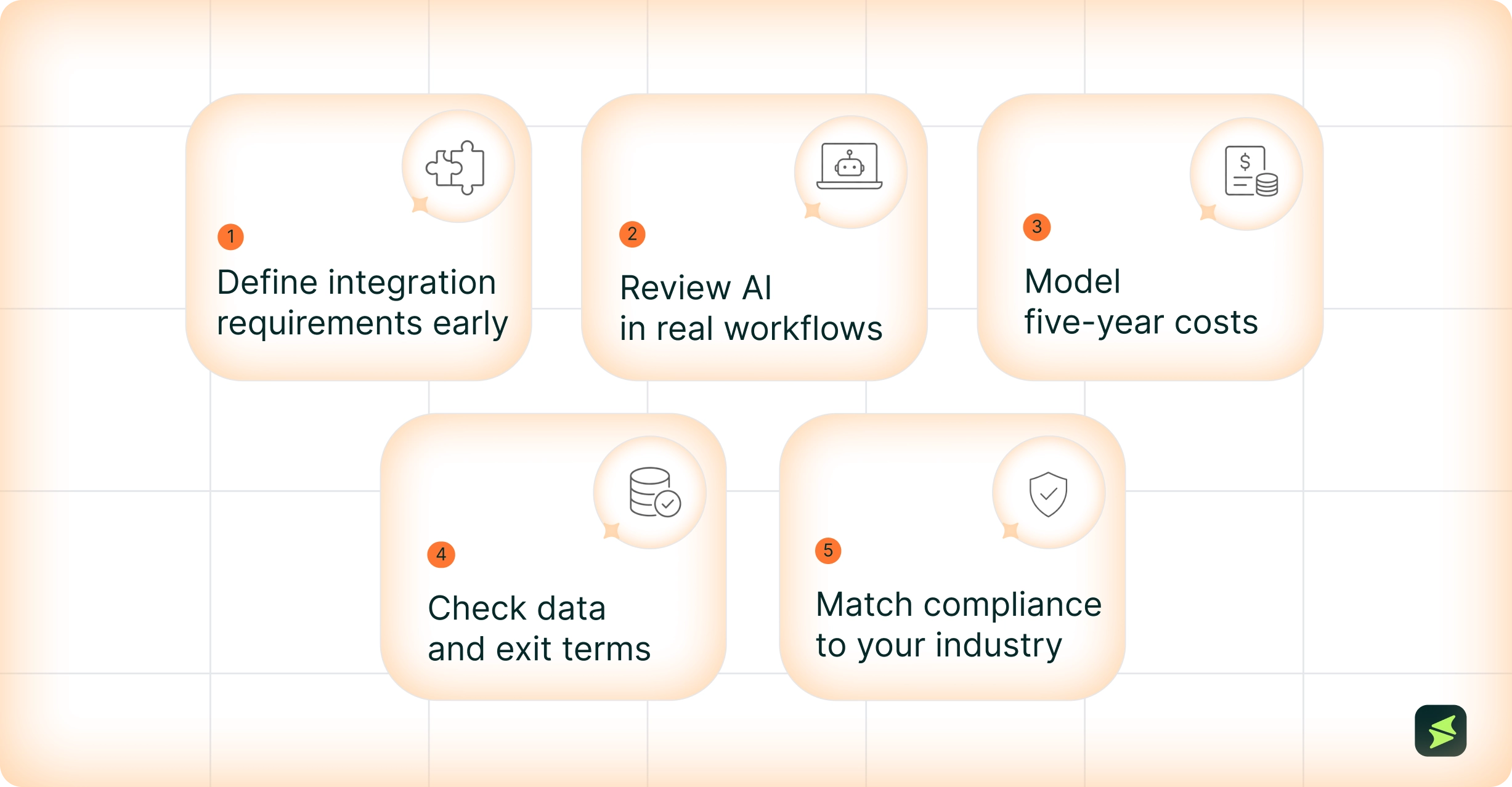
Cloud computing has changed ERP deployment, maintenance, updates, and scalability. It has also changed how buyers evaluate ERP systems. Cost, access, integrations, AI readiness, vendor support, and long-term flexibility now matter as much as core functionality.
Despite its advantages, choosing cloud ERP still requires careful planning. The right system can improve reporting visibility and support growth across locations. It can also reduce manual work and help teams prepare for more advanced automation. On the other hand, the wrong fit can create integration issues, cost increases, or vendor dependence. These problems may escalate if not handled properly.
Before committing to a platform, buyers should focus on the following steps:
Cloud ERP can offer strong value for businesses that need better access, stronger integration, and more scalable systems. Still, the best choice depends on fit.


