



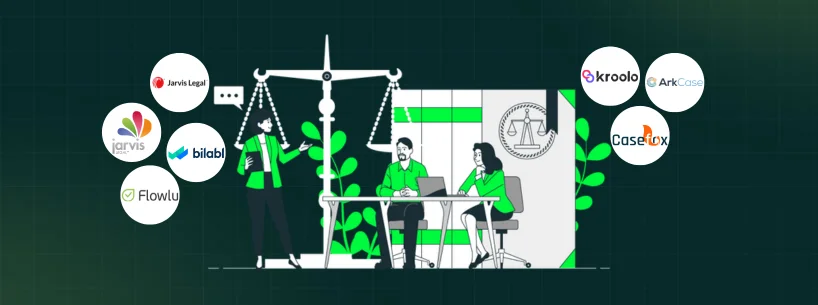
Law firms often face issues with lost case files, missed client follow-ups, and invoicing mistakes that take up too much time. These issues can escalate, risking missed court filings or trust account mix-ups. This, in turn, can derail compliance and stretch already tight budgets.
Legal practice management software helps address these operational gaps. It not only brings order to chaos by organizing matters but also helps track billing and centralizes communication. The best part is that you can easily begin without any upfront cost or long-term commitment.
This guide breaks down the top free options, highlighting their key features, strengths, and limitations.
Software | Rating | Key Features | Free Plan Limits |
4.2/5 | Time and expense tracking, billing and invoicing, case and client management | Free Solo plan limits users to 2 and cases to 4 | |
4/5 | Matter and case tracker, document and records management, reporting and analytics | Community edition offers no guaranteed vendor support | |
Kroolo | - | Document and wiki management, portfolio/project view, collaboration and chat integration | Starter plan offers 1 workspace and 5 projects |
Jarvis One | - | Matter and document import, web-based access across devices, multi-language interface | Designed for early-career lawyers; may not suit established firms |
- | Contact and matter management, time and expense tracking, custom workflows and regional support | Starter plan supports up to 3 users | |
4.6/5 | Collaboration and knowledge base, finance and invoicing tools, CRM and contact management | Free plan allows 2 users and limited storage | |
LegalJarvis | - | Document drafting support, secure data handling, multiple case types | Free plan limits 5 drafts and 5 PDF downloads/month |
1. Casefox - Best For Solo Practitioners Needing Simple Billing

For a small law firm, CaseFox offers a simple and free way to manage a practice. Its 'Solo' plan handles the basics, like keeping case details, client contacts, and billable hours together. This means a client's phone number, recent notes, and past invoices are all in one place. The platform includes a built-in trust account tracking, addressing a compliance requirement most general tools miss. This not only keeps finances in check without adding extra steps or complexity but also simplifies compliance tasks.
Limitations With Free Plan: The free Solo plan limits users to 2 and cases to 4 which constrains a growing practice.
Key Features
Pros And Cons
Pros | Cons |
Mobile access supports work while traveling Built-in LEDES billing improves invoicing accuracy Time logging functionality boost billing precision | No automatic cloud backup functionality Calendar sync reliability issues reported |
2. ArkCase - Best For Mid-Size Firms With Complex Cases

ArkCase is a free, open-source platform where legal teams and mid-size firms can centralize cases, trust accounting, and client matters without upfront costs.
What makes it different is that it is completely platform-agnostic and can be hosted on-premises, in hybrid mode, or in the cloud, so legal teams are provided with flexible deployment options. It also ensures that both financial ledgers and case details remain completely aligned, thereby simplifying reporting and keeping compliance tasks manageable.
Limitations With Free Plan: The community open-source edition offers no guaranteed vendor support. This can potentially complicate issue resolution.
Key Features
Pros And Cons
Pros | Cons |
Straightforward interface makes training and adoption simple Role-based permissions controls offer high security Centralized document management improves accessibility | Versioning functionality could be enhanced Excess notifications clutter user dashboards |
3. Kroolo - Best For Small Teams Seeking Collaboration

Kroolo is a simple, user-friendly tool for small-sized law firms looking to organize their case files, client information, and team tasks. The free ‘Starter’ plan comes with one workspace, five projects, and unlimited tasks. For legal teams, this offers an easy way to get started with a project management without an initial cost.
The real strength comes through when Kroolo pulls tasks, project tracking, goals, and team chats and legal workflows documentation into one central hub. Kroolo supports legal-specific templates, AI-powered project setup, and email automation. Plus, it offers email automation functionality. Consequently, law firms don’t need to work with a plethora of applications to ensure team alignment.
Limitations With Free Plan: The Starter plan offers only 1 workspace and 5 projects, which could limit teams needing more room to manage cases.
Key Features
Pros And Cons
Pros | Cons |
Integrates collaboration tools: comments, mentions, attachments Goal setting and OKRs integrated into daily work Built-in AI automates tasks and summaries | Mobile app experience feels less polished Third-party integrations are somewhat limited |
4. Jarvis One - Best For Early-Career Lawyers Starting Digital Case Management

Jarvis One is a free version of the Jarvis Legal practice management system designed for new law firms or small teams just getting started. It’s a web-based platform that doesn’t require payment, so it’s easy to manage cases, documents, and client workflows from the start. Plus, importing case files and client data is straightforward. Because of that, teams can get started and keep things running smoothly.
The platform stores data in the cloud, with HTTPS protocols and 256‑bit AES encryption, and performs multiple backups routinely to ensure that all data is safely protected within the servers.
Limitations With Free Plan: Geared toward early-career lawyers, the free version might not fully cover the needs of established firms.
Key Features
Pros And Cons
Pros | Cons |
Matter management integrates with contacts and calendars Excellent support for onboarding and usage Neat and visually appealing interface design | Limited reporting beyond invoices for cases Cannot export data easily to Excel |
5. bilabl - Best For Small To Mid-Size Firms With Diverse Needs

bilabl is a cloud-based tool that helps streamline daily workflows of small to mid-size law firms. The free ‘Starter’ plan supports 3 users with case management, basic reporting, time tracking, and 50 GB of storage. From there, teams can manage cases, billing, and documents in one hub, which makes it easy to track progress across clients and cases.
Limitations With Free Plan: The Starter plan supports up to 3 users. This implies that growing teams might need to upgrade for more capacity.
Key Features
Pros And Cons
Pros | Cons |
Tracks time and progress on projects Generates employee performance reports efficiently Customizable interface tailored to firm needs | Lacks Outlook add-on for email syncing First-time users may find it somewhat hard to navigate |
6. Flowlu - Best For Small Teams Moving To Digital Management

Flowlu’s free plan is another practical option for small law firms or law teams. It helps manage cases, clients, and billing. The ‘Free' tier covers legal essentials, CRM for client details, tasks and projects for matter tracking, and invoicing, for up to 2 users. This, in turn, helps teams get organized right away.
Flowlu's CRM integrates with email and payment gateways. This allows firms to manage client communications and payments right inside the system. With one workspace, it is easier to shift legal work from manual to digital.
Limitations With Free Plan: The free plan allows just 2 users and has limited storage, which might not work for busier practices.
Key Features
Pros And Cons
Pros | Cons |
Clean, uncluttered interface reduces navigation complexity Intuitive search simplifies keeping track of prospects Centralized workspaces improve departmental collaboration efficiency | Bulk task editing capabilities are missing AI integration and automation could improve |
7. LegalJarvis – Best For Solo Practitioners Needing Document Drafting

LegalJarvis is an AI-powered document drafting tool for small law firms and legal experts aiming to draft court-ready documents smoothly. The free ‘Freemium’ plan lets solo attorneys or small teams explore legal automation at no cost. This makes it an easy starting point.
The platform uses Natural Language Processing (NLP) for relevant legal codes, clauses, and precedents based on the type of case. This allows lawyers to not only adjust but also improve these suggestions to match the client’s needs.
Limitations With Free Plan: The free plan limits users to 5 drafts and 5 PDF downloads/month, restricting heavy document workflows.
Key Features
Pros And Cons
Pros | Cons |
AI-assisted drafting saves time and errors Editable sections allow full document customization Supports multiple legal case types efficiently | Integration needs third‑party API connections Software interface may seem dated and requires updates |

Choosing the ideal free practice management software can change how a legal practice runs. It’s about finding a tool that matches the firm’s daily needs, be it organizing cases, managing client details, or sorting out billing and how these choices align with the effective ways to manage a law firm. Here are a few factors to keep in mind:
- Assess intuitiveness of the tool such as how easy a team can work with it
- Evaluate whether it connects well with other tools (email, scheduling, and billing software) that your firm relies on
- Check if it supports legal needs like trust accounting, invoicing or document drafting
- Review the scalability of the tool so it can handle growing caseloads
- Check how reliable and swift the customer support is in case of any guidance and system glitches
A good free plan lets teams test these features before making a long-term commitment. As your firm grows, it’s also worth comparing the best legal practice management software options to find a platform that can scale with your caseload, billing needs, and client management workflows.
Free law practice management software helps small firms organize cases, client details, and billing at no cost. This guide highlights seven top options for 2026. These entail functionalities fit for a plethora of legal practice needs.
It all comes down to choosing a tool that works well for a firm’s daily needs and future plans. Ready to find a good match? Explore our reviewed free software to make your daily operations simpler and more efficient.
For a broader look at what the market offers, visit our guide to the best legal software covering both free and paid solutions across all firm sizes.