


MyTime Software
Last Updated
Overview
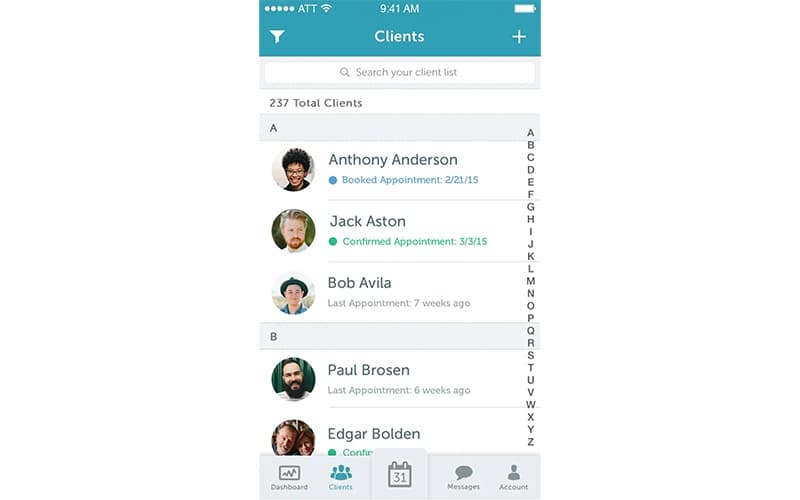
MyTime Software streamlines appointment scheduling and customer management, helping businesses stay organized. Despite glitches and limited functionality, the automated alerts for customer appointments and reminders are helpful. The platform’s user-friendly interface improves time management, boosts customer satisfaction, and enhances business efficiency for small to medium-sized enterprises.

MyTime Software Specifications
- Customer Management
- Timeclock
- Productivity Tracking
- Report Analyzer
MyTime Software Features
Scheduling
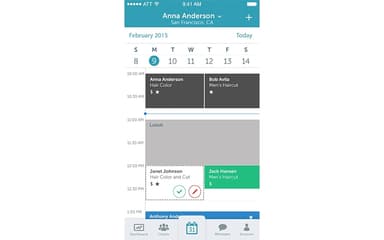
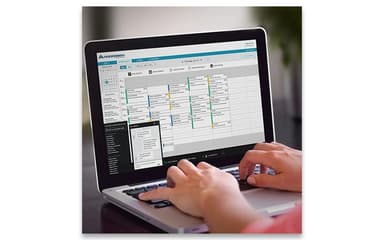
This feature enables businesses to manage appointments efficiently, allowing staff to access and update schedules from any device. It integrates with personal calendars to prevent double-booking and offers a seamless booking experience for clients.
Point Of Sale
MyTime offers this feature that provides a complete payment solution, handling various transactions smoothly. It supports tracking commissions and tips, calculates sales tax across multiple locations, processes returns, and allows payments to be split among service providers.
Search & Social Bookings
It enhances online visibility by integrating with search engines and social media platforms. This feature enables clients to book appointments directly through Google, Facebook, and Instagram, increasing engagement and simplifying the booking process.
2-Way Messaging
This powerful feature facilitates seamless communication between businesses and clients. It supports real-time chat and photo sharing, enhancing customer service and engagement through direct, personalized interactions.
Growth Marketing
Growth Marketing is designed to drive customer retention and business growth. It includes automated email and SMS marketing, targeted campaigns, and promotional tools, enabling businesses to reach clients effectively and boost revenue.
Pros And Cons of MyTime Software
Pros
Saves customer information for remarketing purposes
Easy-to-use time management and scheduling system
Great for basic timekeeping and timesheet submission
Automated alerts for customer appointments and reminders
Cons
Glitches and limited functionality in the system
Long wait times for customers to book appointments
Issues with retail POS items and processing returns
MyTime Software Reviews
Total 20 reviews
3.8
All reviews are from verified customers
Rating Distribution
5
Stars50%
4
Stars20%
3
Stars5%
2
Stars10%
1
Stars15%
Share your experience
Consumer Services, 500+ employees
Less than a year
“Great for scheduling and reminders”
Pros
What I really like about MyTime is how accurate it is when reminding me about my schedules and daily agendas. Since I am the type of person who often forgets my plans, this app has been a huge help.
Cons
Right now there is nothing I would like to change. I am happy with the app since it is affordable compared to others, and it's very accurate with scheduling.
Rating Distribution
Ease of use
10
Value for money
8
Customer Support
10
Functionality
10
Consumer Services, 11-50 employees
More than a year
“Great for small businesses”
Pros
It layers over our website which allows people to easily book appointments even during off hours. Plus it saves customer information which helps us a lot with remarketing.
Cons
We have to use their credit card processor which is a major con and managing disputes is also quite difficult.
Rating Distribution
Ease of use
10
Value for money
10
Customer Support
6
Functionality
9
Marketing and Advertising, 1-10 employees
Less than 6 months
“Think twice before using it”
Pros
The calendar is the standout feature for me but that's about it. They offer other features that could be useful but they require an upgrade from an already way too expensive program.
Cons
The customer facing booking page is fine but creating and organizing services is difficult. Also they charge extra for features that should be included which makes it feel like they nickel and dime you. Plus I cannot reach any decision makers but only a small team of customer service reps.
Rating Distribution
Ease of use
5
Value for money
5
Customer Support
5
Functionality
2
Frequently Asked Questions
What types of pricing plans does MyTime Software offer?
MyTime Software offers four pricing plans, i.e., Basic at $129/month (paid annually) and $169/month (paid monthly), Growth is $199/month (paid annually) and $249/month (paid monthly), and lastly Premium is $249/month (paid annually) and $299/month (paid monthly).
Does MyTime Software have a mobile app?
Yes, MyTime Software has a mobile app for Android and iOS users.
Does MyTime Software offer an API?
Yes, MyTime Software offers an API.
What level of support does MyTime Software offer?
MyTime Software offers phone, live chat, chatbot, email/helpdesk, FAQs, and knowledge base support.
What language does MyTime Software support?
MyTime Software supports English, German, French, Spanish, Chinese, and Japanese languages.
What other apps does MyTime Software integrate with?
MyTime Software integrates with a variety of apps, such as Zapier, QuickBooks, Shopify, SOCi, Stripe, Google Reserve, and Instagram Booking.
Who are the typical users of MyTime Software?
Typical users of MyTime Software are small to mid-sized enterprises, Franchises, Salons, and Pet Businesses.