


Last Updated
Overview
Foxit eSign simplifies digital document management with quick, legally valid signatures. Although the API functionality needs improvement for deeper integrations, several users laud how its reusable templates save maximum time. Foxit eSign reduces paperwork, speeds up approvals, and enhances efficiency with an intuitive eSigning experience built for professionals and businesses.
Foxit eSign Specifications
- Document Management
- Collaboration Tools
- E-signature Capabilities
- Lead Management
Foxit eSign Features
Legally Binding eSignatures
This feature ensures that every signature is legally valid, giving users transparency and efficiency. Agreements signed with Foxit eSign hold up in court, making business transactions smooth and secure.
Security And Compliance
It helps businesses stay compliant by offering built-in security controls. It also enables users to set compliance rules across teams, ensuring documents meet industry standards like HIPAA, GDPR, and eIDAS.
Comprehensive Document Tracking
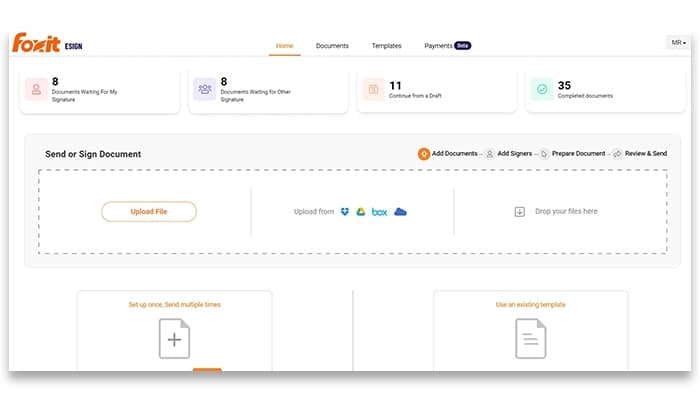
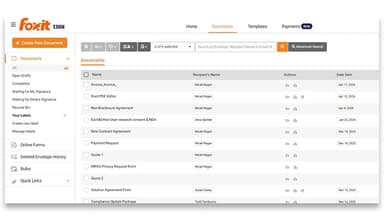
Comprehensive document tracking keeps users informed about agreements in real-time. It enables easy monitoring of pending and completed documents on a single dashboard, ensuring everything is on track.
Integration Ecosystem
This smooth feature connects Foxit eSign with tools like Microsoft Outlook, Google Workspace, and SharePoint. It helps users to send, sign, and track documents without leaving their favorite platforms.
Foxit Pay
Foxit eSign offers this feature, allowing users to collect payments within signed agreements. Foxit Pay systemizes transactions with the need for extra tools, making business operations faster and more efficient.
Advanced Workflows
This smart feature automates document processes with bulk sending, online forms, and signing orders. Thus, Foxit eSign helps teams work faster, reducing manual effort while ensuring efficiency in contract management.
Pros And Cons of Foxit eSign
Pros
Helps reduce paper waste and improves document management
Supports branding and administrative audit capabilities
Enables sending multiple documents for signature at once
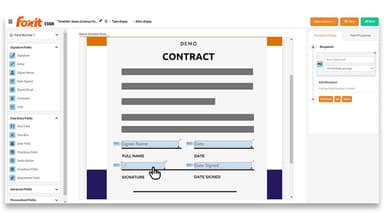
Reusable templates save time for frequently used documents
Cons
API functionality needs improvement for deeper integrations, according to some software users
Placing signature fields gets tricky for unique documents
Processing larger files slows down signing workflows
Foxit eSign Reviews
Total 11 reviews
3.8
All reviews are from verified customers
Rating Distribution
5
Stars55%
4
Stars18%
3
Stars0%
2
Stars9%
1
Stars18%
Share your experience
Dayanand
Logistics and Supply Chain, 51-100 employees
More than a year
“A good eSign tool for your company”
Pros
Instead of the headache of printing and scanning documents, you can directly eSign them using Foxit eSign, which saves both time and money. It provides detailed information about the document signing sequence and progress. You can also set automatic reminders to speed up the signing process ensuring recipients are reminded to sign the document. Also you can set an expiration date for your document.
Cons
We haven't faced any issues with Foxit eSign so far.
Rating Distribution
Ease of use
10
Value for money
10
Customer Support
10
Functionality
10
Gonzalo
Insurance, 1-10 employees
More than a year
“Problems with renewal, customer service and follow-ups”
Pros
After my recent experience, I honestly find it hard to say anything positive about it.
Cons
Customer service is almost impossible to reach and phone wait times are outrageously long. Every attempt to be transferred through the recorded prompts sends me back to the initial menu unless I select specific options. As I write this, I have already called three times about an issue we have been experiencing since October, and this is related to a renewal that was already approved with an agreed-upon quotation and pricing. We ran out of envelopes because of this issue and can't operate properly. I've also been waiting over an hour for a chat response. We respond to emails about our tickets but never get a follow up, even though we've approved the proposed solution. The experience was much better when it was under eSign Genie. I don't understand why you offer a renewal if you're not going to follow through when we've already given the green light months ago.
Rating Distribution
Ease of use
3
Value for money
2
Customer Support
1
Functionality
3
Alex
Utilities, 11-50 employees
Free Trial
“Dependable e-signature choice”
Pros
It offers a wide range of features and has a feel similar to a Microsoft product.
Cons
It can be a bit tedious to use at times especially when adding new signatures.
Rating Distribution
Ease of use
8
Value for money
8
Customer Support
8
Functionality
9
Frequently Asked Questions
What level of support does Foxit eSign offer?
Foxit eSign offers 24/7 support through phone, an account portal, a community portal, FAQs, an AI chatbot, and a knowledge base.
Who are the typical users of Foxit eSign?
The typical users of Foxit eSign include professionals and organizations from the healthcare, manufacturing, legal, banking, insurance, government, and education industries.
What types of pricing plans does Foxit eSign offer?
The Foxit eSign cost consists of two plans: the eSign Essentials ($120/per license/year) and the eSign Business for minimum five licenses ($300/per license/year).
What other apps does Foxit eSign integrate with?
Foxit eSign integrates with Microsoft Outlook, Microsoft Teams, Microsoft SharePoint, Google Workspace, Salesforce, Zapier, and Foxit PDF Editor.
What language does Foxit eSign support?
Foxit eSign supports English, German, Spanish, Portuguese, French, Russian, Italian, Dutch, Korean, and Traditional Chinese.
Does Foxit eSign have a mobile app?
Yes, Foxit eSign has a mobile app.
Does Foxit eSign offer an API?
Yes, Foxit eSign provides an API.