


OptiMonk
Last Updated
Overview
OptiMonk provides comprehensive onsite engagement tools, aiding in lead generation and customer retention through personalized messaging. While initial setup can be challenging for high-traffic or complex websites, its lightning-fast load times and extensive template library justify the investment. Overall, its conversion benefits make it a compelling choice for digital brands.
OptiMonk Specifications
- Lead Management
- Sales Pipeline Management
- Contact Management
- Sales Automation
What Is OptiMonk?
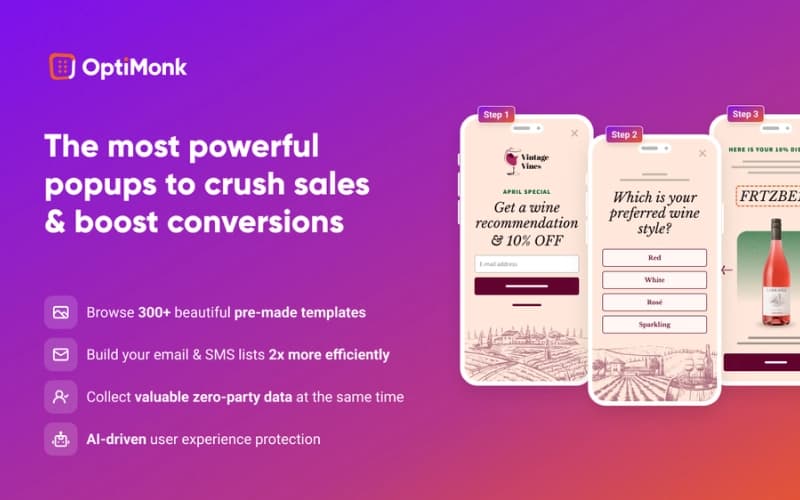
OptiMonk software functions as a professional, on-site retargeting and conversion rate optimization platform designed to recover lost visitors and maximize lead generation. By utilizing advanced targeting and personalized messaging, the software helps businesses capture high-quality email and SMS leads, reduce cart abandonment, and increase average order value. Key OptiMonk features such as exit-intent triggers and AI-driven recommendations allow organizations to address specific pain points, such as stagnant conversion rates or high bounce rates, effectively scaling engagement across multiple domains.
OptiMonk Pricing
OptiMonk offers the following pricing plans:
- Free: $0/month
- Essential: $29/month
- Growth: $99/month
- Premium: $249/month
- Master: custom pricing
Disclaimer: The pricing is subject to change.
OptiMonk Integrations
The OptiMonk software supports integration with multiple systems and platforms, such as:
Who Is OptiMonk For?
OptiMonk is ideal for a wide range of industries and sectors, including:
- Ecommerce
- SaaS
- Service providers
- Media and publishing
- Direct-to-consumer (DTC)
- Financial services
- Education
Is OptiMonk Right For You?
OptiMonk software is particularly well-suited for ecommerce and lead-generation sites that require sophisticated personalization without technical complexity. It has been recognized as the number one rated popup builder by G2 for three consecutive years, highlighting its reliability and effectiveness. For brands focused on speed and user experience, the software's industry-leading performance metrics make it a standout choice.
Still doubtful if OptiMonk is the right fit for you? Connect with our customer support staff at (661) 384-7070 for further guidance.
OptiMonk Features
Experiences
Marketers can personalize campaigns for multiple segments simultaneously within a single campaign framework. Users can display different headlines, offers, or images to specific audiences, streamlining the delivery of highly relevant content without creating separate, repetitive manual campaigns.
Advanced Targeting
This feature allows for laser-targeting the right audience by utilizing sophisticated triggering and timing options. Marketers can ensure that their messages appear precisely when and where they will have the most significant impact on the visitor's specific browsing journey.
User Protection
The User Experience Protector prevents popup fatigue by balancing conversion efforts with user experience. It sets smart limits on campaign frequency and prioritizes the most critical messages, ensuring that visitors are not overwhelmed by intrusive or repetitive display sequences.
Dynamic Text
Dynamic text capabilities allow for the direct insertion of visitor-specific information into messages, such as names, locations, or cart values. This level of personalization boosts engagement instantly by creating a more tailored and conversational experience for the user during sessions.
AI-Personalization
Utilizing AI-personalization, the platform generates endless personalized variants of a single popup tailored to individual product pages. By adjusting content based on context and behavior, the software achieves record-breaking conversion rates through automated, 1-to-1 personalization for every visitor.
Pros And Cons of OptiMonk
Pros
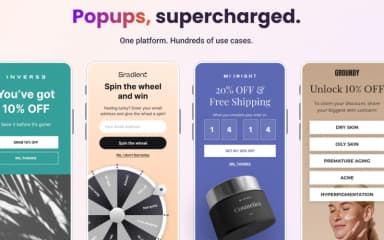
Campaigns are easy to create using ready-made templates
The platform makes it simple to launch and manage campaigns once initial setup is complete
Popups are intuitive and highly effective at driving conversions
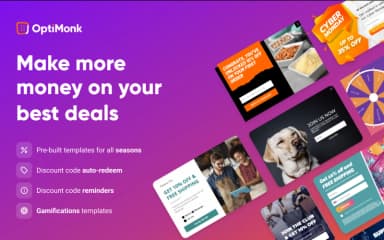
The campaign builder is flexible and includes gamification options
Cons
Customizing colors and fonts can be confusing and hard to locate
The campaign logic and targeting rules can feel difficult to understand at first
OptiMonk Reviews
Total 19 reviews
4.7
All reviews are from verified customers
Rating Distribution
5
Stars74%
4
Stars26%
3
Stars0%
2
Stars0%
1
Stars0%
Share your experience
Small Business, 11-50 employees
“the best tool”
Pros
Setting up popups is not a hassle and managing discount voucher popups is simple as well. On top of that the analytics screens are really useful.
Cons
The popup designs could offer more customization options.
Rating Distribution
Ease of use
9
Value for money
8
Customer Support
7
Functionality
7
Small Business, 11-50 employees
“AI delivers!”
Pros
Running abandoned cart campaigns has been really useful especially for popups and the AI generated content and images I use in product descriptions. I am able to build popups for collecting emails and phone numbers without touching any code which makes the whole process really convenient. The standout feature for me is the gamified popup option since it gets more customers to share their email addresses and phone numbers, helps lift sales and grows my contact list for future marketing campaigns. On top of that the AI-written content and generated images for product descriptions have been excellent. Getting started with it was also very simple.
Cons
Its pricing seems a bit on the higher side.
Rating Distribution
Ease of use
7
Value for money
7
Customer Support
7
Functionality
8
Arts and Crafts, 11-50 employees
“Campaign templates save massive time”
Pros
The campaign templates are really well done and putting together new campaigns is quick and easy.
Cons
At times adjusting colors and fonts can be a bit confusing because the right place to change them isn't always obvious.
Rating Distribution
Ease of use
8
Value for money
7
Customer Support
9
Functionality
9
Frequently Asked Questions
Who are the typical users of OptiMonk?
OptiMonk serves a diverse array of industries, including ecommerce, SaaS, service providers, media and publishing, direct-to-consumer (DTC) brands, financial services, and education.
What other apps does OptiMonk integrate with?
OptiMonk integrates seamlessly with a variety of platforms and systems, including Shopify, Mailchimp, Klaviyo, Attentive, and Keap, helping streamline your marketing workflows.
What level of support does OptiMonk offer?
OptiMonk offers support via email.
What types of pricing plans does OptiMonk offer?
OptiMonk price plans suit different business needs: Free ($0/month), Essential ($29/month), Growth ($99/month), Premium ($249/month), and Master with custom pricing. Request a personalized OptiMonk cost quote today to find the best plan for your business.
Does OptiMonk offer an API?
Yes, OptiMonk offers a Public API.
What language does OptiMonk support?
OptiMonk is primarily available in English.
Does OptiMonk have a mobile app?
No, OptiMonk doesn't have a dedicated, standalone mobile app.