


Last Updated
Overview
True Sky is a budgeting, forecasting, and reporting solution that combines the familiarity of Excel with the control of a centralized enterprise platform. It helps finance teams streamline data collection, approvals, forecasting, reporting, and scenario planning while integrating with ERP, HR, and other business systems. Role-based security, audit trails, and workflow tools improve accuracy, consistency, and oversight.
True Sky Specifications
- Budgeting And Forecasting
- Audit Trails
- Customizable Reports
- Financial Reporting
What Is True Sky?
True Sky is a budgeting, forecasting, and reporting solution that helps organizations replace disconnected spreadsheet processes with a more structured, secure, and efficient approach. Users continue working in Microsoft Excel, while True Sky manages data, calculations, workflow, approvals, security, and reporting through a centralized platform. It supports a wide range of financial and operational planning needs, including annual budgeting, forecasting and reforecasting, scenario analysis, compensation planning, revenue planning, management reporting, and board reporting. It is configured around each organization’s processes and includes ongoing support to help teams maintain and improve their solution over time.
How Much Does True Sky Cost?
Disclaimer: The pricing is subject to change.
True Sky Integrations
Who Is True Sky For?
True Sky software serves a wide range of industries and sectors, including:
- Finance
- Accounting
- Manufacturing
- Healthcare
- Nonprofit
- Professional services
- Education
Is True Sky Right For You?
Are you looking for a planning and budgeting solution that combines Excel familiarity with enterprise-grade governance to streamline your financial processes? True Sky tackles the core pain points of spreadsheet chaos and manual processes, delivering centralized control, fewer errors, and improved collaboration. Its built-in audit trails and security features help safeguard sensitive financial data.
The platform improves accuracy through automated calculations, supports real-time collaboration across teams, and helps reduce time spent on routine budgeting tasks through workflow automation.
Still not sure if True Sky is right for you? Contact our customer support team at (661) 384-7070, who will help you make the best decision.
True Sky Features
Excel-Driven Budgeting Interface
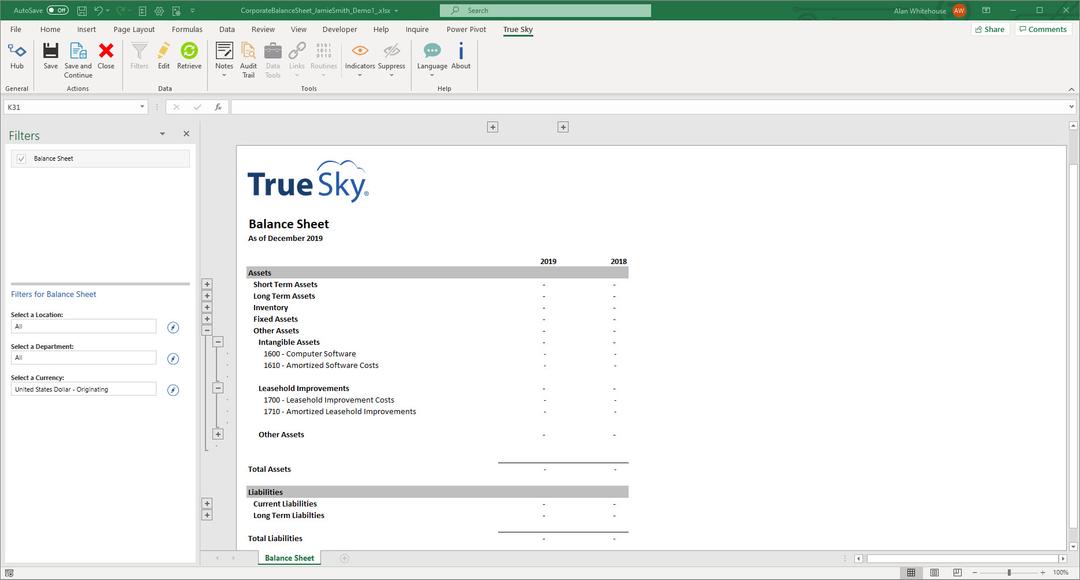
True Sky utilizes an Excel, not Excel-like, interface for end users. This means end user training goes very quickly and with minimal push back. Your end users can continue to leverage what they know (and love) about Excel, while gaining the power and control of our database-driven software. True Sky allows you to eliminate administrative work and improve the reliability of your data – allowing you to budget more frequently, faster, with better insight into your business.
Dynamic Integrations
At True Sky, we understand how time-consuming and challenging integrations can be, while also recognizing the significant value they provide. Our team has extensive experience designing and implementing integrations, which helps set True Sky apart from other solutions. We work closely with customers to integrate True Sky with a wide range of ERPs and other electronic data sources, including HR systems, CRMs, order management systems, and more.
Proven and Tested Implementation Process
Our implementation approach, refined over time, stands apart from plug-and-play solutions. And it starts right from the sales process, where we spend time assessing input sheets and reports to determine what models and templates you need configured in True Sky. Once determined, we decide the most effective way to implement.
Tailored, Ongoing Support: The Advantage Program
Our commitment doesn’t end at implementation—we’re here to stay, partnering with you to enhance and refine your processes. Our goal is to make your budgeting cycle even more efficient and effective. With our support program, ‘The Advantage Program’, We’ll proactively assist you before each budget cycle, helping with template updates, new user training, report adjustments, and more. No need to scramble alone at the last–minute – we’ve got you covered well in advance.
Pros And Cons of True Sky
Pros
Combines a familiar Excel interface with centralized data, security, workflow, and version control
Integrates with ERP, HR, CRM, and other business systems to reduce manual data entry and consolidation
Supports budgeting, forecasting, reporting, compensation planning, scenario modeling, and other financial processes
Can be configured around an organization’s existing structure, requirements, and reporting needs
Includes ongoing support to help organizations maintain and improve the solution over time
Cons
Implementation requires an upfront discovery and configuration process rather than a simple out-of-the-box setup
The breadth and flexibility of the solution may be more than very small organizations or simple budgeting processes require
True Sky Reviews
Total 2 reviews
5
All reviews are from verified customers
Rating Distribution
5
Stars100%
4
Stars0%
3
Stars0%
2
Stars0%
1
Stars0%
Share your experience
Kris S.
Non-Profit Organization Management, 51-100 employees
More than a year
“works well for us!”
Pros
Since it works as an Excel add-on, it seems familiar right away which makes adopting it much less intimidating. Even though it was new to us, being inside Excel meant it never felt completely foreign. The software gives us a lot of flexibility in how we build reports and we use it heavily for both budgeting and reporting. After switching to True Sky, our budgeting process across multiple cost centers and budget owners became far more transparent. Another really powerful feature is that users can drill down into the data behind the numbers instead of just looking at totals. On top of that the service has been outstanding. Software can only take you so far and the support behind it matters just as much. Our consultant has been exceptional and truly feels like an extension of our Finance team.
Cons
If I had been asked this a few years back, I probably would have had something to point out. But after using it for many years now, I honestly cannot say there's anything I dislike about it.
Rating Distribution
Ease of use
9
Value for money
9
Customer Support
10
Functionality
10
Laura B.
Food Production, 500+ employees
More than a year
“Forecasts cash flow well”
Pros
Over the last five years this product has grown with us in a big way. We started out using it just for sales budgeting, then expanded into financial reporting and this year we have taken it further with more detailed financial budgeting while also building our standard costs for the upcoming year. One of the biggest strengths is how much this product can handle overall. The version control for budgeting and forecasting has been especially valuable and is honestly a standout feature for us.
Cons
Because it runs through Excel, there are times when it seems restricted by Excel's own limitations especially with the add-in. A few users on our team have had trouble working with the application because of that. we have managed to work through those issues but it can still be frustrating for users when those limitations come up.
Rating Distribution
Ease of use
10
Value for money
10
Customer Support
8
Functionality
10
Frequently Asked Questions
Why does True Sky use an Excel-based client instead of web based?
Excel is a very mature and robust application and has a depth and breadth of functionality that cannot be matched by a simple web-based data grid. True Sky allows you to leverage all of this power when building input sheet or reports.
Does True Sky support budget approvals?
Yes. The approval workflow matrix is completely configurable by you based on your needs and the budgeting process being approved.
What are the different user license types for True Sky?
True Sky has three different user license types: 1. Full Use User License – allows users to input data, be involved in the approval process, view reports, design Templates and administer the system. 2. Approval and Reports User License – allows users to participate in the approval process and view reports. They will not be able to input data, design templates, or administer the system. 3. Reports Only User License – allows users to view reports only.
What types of business processes can be modeled in True Sky?
True Sky supports the creation of almost any data model that can be logically defined. Commonly modeled business processes include (but are not limited to): - Financial Expense Budgeting - Compensation Planning - Revenue Forecasting (by Customer, by SKU, by Salesperson) - Capital Expenditures - Project/Job Costing Note: True Sky can also be used as a structured data capture tool.