Last Updated
Key Takeaways
Generated from the text of customer reviews
Zoho Books has cloud accounting features for businesses in different sectors. It covers invoicing and banking, along with expenses and inventory. Small business owners and bookkeepers are the main users. Most users mention its pricing and time savings when compared with other accounting tools. Some reviews point out delays in bank feed syncing. Zoho Books has added user-level bank account access controls in 2026. Administrators can now limit specific bank accounts to selected users based on their roles.
Our Verdict
Zoho Books is a suitable option for businesses that want to grow without changing their accounting system as their needs increase. Users in accounting use it for CRM and inventory along with expense management without requiring separate integrations. The pricing increases gradually across the plans, which makes it suitable for growing teams. The software may not fit large enterprises that need advanced multi-entity consolidation. Recommended for small to mid-sized businesses and accounting firms that want predictable pricing and a consistent Zoho setup.
Overall Rating
Based on 63 users reviews
4.4
Rating Distribution
Positive
87%
Neutral
10%
Negative
3%
Starting Price
$20
per organization per month
Zoho Books Specifications
- Financial Reporting
- Invoice Management
- Expense Tracking
- Tax Management
What Is Zoho Books?
Zoho Books is an online accounting software from Zoho Corporation. It covers invoicing and banking along with inventory and expenses reporting. The software helps accounting firms manage bookkeeping and tax work along with daily financial tasks.
Its main areas include receivables for invoices and quotes, and payment collection. Payables cover bills and recurring expenses whereas projects support budgets and client billing. Reports provide financial reports with scheduled delivery. Multi-currency support is also available for businesses that work with different currencies.
Zoho Books works on web and mobile devices along with Windows desktop. It connects with Zoho CRM and Zoho Inventory along with Zoho Payroll and Zoho Expense, and Zoho Billing.
What Is Zoho Books Best For?
Zoho Books stands out for Zia – its AI assistant – which lets users ask questions about their financial data in plain language. It can help analyze data and identify trends along with creating reports and answering accounting questions. This gives users another way to review financial information without going through the data manually.
How Much Does Zoho Books Cost?
Zoho Books pricing starts at $20/org/month for its Standard plan. The plan includes progress invoicing, sales and use tax tracking, divisional reports with reporting tags, and more. The vendor also offers the following plans:
- Free: $0
- Professional: $50/org/month
- Premium: $70/org/month
- Elite: $150/org/month
- Ultimate: $275/org/month
The vendor offers the following add-ons (not included in the Free plan except Advanced Autoscans):
- Users: $3/user/month
- Advanced Autoscans: $10/50 scans/month
- Locations: $12/location/month
- Expense Claim: $9/active user/month
- BillPay: $69/month
Users frequently describe Zoho Books as competitively priced for small businesses, noting predictable monthly costs, flexible add-ons, and better value than many accounting competitors at similar tiers.
Disclaimer: The pricing is subject to change.
Zoho Books Integrations
In addition to the broader Zoho ecosystem, Zoho Books facilitates an easy integration with different third-app party applications, including:
- PayPal software
- Stripe
- Google Drive
- Slack software
- Twilio software
- Paystack
How Does Zoho Books Work?
Here is a how users from different industries can start working with Zoho Books software:
- Sign up for a 14-day trial or log in to an existing Zoho Books account
- Import opening balances and customer records along with vendors and items. This should be done with previous transactions when moving from another system
- Set up your organization and users with roles and currencies and taxes templates
- Add customers and vendors along with products and services and price lists
- Create quotes and sales orders with invoices and recurring invoices and retainers and credit notes
- Record expenses and bills with purchase orders and vendor payments and vendor credits
- Connect bank and credit card accounts to receive transaction feeds and reconcile transactions
- Approve employee transactions through configured approval workflows
- Track project time through timesheets and bill customers based on recorded hours
- Store receipts and other documents and attach them to related transactions
- Record journals and manage the chart of accounts with currency adjustments and locked transactions through the accountant module
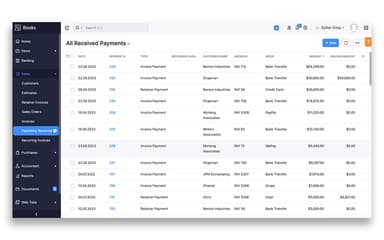
- Collect customer payments online or record them against invoices manually
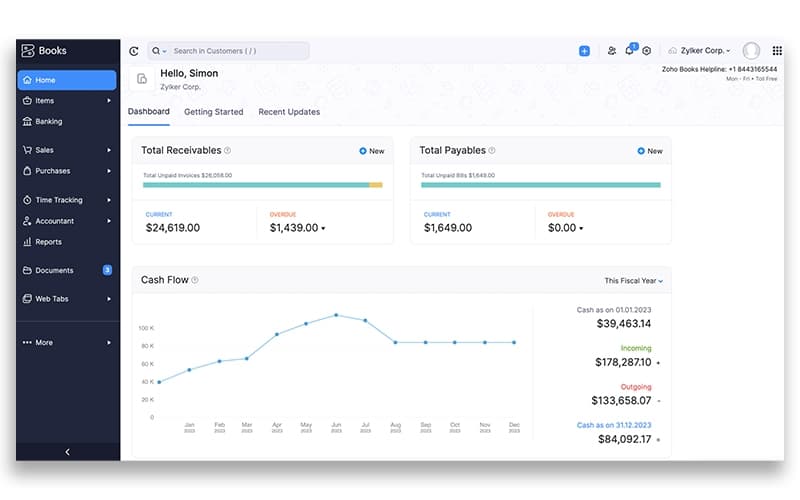
- Monitor receivables and payables with cash flow. Also monitor income expenses and banking activity from the dashboard
- Generate more than 40 business accounting and tax reports to review financial activity
Who Is Zoho Books For?
The software is used in different industries and businesses, such as:
- Engineering
- Information technology
- Financial services
- Agriculture
- Consultancy firms
Zoho Books Use Cases
Based on our review of Zoho Books features, it fits the following accounting use cases:
Small Businesses Leaving QuickBooks After Rising Subscription Costs
Small businesses considering a move from QuickBooks can use Zoho Books to transfer their existing accounting data. This means they do not have to rebuild their financial records from the beginning. The option is useful for companies with several years of records that want to change accounting software while keeping their existing data.
International Businesses Managing Frequent Multi-Currency Sales And Payments
Companies that invoice overseas customers or pay vendors in other currencies can use Zoho Books for these transactions. The software supports different currencies and applies exchange rates when transactions are recorded. This suits businesses where foreign-currency sales and expenses are a regular part of accounting.
Small Accounting Firms Managing Books For Growing Client Portfolios
Accounting firms managing books for several clients can use Zoho Books to keep each client's financial records separate. User roles let accountants control access to accounting information for different users. This can suit smaller firms that manage several client accounts without using separate practice-management software.
Retailers And Wholesalers Keeping Inventory And Accounting Records Aligned
Retailers and wholesalers deal with frequent purchases and sales that affect both stock levels and financial records. Zoho Books connects inventory activity with purchasing and sales transactions so businesses can keep these records together. This makes it relevant for product-based companies that need accounting records to reflect ongoing inventory movements.
Nonprofits Separating Restricted Donations From Operating Revenue
Nonprofits can use Zoho Books to keep donations and restricted funds separate from operating income. Its nonprofit accounting options support fund and donation categorization based on the organization's accounting needs. This can suit smaller nonprofits that manage different funding sources and activities.
Is Zoho Books Right For You?
Zoho Books may suit businesses that want day-to-day accounting along with newer AI-assisted features. Its Zia-powered report insights can provide summaries from financial reports. AI custom fields can also extract and organize information from images. Recent addition of time-based report filters offers user-level controls for specific bank accounts.
Businesses that work with independent contractors can use Zoho Books for W-9 collection and 1099 reporting. Users can collect W-9 forms from vendors and map accounts to 1099 boxes. The software can also identify vendors that meet reporting thresholds and support e-filing for 1099-MISC and 1099-NEC forms with the IRS.
Beyond basic bookkeeping, Zoho Books can help businesses manage recurring accounting tasks and keep transactions organized. Automated workflows and bank reconciliation can support regular payment activity while multi-currency accounting suits businesses that work with international transactions. Businesses that accept in-person payments can also use connected terminals and dynamic QR codes.
Zoho Books received the Expert's Choice Award and User Experience Award from FinancesOnline in 2019. Its accounting features and recent updates make it worth considering small and growing businesses that need broader financial management and reporting options.
Still unsure whether Zoho Books is the right choice for your business? Contact us at (661) 384-7070 to guide you in making an informed decision.
Zoho Books Features
Inventory Management
Zoho Books tracks stock across warehouses and records stock adjustments while letting businesses set reorder levels for individual items. It supports FIFO valuation along with batch and serial number tracking. Inventory reports can also be used to review stock movement and valuation.
Invoice Management
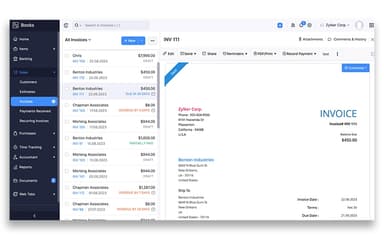
Businesses can create recurring invoices and accept online payments while applying customer credits and sending payment reminders. Zoho Books also supports retainer invoices and advance payments along with progress invoicing and customized invoice templates.
Project Accounting
Zoho Books connects projects with timesheets and expenses along with invoices and customer transactions. Businesses can mark hours as billable and assign expenses to projects. Project budgets can also be set and costs can be compared with billed amounts to review profitability.
Reporting And Analytics
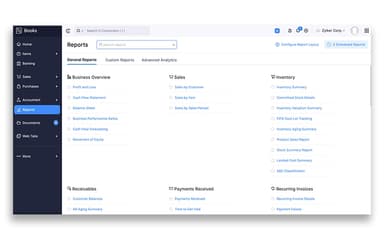
Users can generate financial statements and tax reports along with receivables and payables reports and sales and expense analyses. Reports can be filtered and customized and scheduled and exported. Zoho Analytics provides additional options for reviewing business data.
Mobile Accounting
Zoho Books features mobile apps that let users create invoices and record expenses along with scanning documents and approving transactions and reconciling bank activity. Financial reports can also be viewed from supported mobile devices. Customer and vendor information can be managed through the mobile apps as well.
Bank Reconciliation
Zoho Books imports transactions from connected bank accounts and credit cards and suggests matches with existing records. Users can accept suggested matches or create transactions for entries without a match. Accounts can then be reconciled against bank statements to identify differences.
Expense Management
Businesses can record expenses and attach receipts while categorizing transactions and sending employee expenses for approval. Zoho Books also supports recurring expenses and billable expenses along with mileage tracking and project-linked expenses.
Accounts Payable
Users can create purchase orders and convert them into bills while tracking vendor balances and recording payments against outstanding bills. Zoho Books also supports recurring bills and vendor credits along with bill payments and approval workflows.
Multi-Currency Accounting
Zoho Books lets businesses record transactions in foreign currencies and assign currencies to customers and vendors. The system records exchange-rate differences and provides reports for foreign-currency gains and losses.
Pros And Cons of Zoho Books
Pros
Quotations can be converted into invoices with a single click
Multi-currency transactions are easier to manage within the same books
Project tagging keeps project-specific transactions organized
Payment reminders can be scheduled for overdue customer invoices
Bank transactions can be imported directly into accounting records
Invoice templates can be customized for different business requirements
Cons
Automation setup can be challenging without integrations
Setting up recurring invoices can require several configuration steps
Certain credit card tax scenarios require manual transaction entries
Zoho Books Pricing
Disclaimer: The pricing details were last updated on Jul 14, 2026 from the vendor's website. Please contact us for a tailored pricing list.
Zoho Books Reviews
Total 63 reviews
4.4
All reviews are from verified customers
Rating Distribution
5
Stars62%
4
Stars25%
3
Stars6%
2
Stars3%
1
Stars3%
Share your experience
Girish K.
Food & Beverages, 1-10 employees
More than a year
“merchant statement handling falls short”
Pros
A useful part of Zoho Books is being able to tag transactions to different projects. It also feels more suited to medium and large businesses that have a separate accounts department.
Cons
Where it really struggles is with credit card merchant statements under current government rules. For example, on transactions below 2000, MDR does not attract GST and there's no proper way to manage that apart from entering every transaction manually. For a retail business processing 1000 transactions a day, that setup is simply impractical. Even Zoho support has not provided a workable solution.
Rating Distribution
Ease of use
4
Value for money
4
Customer Support
3
Functionality
4
Girish K.
Food & Beverages, 1-10 employees
Less than a year
“cannot handle credit-card statements as required”
Pros
The ability to tag transactions to different projects is something I really like. It is clearly designed with medium and large companies in mind that have a separate accounts department.
Cons
I'm not able to make it handle credit-card merchant statements the way government regulations require. For example for transactions under 2000 the MDR is not subject to GST and there's no built-in way to apply that rule so I'd have to enter each one by hand. For a retail operation handling about 1,000 transactions every day, doing that manually is terrible and the support had no solution for me.
Rating Distribution
Ease of use
4
Value for money
4
Customer Support
2
Functionality
4
Karen T.
Construction, 1-10 employees
More than a year
“affordable and user-friendly pick”
Pros
Running a small business is a lot more manageable with Zoho Books because it's very affordable and offers a lot of value. The platform is user-friendly so it doesn't take much effort to get comfortable with it and customer support is there when needed.
Cons
Zoho Books covers pretty much everything needed to run a business which is a big plus. The only thing I wish it had is better integration with other roofing software, unless that option already exists and I just haven't figured it out yet.
Rating Distribution
Ease of use
10
Value for money
10
Customer Support
10
Functionality
8
Frequently Asked Questions
Does Zoho Books offer an API?
Yes, Zoho Books does offer an API.
What language does Zoho Books support?
Zoho Books supports up to 22 global languages including English and French.
What other apps does Zoho Books integrate with?
It connects with many third-party software systems including PayPal, Stripe, Google Drive, and Slack.
Does Zoho Books have a mobile app?
Yes, Zoho Books offers mobile apps for Android and iOS.
What types of pricing plans does Zoho Books offer?
Zoho Books offers a range of pricing plans, including a Free plan at $0, Standard at $20/org/month, Professional at $50/org/month, Premium at $70/org/month, Elite at $150/org/month, and the Ultimate plan priced at $275/org/month. You can also request a custom Zoho Books cost based on your goals and company size.
Who are the typical users of Zoho Books?
Zoho Books supports various industries such as engineering, information technology, financial services, agriculture, and consultancy firms.
What level of support does Zoho Books offer?
Zoho Books offers comprehensive customer support through calls, emails, and messages. It also provides a resource center and FAQ section to address user queries.