


UiPath Software
Last Updated
Overview
UiPath Software offers a powerful platform that empowers businesses to automate repetitive processes with speed and accuracy. Despite technical issues with large data sets, its robust automation greatly reduces manual workloads efficiently. UiPath is built for teams who want to save time and focus more on high-impact, strategic tasks.
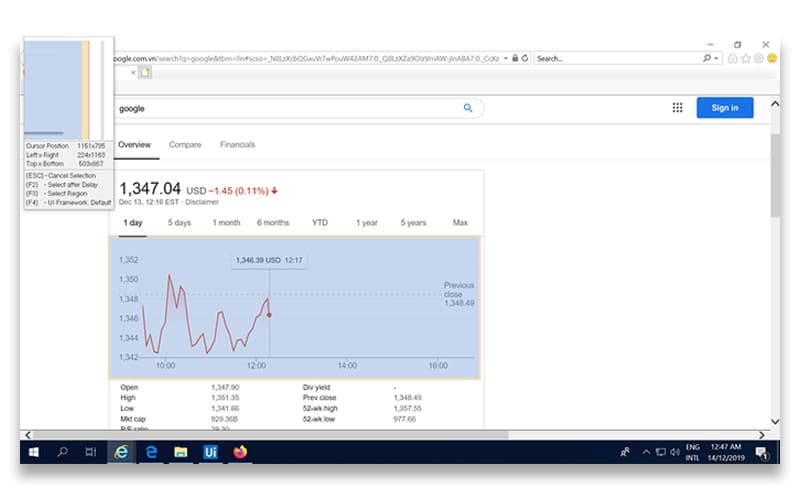
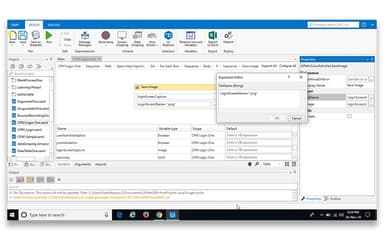
UiPath Software Specifications
- Natural Language Dialogue
- Text to Speech & Speech to Text
- Automation
- Bot Design & Deployment
What Is UiPath Software?
UiPath is designed for professionals and enterprises aiming to simplify daily operations through intelligent automation. It offers time-saving tools that optimize workflows and improve consistency across tasks. It consists of users from IT teams to business analysts who benefit from its user-friendly interface and broad integration capabilities. UiPath AI assists businesses to boost productivity, enhance accuracy, and scale automation without the need for extensive coding knowledge. It's a trusted choice for organizations ready to embrace digital transformation and smarter ways of working.
UiPath Software Pricing
UiPath price comes in the following three plans:
- Free Plan: $0/month
- Pro Plan: Starting at $420/month
- Enterprise Plan: Custom pricing
Disclaimer: Prices are subject to change.
UiPath Software Integrations
UiPath offers integration with wide-ranging apps, including:
- Salesforce
- Workday
- Microsoft
- Amazon Web Services (AWS)
- SAP®
- ServiceNow
- Google Cloud
Who Is UiPath Software For?
UiPath Software supports teams in IT, Finance, HR, Supply Chain, Contact Centers, Legal, and QA/testing by automating tasks and boosting efficiency. It services the following industries and sectors:
- Banking & Financial Services
- Healthcare
- High Tech
- Insurance
- Manufacturing
- Retail
- Telecom
Is UiPath Software Right For You?
If you're looking to streamline repetitive tasks and free up your team's time, UiPath Software will be a good option. It’s ideal for businesses aiming to scale automation across departments like IT, finance, or HR. Whether you are in healthcare, banking, or retail, UiPath helps simplify processes, boost productivity, and support smarter, faster decision-making.
Not sure if UiPath Software meets your needs? Our support team is ready to assist, so call us at (661) 384-7070.
UiPath Software Features
UiPath Studio
This feature allows users to design, debug, and test automations with ease. It provides a user-friendly interface to create both simple and complex workflows, helping developers build efficient automation solutions quickly.
UiPath Robots
This robust feature empowers users to automate tasks with AI-powered robots. Whether attended or unattended, robots handle repetitive tasks, boosting productivity and freeing up employees to focus on higher-value work.
UiPath Orchestrator
This important feature helps users manage, schedule, and monitor their automation processes centrally. It provides full control over robots, ensuring efficiency and seamless operation across teams and systems, even remotely.
UiPath AI Center
UiPath AI Center enables users to enhance their automations with machine learning models. It simplifies integrating AI into workflows, helping businesses automate smarter and tackle more complex tasks, like data recognition.
UiPath Document Understanding
This intelligent feature assists users in automating document-heavy processes by extracting and processing data from various documents. It speeds up tasks like invoice processing while reducing errors and manual work.
UiPath Automation Hub
This helps users capture and manage automation ideas from across the organization. It allows teams to prioritize and track progress, encouraging innovation and accelerating automation adoption across businesses.
UiPath Automation Cloud™
This feature empowers users to access the full UiPath platform via the cloud. With automatic updates and secure scalability, businesses are able to automate anywhere, ensuring up-to-date tools and efficient automation growth.
Pros And Cons of UiPath Software
Pros
Robust automation capabilities reduce manual workloads
Strong community support and extensive documentation
Centralized management through UiPath Orchestrator
Regular updates introducing new features and improvements
Cons
Performance issues when handling large data sets
Limited compatibility with certain systems and tools
Occasional bugs with new updates in StudioX, according to some software users
UiPath Software Reviews
Total 18 reviews
4.4
All reviews are from verified customers
Rating Distribution
5
Stars61%
4
Stars33%
3
Stars0%
2
Stars0%
1
Stars6%
Share your experience
Market Research, 11-50 employees
Less than a year
“Quite simple to use”
Pros
UiPath is not only affordable but comes with powerful tools to handle our unique tasks and commands.
Cons
No complaints as I find it really simple and accessible whenever I need it.
Rating Distribution
Ease of use
10
Value for money
8
Customer Support
10
Functionality
8
Retail, 500+ employees
Less than a year
“Automation made easy with this tool”
Pros
For typical UI automation and general component validation, it is a huge time-saver compared to building our own custom in house framework and testing scenarios from scratch.
Cons
One thing I have noticed is that for more complex or unique scenarios, it is quite difficult to create.
Rating Distribution
Ease of use
8
Value for money
8
Customer Support
9
Functionality
8
Information Technology and Services, 500+ employees
More than a year
“The leading software in RPA”
Pros
UiPath is a modern RPA software that is continuously evolving and adding new capabilities. Overall it is a good software and I highly recommend it!
Cons
Nothing too major has happened recently for now but in the past, they have released new features too early, before the product was fully developed.
Rating Distribution
Ease of use
9
Value for money
8
Customer Support
8
Functionality
9
Frequently Asked Questions
What types of pricing plans does UiPath Software offer?
UiPath cost consists of three plans, i.e., a Free Plan, a Pro Plan starting at $420/month, and an Enterprise Plan with customized pricing.
Does UiPath Software offer an API?
Yes, UiPath Software offers an API.
Who are the typical users of UiPath Software?
Typical users of UiPath Software include teams in QA/testing, HR, Legal, Supply Chain, Contact Centers, Finance, and IT engaged in telecom, manufacturing, healthcare, insurance, retail, high tech, and banking and financial services industries/sectors.
What other apps does UiPath Software integrate with?
UiPath Software offers smooth integration with a wide range of apps, including Microsoft, SAP, Salesforce, Workday, ServiceNow, Amazon Web Services (AWS), and Google Cloud.
Does UiPath Software have a mobile app?
Yes, UiPath Software has a mobile app for Android and iOS users.
What level of support does UiPath Software offer?
UiPath Software offers a customer portal, FAQs/forums, and knowledge base support.
What language does UiPath Software support?
UiPath Software supports English, German, French, Portuguese, Spanish, Chinese (Simplified), Japanese, and Korean languages.