



Last Updated
Overview
ManageEngine OpManager Plus provides comprehensive network integration. The software aids in automating performance monitoring, fault management, and real-time alerting for complex IT infrastructures. Despite a technical initial setup that may require specialized configuration and a UI that some users find traditional, its robust AIOps capabilities justify the cost.
ManageEngine OpManager Plus Specifications
- Call Monitoring
- Call Reporting And Analytics
- Real-Time Dashboard
- Integration With Help Desk And Support Systems
ManageEngine OpManager Plus Features
Real‑Time Network Performance Monitoring
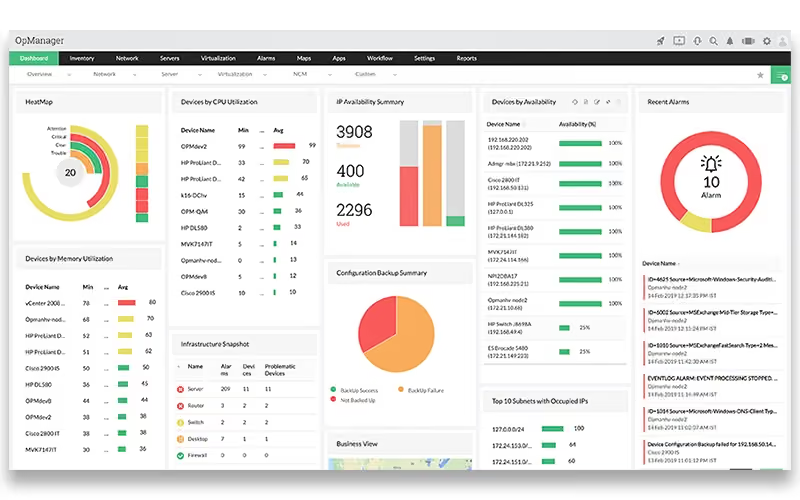
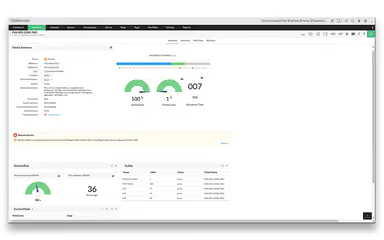
OpManager delivers comprehensive real‑time visibility into network health and performance across routers, switches, firewalls, servers, and storage devices, leveraging 2,000+ metrics, dashboards, instant alerts, and intelligent reporting to help teams proactively detect and resolve issues.
Automated Discovery And Intelligent Mapping
The platform automatically discovers network devices and builds Layer 1/Layer 2 topology and business views, enabling IT teams to visualize infrastructure, map connections, and quickly pinpoint performance issues for more efficient troubleshooting.
Fault, Alerting And Workflow Automation
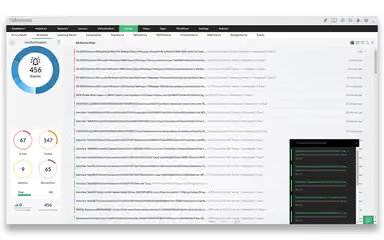
OpManager’s fault management engine correlates events, classifies alarms by severity, sends instant email/SMS alerts, and automates first‑level troubleshooting with configurable workflows, helping reduce mean time to resolution and alert noise.
Storage Raid Management
The software provides centralized visibility into RAID environments by discovering and monitoring controllers, disk drives, volumes, and logical units. It tracks performance, capacity, and configuration in real time, and generates alerts for failures. Additionally, the tool offers reports and visualizations to help prevent downtime and optimize storage efficiency.
Pros And Cons of ManageEngine OpManager Plus
Pros
User‑friendly interface and customizable dashboards
Gives alerts for morning health checks
Easy to import large number of devices with CSV files
Cons
Initial setup and configuration can be complex
Some advanced features require extra licenses
ManageEngine OpManager Plus Reviews
Total 7 reviews
4.9
All reviews are from verified customers
Rating Distribution
5
Stars86%
4
Stars14%
3
Stars0%
2
Stars0%
1
Stars0%
Share your experience
Wholesale, 101-500 employees
Less than 6 months
“works the best for us!”
Pros
Setting up SNMP credentials one time and then reusing them as we bring in new devices has been really convenient. Plus it seems to be giving us more useful and accurate alerts than what we had before.
Cons
There is definitely a bit of a learning curve but that is pretty normal with any new product going into production. If you have worked with monitoring tools before, it should not be much of a problem.
Rating Distribution
Ease of use
10
Value for money
10
Customer Support
8
Functionality
10
Retail, 500+ employees
More than a year
“Dashboard provides network visibility”
Pros
The part I liked most in ManageEngine OpManager Plus was the dashboard view and the overall visibility it provides across the network. As the dashboards make it simple to keep track of device health and performance and I particularly liked being able to monitor real-time traffic between different sites. The reporting tools are helpful too when it comes to reviewing network performance and troubleshooting problems.
Cons
One area that gave me the most trouble was alert configuration. As I had a hard time setting up email alerts which made it harder to get notified when something went wrong on the network. I did eventually get it working but the setup was definitely frustrating.
Rating Distribution
Ease of use
6
Value for money
10
Customer Support
10
Functionality
7
Information Technology and Services, 500+ employees
Less than 6 months
“Keeps things together”
Pros
The full stack monitoring approach really stands out and brings everything together in one place.
Cons
Nothing that I dislike as it is working for us!
Rating Distribution
Ease of use
10
Value for money
10
Customer Support
10
Functionality
10
Frequently Asked Questions
Does ManageEngine OpManager Plus have a mobile app?
Yes, ManageEngine OpManager Plus does offer a dedicated mobile app for Android and iOS users.
Who are the typical users of ManageEngine OpManager Plus?
Typical users who benefit from ManageEngine OpManager Plus include businesses across various industries and sectors, including finance, aviation, education, government, healthcare, telecom, and retail.
What language does ManageEngine OpManager Plus support?
ManageEngine OpManager Plus software supports multiple languages, including English, German, Spanish, French, Danish, etc.
What other apps does ManageEngine OpManager Plus integrate with?
The software supports integration with platforms like Freshdesk, Jira, PagerDuty, Slack, Microsoft Teams, Alarms One, and Grafana Cloud.
Does ManageEngine OpManager Plus offer an API?
Yes, ManageEngine OpManager Plus does offer an API.
What types of pricing plans does ManageEngine OpManager Plus offer?
ManageEngine OpManager Plus price starts at $95/one time. Get a detailed ManageEngine OpManager Plus cost breakdown tailored to your specific requirements.
What level of support does ManageEngine OpManager Plus offer?
ManageEngine OpManager Plus offers support through a ticket system, email, phone number and knowledge hub.