


Last Updated
Overview
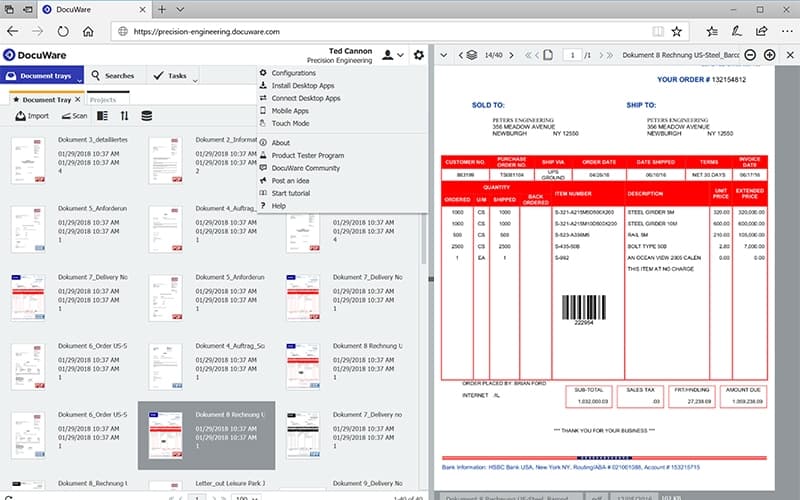
DocuWare offers a powerful solution for automating workflows, enhancing security, and improving collaboration. Secure storage, seamless integrations, and advanced search capabilities boost efficiency. While initial setup may require time to master, once configured, DocuWare transforms operations, reducing manual tasks and ensuring compliance with ease.
DocuWare Specifications
- Real-Time Communication
- File Sharing & Management
- Document Management
- Task & Project Management
DocuWare Features
Intelligent Indexing
DocuWare utilizes AI-powered technology to analyze document content and automatically generate indexing terms. This feature mitigates the need for manual entry, ensures accurate categorization, enhances searchability, and accelerates workflow efficiency within seconds.
Windows Folder Import
The software enables seamless transfer of individual documents or entire folders from a file system into a secure storage cabinet. This functionality enhances document organization, protects critical data, and ensures quick access to essential files when needed.
Digital Editing
Annotations, stamps, and image modifications can be applied to documents without altering their original content. This feature allows archived files to be opened in their native programs for precise modifications while preserving document integrity.
Electronic Signature
A trust service provider is integrated into the platform, enabling legally binding digital signatures. Various documents, including contracts and invoices, can be securely signed within workflows, ensuring compliance with legal and regulatory requirements.
Viewing
Documents in multiple formats can be accessed directly within a browser, regardless of their original software. Compatibility across Mac, PC, and Linux ensures flexible and convenient document viewing without additional installations.
Sharing
DocuWare facilitates secure document sharing through links, embedded URLs, and direct integration with Microsoft Teams. This feature supports collaboration across different platforms, ensuring efficient distribution of archived and active documents.
Pros And Cons of DocuWare
Pros
Enables a fully digital, paperless workflow
Secure document storage and management
User-friendly interface for document organization
Quick search function for efficient document retrieval
Cons
Initial learning curve for new users
The mobile app lacks offline access
The supplier creation process can be slow
DocuWare Reviews
Total 12 reviews
4.4
All reviews are from verified customers
Rating Distribution
5
Stars50%
4
Stars42%
3
Stars8%
2
Stars0%
1
Stars0%
Share your experience
Tom
Photography, N/A employees
Less than a year
“Great for personal & business use”
Pros
I've been really happy using It for both my personal and business documents. It offers plenty of eSignature options and document storage solutions which I find super convenient.
Cons
It can be a bit expensive and sometimes doesn't feel very user-friendly.
Rating Distribution
Ease of use
8
Value for money
6
Customer Support
9
Functionality
9
Julian
Retail, 500+ employees
More than a year
“Enhances how you manage documents”
Pros
It has really made document management so much easier for me. Searching for documents, classifying and filing them is all way more efficient. I don't waste time searching for stuff anymore and everything is secure.
Cons
There's nothing I'm really dissatisfied with. It's just a really good platform for organizing files and it works well for me.
Rating Distribution
Ease of use
10
Value for money
8
Customer Support
10
Functionality
8
Anonymous
Accounting, 51-100 employees
Less than 6 months
“Excellent all-in-one document hub”
Pros
It's such a great, centralized document repository and works for pretty much everything. I can keep all my documents in one place and it's very functional.
Cons
It doesn't integrate very well with some of the major ERP platforms which can be a bit of a hassle.
Rating Distribution
Ease of use
6
Value for money
7
Customer Support
6
Functionality
6
Frequently Asked Questions
What level of support does DocuWare offer?
DocuWare provides support through a help desk, phone support, FAQs/forums, chat, and a knowledge base.
Does DocuWare offer an API?
Yes, DocuWare offers API access.
What other apps does DocuWare integrate with?
DocuWare integrates seamlessly with various platforms, including Sage, SAP, QuickBooks, Oracle, Oracle JD Edwards, Infor, Microsoft Dynamics, SharePoint, and Outlook.
What language does DocuWare support?
DocuWare offers multilingual support, including German, Spanish, French, Italian, Dutch, Polish, Portuguese, Russian, Swedish, Finnish, Turkish, Arabic, Bulgarian, Croatian, Japanese, and Chinese (Simplified).
Who are the typical users of DocuWare?
DocuWare serves businesses of all sizes across various industries, including auto dealerships, financial services, healthcare, higher education, manufacturing, and state and local government.
Does DocuWare have a mobile app?
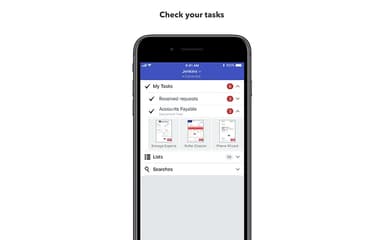
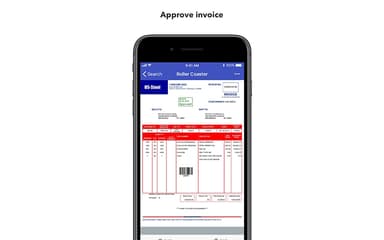
DocuWare offers mobile apps for iOS and Android devices.
What types of pricing plans does DocuWare offer?
DocuWare cost variability depends on the selected tier, contract length (annual or multi-year), and the extent of professional services required for a successful implementation. Explore the DocuWare price structure to learn more.