


Sage 100
Last Updated
Key Takeaways
Generated from the text of customer reviews
Sage 100 is an ERP system used by finance, operations, and warehouse teams in manufacturing, distribution, and construction. Users consistently highlight its intuitive navigation, though some report occasional data-saving issues. Recently, the platform updated its integrated Sage AI Help Agent and renamed it “Search Help.”
Our Verdict
Sage 100 is a reliable choice for growing midsize manufacturers, distributors, and construction firms outgrowing basic tools. It best suits single-entity US operations managing high transaction volumes across departments. Because of its custom enterprise pricing, smaller teams may find investment costs high. However, we recommend it for established businesses seeking long-term operational stability and scalable growth.
Overall Rating
Based on 130 users reviews
4.2
Rating Distribution
Positive
82%
Neutral
18%
Negative
1%
Starting Price
$7,500
per user per month
Sage 100 Specifications
- Production Planning
- Inventory Management
- Supply Chain Management
- Work Order Management
What Is Sage 100?
Sage 100 is an Enterprise Resource Planning (ERP) platform that aims to streamline operations and boost efficiency for growing companies. It handles everything from core financials and payroll to distribution and manufacturing and connects smoothly with third-party apps. Moreover, its business insight reports and automated alerts help users track important business data in real time and make informed decisions. Besides that, the built-in AI search help also provides quick answers directly within Sage 100. Overall, the software gives teams real-time control over their workflows, making day-to-day decisions much easier.
What Is Sage 100 Best For?
Sage 100 is best known for its integrated AI "Search Help" feature. Users can search topics or ask questions inside the software for fast answers. By cutting down on daily interruptions, it gives teams the space to focus on their main priorities. This virtual assistant helps lower administrative friction and sharpen operational focus. As a result, businesses can boost overall workplace productivity without missing a beat.
How Much Does Sage 100 Cost?
Sage 100 pricing starts at around $7500/user/month. Plans offered by the software are:
- Essentials
- Advanced
- Complete
In addition to the base subscription cost, organizations should account for additional expenses. These include:
- Implementation And Partner Consulting: $5,000–$30,000 for standard SMB setups; $30,000–$75,000+ for complex, multi-module deployment
- Data Migration And Conversion: $3,000–$10,000, depending on historical ERP data volume and cleanup requirements
- Custom Report Development And Workflows: $2,000–$8,000, based on specific business process mapping
- Third-Party Integrations And Add-Ons: $3,000–$20,000, depending on integration scope and API requirements
- Staff And Administrator Training: $2,000–$8,000, depending on team size and operational complexity
Disclaimer: Pricing references are based on publicly available third-party information and industry benchmarks. Actual costs may vary.
Sage 100 Integrations
The software connects with various business applications, including:
- Avalara software
- DocLink
- Credit Hound
- BigCommerce software
- SPS Commerce
How Does Sage 100 Work?
Follow the steps below to understand how the software typically works:
- Log in to Sage 100 to access your central dashboard and run your day-to-day operations
- Set up user roles, permissions, and custom layouts to fit your team's everyday structure
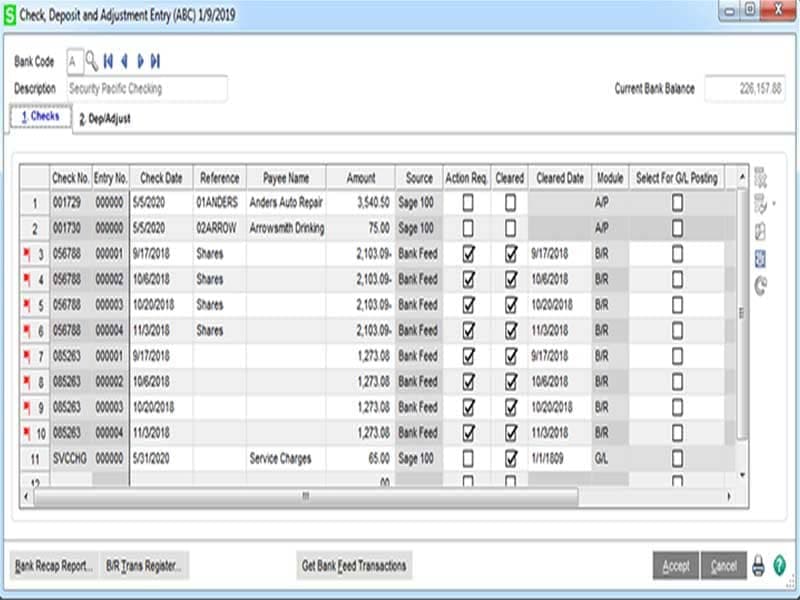
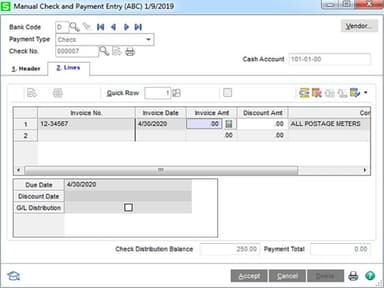
- Log financial activity across your general ledger, accounts payable, and accounts receivable to keep records accurate
- Track inventory items and product batches from warehouse intake straight through to the final sale
- Enter staff hours to run payroll, account for overtime, and handle necessary tax deductions
- Automate routine admin tasks like bank reconciliations, card payments, and document sharing
- Ask the built-in Sage AI Help Agent to look up topics and solve workflow issues quickly
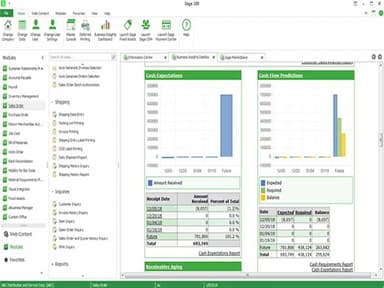
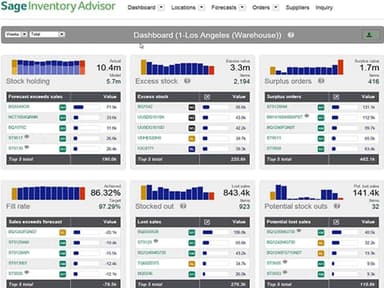
- Pull custom reports and check analytics dashboards to stay on top of financial and inventory metrics
Who Is Sage 100 For?
Sage 100 is ideal for a wide range of industries and sectors, including:
- Construction
- Utilities
- Non-profit organization management
- Accounting
- Oil and energy
- E-learning
- Electrical manufacturing
Sage 100 Use Cases
Based on our analysis of user feedback and Sage 100 features, we have identified the following key business scenarios where it is well suited:
Construction Companies Tracking Job Costs Across Multiple Crews
Construction firms use Sage 100 to link labor hours directly to job costs, updating figures without running a separate payroll cycle. The software's automated certified payroll reporting cuts manual paperwork for site administrators handling multiple crews. Reviewers said the tool made job costing straightforward and helped teams track project finances.
Utility Providers Managing High Volumes Of Billing And Reporting
Utility companies handling frequent billing cycles use Sage 100's automated alerts to flag financial issues without manual review. E-invoicing lets staff generate and post customer invoices without paper-based steps. User feedback found the software easy to navigate, quick for reporting, and reliable for invoicing and payment posting, and praised the support team.
Nonprofit Organizations Running Lean Without Dedicated IT Support
Nonprofits often run without dedicated IT staff, so straightforward accounting tools matter for lean teams. Sage 100's general ledger, accounts payable, and accounts receivable modules let nonprofit staff track grants and donations directly, without extra technical support. Reviewers confirmed the platform was easy to implement without needing IT professionals.
Accounting Professionals Serving Multiple Clients With Different Needs
Managing several client companies at once, accountants use Sage 100's third-party integrations to connect the platform with reporting tools they already rely on. Customizable displays and automated document formatting let each accountant work in a style suited to their own reporting needs. Reviewer called the software versatile and robust, citing extensive partner integrations and the option to assign security settings by user, module, and company.
Is Sage 100 Right For You?
If you run a small or midsize business, Sage 100 offers one connected system for your operations. It manages finance, accounting, sales, and reporting in a single, reliable platform. The software suits US-based, single-entity businesses that have outgrown basic accounting tools.
Sage 100 is designed to scale as your business grows. It is under the Sage products, which as a company maintains GDPR, CCPA, and PCI DSS Level 1 compliance, backed by ISO 27001-certified security practices. If you need one system for finance, sales, and reporting, Sage 100 could be the right fit.
Still unsure whether Sage 100 software is the right fit for you? Contact us at (661) 384-7070 for further guidance regarding its functionality.
Sage 100 Features
Capable to Promise
Sales order entry features Capable-To-Promise (CTP) to show real-time on-hand and on-order data. This tool helps distributors and manufacturers quickly pinpoint exact availability dates for required product quantities. Consequently, customer service teams gain the insights needed to provide fast, accurate support that boosts customer satisfaction.
Bill Of Materials
The software defines how component items form a finished product. It pairs header details like description and bill type with specific component listings. Sage 100 supports five types, including Standard, Engineering, Inactive, Kit, and Phantom, to streamline production, planning, and cost estimation.
Engineering Change Control
This feature records engineering change notices to manage bill structure updates across revisions without overwriting the original bill. Driven by cost reductions, design fixes, or material changes, it logs additions and deletions using precise effective dates. It preserves complete historical bill configurations for full operational visibility.
Production Entry
Production entry provides a straightforward, single-step method to record finished manufactured goods into inventory while simultaneously logging the consumption of component parts. It tracks these movements after production occurs. This offers a simplified workflow for businesses that do not require full work-in-process accounting system integration.
Disassembly Entry
Sage 100 removes a parent item from inventory and returns its individual component parts to stock at actual cost. It handles disassembling manufactured or purchased goods for salvage and easily reverses previous production entries. This ensures inventory counts and valuation remain completely accurate across various operational adjustments.
Pros And Cons of Sage 100
Pros
Software is intuitive and easy to navigate
Can be setup easily without technical assistance
Security can be custom assigned by user-module/company
A great depth of information can be entered into Sage
Offers advanced reporting options
Cons
Data may not save at times
Payroll may experience glitches occasionally
Job cost module has limited characters for comments
Sage 100 Pricing
Essentials | Advanced | Complete |
|---|---|---|
Custom pricing | Custom pricing | Custom pricing |
|
|
|
Disclaimer: The pricing details were last updated on Sep 25, 2026 from the vendor's website. Please contact us for a tailored pricing list.
Sage 100 Reviews
Total 130 reviews
4.2
All reviews are from verified customers
Rating Distribution
5
Stars40%
4
Stars42%
3
Stars18%
2
Stars0%
1
Stars1%
Share your experience
Hospital & Health Care, 51-100 employees
More than a year
“The All In One Accounting App”
Pros
When it comes to financial reporting, I must say the reporting options are excellent. I can effortlessly create reports for all my accounting needs in a quick and efficient manner.
Cons
It is a minor drawback but the overall appearance of the application could be enhanced.
Rating Distribution
Ease of use
8
Value for money
10
Customer Support
7
Functionality
10
Electrical/Electronic Manufacturing, 1-10 employees
“Sage review”
Pros
My goal is to help small businesses achieve their objectives.
Cons
In terms of image and certain aspects of the program it falls short compared to others.
Rating Distribution
Ease of use
7
Value for money
7
Customer Support
7
Functionality
7
Not Specified, 11-50 employees
Less than a year
“Sage Review”
Pros
It's incredibly convenient to review my purchase orders and see when and what I purchased.
Cons
Occasionally it unexpectedly logs me out and the only solution is to restart my computer.
Rating Distribution
Ease of use
10
Value for money
10
Customer Support
10
Functionality
10
Frequently Asked Questions
What types of pricing plans does Sage 100 offer?
Sage 100 price starts at $7,500/user/month. However, the vendor offers three custom plans: Essentials, Advanced, and Complete. Get a detailed Sage 100 cost breakdown tailored to your specific requirements.
Who are the typical users of Sage 100?
Businesses use Sage 100 across multiple sectors and industries, including construction, utilities, and oil and energy.
What languages does Sage 100 support?
Sage 100 is available in various languages, including English, Spanish, and German.
Does Sage 100 have a mobile app?
Information regarding a dedicated mobile app has not been specified by the vendor.
Does Sage 100 offer an API?
Yes, it offers an API.
What other apps does Sage 100 integrate with?
Sage 100 integrates with various third-party applications, such as Avalara, SPS Commerce, BigCommerce, and DocLink.
What level of support does Sage 100 offer?
Sage 100 offers customer support through phone and a support center, which includes community hub, live training, and others.