


OnceHub
Last Updated
Key Takeaways
Generated from the text of customer reviews
OnceHub is a powerful scheduling solution that helps streamline appointment management and boost efficiency. It integrates with calendars, communication tools, and meeting platforms to centralize scheduling workflows for teams handling client interactions, demos, consultations, and support sessions. While users mention its limited reminder options, they appreciate how it reduces manual tasks.
Our Verdict
OnceHub is a practical option for businesses that rely on appointment scheduling and client coordination as part of their daily operations. It is particularly well suited for sales teams, consultants, support departments, and service-based organizations that need centralized scheduling tied closely to calendars and communication tools.
Overall Rating
Based on 11 users reviews
4.5
Rating Distribution
Positive
91%
Neutral
9%
Negative
0%
Starting Price
$12
per seat per month
OnceHub Specifications
- Real-Time Communication
- File Sharing & Management
- Document Management
- Task & Project Management
What Is OnceHub?
OnceHub is a scheduling tool designed for businesses and professionals that need more control over their time. It integrates seamlessly with calendars, offers customizable booking links, and automates workflows, making scheduling easier to manage. It is the ideal platform for teams in client-facing roles, enhancing efficiency and reducing manual tasks. OnceHub offers user-friendly features and reliable automation that help streamline appointment management and improve overall productivity for its users.
What Is OnceHub Best For?
The platform stands out for its ‘Conversational Scheduling’ capability. This feature turns booking into an interactive AI-driven workflow rather than a simple calendar transaction. Instead of only displaying available time slots, the system can qualify leads, answer questions, collect context, route inquiries, and schedule appropriate meetings within the same conversation across chat and voice channels. This makes it a great fit for sales, support, and customer-facing teams that need more intelligent engagement before a meeting is booked.
How Much Does OnceHub Cost?
OnceHub price starts at $12/seat/month for its Schedule plan. Other plans offered by the platform include:
- Basic: $0
- Route: $23/seat/month
- Engage: $47/seat/month
- Enterprise: Custom pricing
When deciding on the platform, users should consider additional factors that impact the total cost of ownership, these include:
- Security And Compliance: $5–$6/user/month
- CRM Integration Setup And Maintenance: $500–$5,000/year
- API And Custom Integration Development: $2,000–$15,000+ one-time
- Enterprise Onboarding And Implementation: $1,500–$10,000+ one-time
- Staff Training And Change Management: $500–$5,000 one-time
- Dedicated Success And Consulting Services: $200–$3,000/month
- Data Migration And Scheduling Workflow Setup: $500–$7,500 one-time
- Premium Support And SLA Upgrades: $100–$2,000/month
Disclaimer: Prices are subject to change.
How Does OnceHub Work?
Follow the step-by-step guide to learn how to use this software:
- Create an account and connect calendars such as Google Calendar or Microsoft Outlook to sync availability and prevent scheduling conflicts
- Configure booking pages by defining meeting types, durations, availability windows, and preferred scheduling rules for different appointment scenarios
- Set up routing options and qualification forms to collect visitor information and direct bookings to the appropriate team member or calendar
- Share booking links through websites, email campaigns, chat tools, or embedded scheduling widgets so contacts can request meetings
- Manage scheduled meetings by reviewing bookings, rescheduling appointments, canceling sessions, or assigning meetings to specific users when needed
- Track appointment activity through dashboards and notifications to monitor booking status, meeting history, and participant responses
- Integrate the platform with CRM, marketing, or communication tools to sync contact information and update workflows after meetings take place
OnceHub Integrations
OnceHub has integration arrangements with the following apps:
- Google Calendar
- Microsoft 365 Calendar
- Zoom
- Google Meet
- Zapier
- Salesforce
- Hubspot
Who Is OnceHub For?
OnceHub is designed for businesses and teams looking to streamline scheduling and customer engagement. It’s ideal for:
- Financial advisors
- Educational institutions
- Healthcare
- Life coaches
OnceHub Use Cases
Based on our analysis, the following are some scenarios where the platform can be used best by organizations and customer coordination workflows:
1. Sales Teams Handling High Volume Inbound Meeting Requests
Revenue and business development teams can use OnceHub to manage inbound demo requests, which saves them from relying on manual back-and-forth scheduling. In practice, organizations set up routing rules and team calendars to direct leads to the appropriate representative based on availability or inquiry type. This setup is useful for SaaS companies and service providers running campaigns that generate large numbers of appointment requests.
2. Customer Support And Success Teams That Need To Coordinate Client Sessions
Organizations with onboarding, account management, or technical support functions can adopt OnceHub to organize recurring client meetings for distributed teams. This means that booking links and shared availability can be used to simplify onboarding calls and follow-up appointments while maintaining visibility into customer interactions. The platform fits workflows where multiple stakeholders need structured scheduling without assigning dedicated coordinators for every interaction.
3. Recruitment Teams Managing Candidate Interview Scheduling
Hiring teams can use OnceHub to coordinate interviews between recruiters and candidates across different time zones. The software can be implemented in environments where interview scheduling creates operational delays due to calendar conflicts or manual communication. Recruiters can use the centralized scheduling workflows to help reduce repetitive coordination tasks during periods of active hiring or multi-stage interview processes.
4. Professional Services Firms That Need To Run Consultation-Based Engagements
Consulting agencies and coaching businesses can rely on OnceHub to organize discovery calls and client consultations. The platform performs well in workflows where firms need to qualify inquiries before meetings, control appointment availability, and maintain consistent scheduling across multiple consultants. This means the platform can manage client-facing interactions without depending on separate scheduling administrators.
5. Education And Training Providers Coordinating Sessions Across Multiple Participants
Training organizations and educational service providers can use OnceHub to manage workshop registrations while tracking instructor availability. In these settings, scheduling often involves balancing participant demand, session capacity, and instructor calendars within a single workflow. Users note that the platform helps standardize appointment coordination while reducing the need for back-and-forth communication.
Is OnceHub Right For You?
OnceHub software is a great choice if you're looking to simplify scheduling, manage your time better, and engage with customers more effectively. It helps you stay organized, save time, and create smoother, more personal interactions.
Still unsure whether OnceHub is the right option? Call our professional customer support team at (661) 384-7070 for further assistance.
OnceHub Features
Scheduled Meetings
This feature helps users easily schedule and manage one-on-one or group meetings. It optimizes calendars for smooth appointments, ensuring efficient planning and maximizing time management for better productivity.
Time Management Controls
The Time Management Controls feature empowers users to take full control of their calendars. Customizing availability, booking limits, and buffers help maintain focus, minimize distractions, and optimize schedules for maximum efficiency.
Lead Qualification And Routing Forms
OnceHub offers this feature to assist users in directing leads to the right team with automated qualification and routing forms. It ensures that prospects are matched with the best resources, saving time and enhancing service quality.
Resource Pools And Distribution
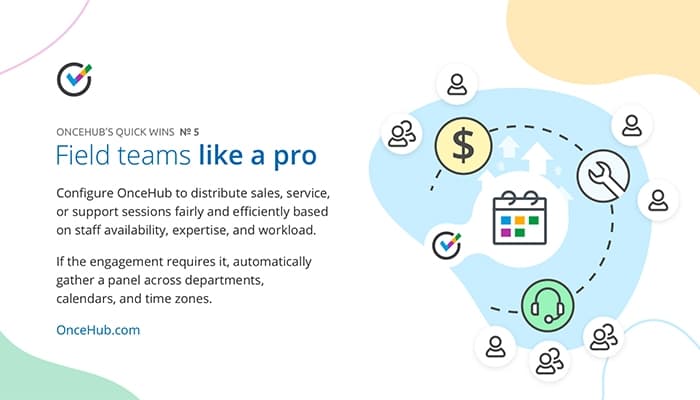
This powerful feature allows users to assign appointments based on team availability and workload. It helps balance meeting distribution, ensuring resources are efficiently utilized while effectively meeting customer needs.
Live Engagement
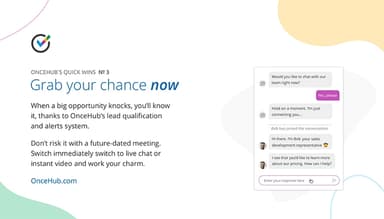
This feature supports ongoing lead engagement with automated follow-ups and interactions. It helps users consistently connect with prospects, improving conversion rates and fostering long-term business relationships through timely communication.
Pros And Cons of OnceHub
Pros
Customizable appointment URLs
Automated calendar syncing
Offers self-scheduling capabilities
Efficiently reduces manual tasks
Cons
Difficulty navigating back pages
Initial setup process is confusing, according to some software users
OnceHub Pricing
Free | Schedule | Routeper seat per month | Engage | Enterprise |
|---|---|---|---|---|
No Cost | $12per seat per month | $23 | $47per seat per month | Custom |
|
|
|
|
|
Disclaimer: The pricing details were last updated on Sep 25, 2026 from the vendor's website. Please contact us for a tailored pricing list.
OnceHub Reviews
Total 11 reviews
4.5
All reviews are from verified customers
Rating Distribution
5
Stars64%
4
Stars27%
3
Stars9%
2
Stars0%
1
Stars0%
Share your experience
Small Business, 11-50 employees
“A must-have tool”
Pros
It is quite easy to use. I got the hang of it with minimal help.
Cons
I have not faced any issues yet so no complaints.
Rating Distribution
Ease of use
10
Value for money
10
Customer Support
10
Functionality
10
Small Business, 11-50 employees
“Very user-friendly”
Pros
OnceHub is really easy for our whole organization to use both for users and customers.
Cons
It is not a complaint but a wish that I would like to be able to add more reminders for customers.
Rating Distribution
Ease of use
8
Value for money
7
Customer Support
6
Functionality
6
Health, Wellness and Fitness, 11-50 employees
“The top scheduling tool”
Pros
The integrations with different platforms are amazing which eventually makes it our top choice.
Cons
Well it is a little annoying that we cannot easily go back to the previous page as it always takes us back to the dashboard.
Rating Distribution
Ease of use
9
Value for money
10
Customer Support
10
Functionality
10
Frequently Asked Questions
Does OnceHub offer an API?
Yes, OnceHub offers an API.
Does OnceHub have a mobile app?
No, OnceHub does not have a mobile app.
What language does OnceHub support?
OnceHub supports only the English language.
What other apps does OnceHub integrate with?
OnceHub integrates with Salesforce, Google Calendar, Zoom, Google Meet, and more.
What types of pricing plans does OnceHub offer?
OnceHub cost includes five pricing plans including, Basic: $0, Schedule: $12/seat/month, Route: $23/seat/month, Engage: $47/seat/month, and Enterprise with custom pricing. A 14-day free trial and add-ons are also available. Get in touch for a customized OnceHub cost estimate.
Who are the typical users of OnceHub?
Typical users of OnceHub include sales teams, customer service professionals, coaches, consultants, and businesses of all sizes looking to streamline scheduling, automate processes, and enhance customer interactions.
What level of support does OnceHub offer?
OnceHub offers support via email, live chat, and a ticketing system.