


Last Updated

Overview
SimplySub offers cloud-based jobsite management for subcontractors, tracking jobs, labor, materials, and equipment. Its intuitive interface improves productivity and reporting; however, documentation gaps may hinder user workflows. Nonetheless, its centralized approach and mobile accessibility help teams stay organized across multiple projects efficiently.
Be the first one to leave a review!
No review found

Starting Price
$49
per month
SimplySub Specifications
- Project Planning and Scheduling
- Budget Management
- Resource Allocation
- Document Management
What Is SimplySub?
SimplySub is a cloud-based jobsite management platform tailored for subcontractors and field crews in the construction trades. Accessible on mobile, tablet, and desktop, it helps teams streamline jobsite operations and office oversight. The software offers features such as jobs & work orders, time & attendance, estimates & invoicing, and reporting & exports, providing a unified solution to replace spreadsheets and paper processes.
SimplySub enables teams to track jobs, manage labor hours, handle estimates, and generate actionable reports, improving productivity, accuracy, and visibility across projects.
How Much Does SimplySub Cost?
SimplySub pricing starts at $49/month for the SimplySub pro with features like unlimited projects, unlimited customers, unlimited employees, time clocks & labor tracking, crew management, and more.
Disclaimer: The pricing is subject to change.
SimplySub Integrations
Who Is SimplySub For?
SimplySub is designed for specialty trade sub-contractors with 5-50 employees who spend days on a jobsite, not 1-hour at a time. It serves a wide range of industries and sectors, including:
- Clearing and grading
- Concrete
- Masonry
- Landscaping
- Framing
- Plumbing
- Electrical
Is SimplySub Right For You?
SimplySub is a strong fit if you’re a subcontractor or trade-based business looking for a simple, no-frills way to manage jobs, crews, and paperwork in one place. It’s especially useful for teams that rely heavily on fieldwork and need an easy-to-use system for tracking time, materials, photos, and daily job progress without dealing with complex construction software. The platform is designed with sub-contractors in mind—clean interfaces, minimal training, and mobile accessibility, so your team can start using it almost immediately.
Still not sure if SimplySub is right for you? Contact our customer support team at (661) 384-7070, who will help you make the best decision regarding SimplySub features and more.
SimplySub Features
Job Management And Work Orders
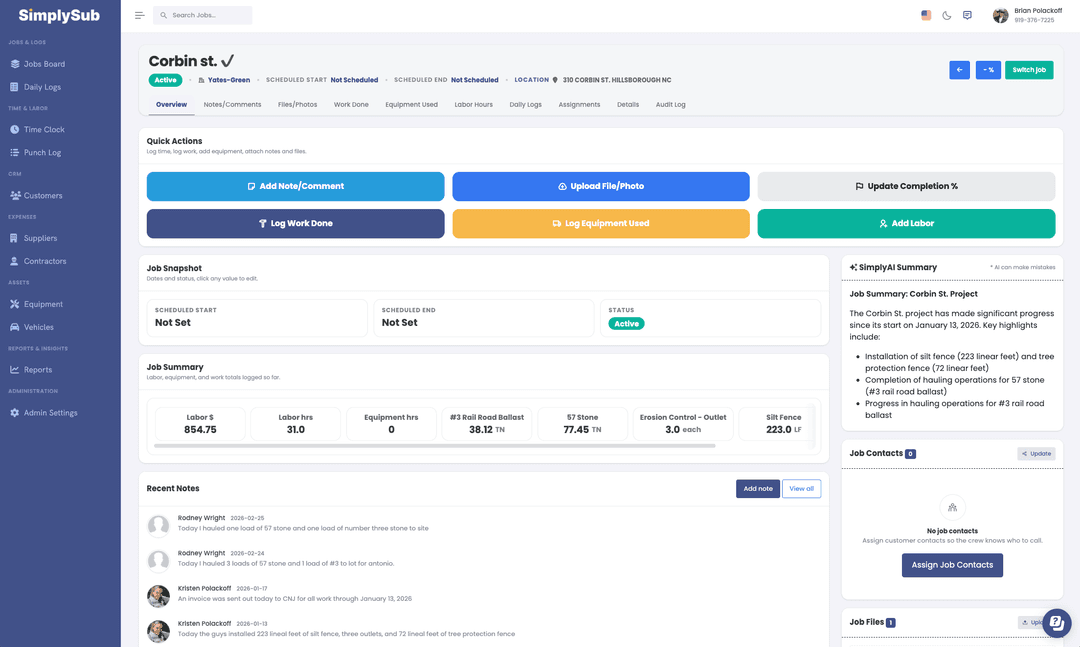
SimplySub centralizes every aspect of a job from kickoff to completion. Users can track addresses, contacts, and scope while linking time, work performed, notes, and photos to the correct project. Notes and change details remain visible to the entire team, improving coordination, accountability, and project transparency.
Time Clocks / Time Tracking
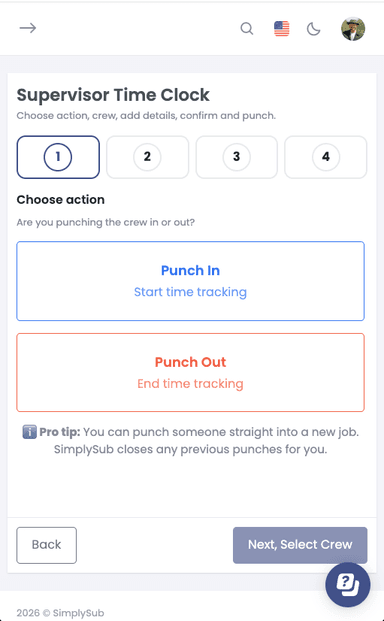
SimplySub provides three ways to log time. - A crew-friendly time clock designed for speed and simplicity. - Supervisor Time Clock allowing a foreman/crew lead to punch others in/out - A management interface allowing managers to quickly add both a time in/out simultaneously. Large buttons and clear screens allow fast punch in/out, while hours are automatically tied to jobs and cost codes. Teams can export accurate totals for payroll quickly, reducing errors and streamlining management.
Materials In And Out
The software enables crews to track all material imports and exports by job, providing a clear record of what moved. Users can log tonnage, loads, and material types while separating imports from exports, improving cost control. Teams can quickly answer key questions, ensuring accurate reporting and accountability.
Equipment And Run Time
SimplySub allows teams to track all equipment usage efficiently, keeping jobs moving smoothly. Users can assign machines to specific jobs and crews, log run hours to prevent unexpected maintenance, and monitor how equipment usage impacts overall job profitability, improving resource management, and cost oversight.
Estimates And Invoicing
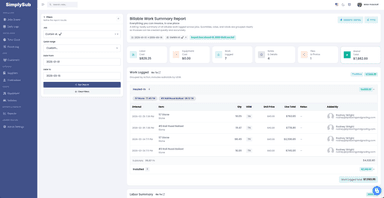
SimplySub’s Estimates, Invoicing, and Payments system helps subcontractors manage the entire billing lifecycle in one place. Create professional estimates, convert approved proposals into invoices, and track progress against estimated quantities. Record partial or full payments and maintain a clear financial history for every job and customer. This gives owners real-time visibility into project revenue, outstanding balances, and overall cash flow while keeping billing simple and organized.
Production / Work Completed Logging
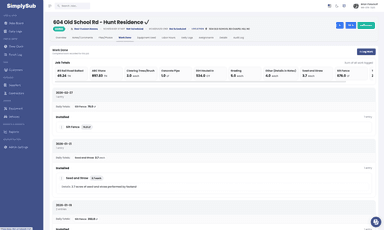
Log services, materials, and quantities completed in the field. Tie every entry directly to the job for clear records. See exactly what was done each day without chasing paperwork. Automatically flows to invoicing to streamline operations allowing you to get paid faster.
Automated Daily Logs
SimplySub’s Daily Log system gives subcontractors a clear, organized record of everything that happened on the jobsite each day. Crews can quickly capture labor, equipment usage, materials, hauling activity, photos, notes, and weather in one place. Office teams get real-time visibility into job progress, while automatically building a clean, searchable history that protects against disputes and simplifies reporting, billing, and project documentation.
Customer Management / CRM
SimplySub’s Customer Management system keeps all client information organized in one place. Track customers, contacts, jobs, estimates, invoices, and communications with a complete history tied to every project. Office teams gain instant visibility into relationships and activity, making it easier to manage ongoing work, stay organized, and deliver a professional experience to every customer.
Equipment Management
SimplySub’s Equipment Management system helps subcontractors track how machines are used across jobs. Log run time, assign equipment to projects, and capture usage directly from the field. This creates a clear record of equipment activity for reporting, job costing, and billing, while giving owners real-time visibility into how valuable equipment is being utilized across the business.
Vehicle Management
SimplySub’s Vehicle Management system helps subcontractors track trucks and company vehicles across every job. Assign vehicles to projects, monitor usage, and maintain a clear history of activity tied to daily operations. This provides owners with better visibility into fleet utilization while supporting accurate reporting, job costing, and operational oversight.
Pros And Cons of SimplySub
Pros
Improves team coordination across all job sites
Reduces payroll errors with automated time tracking
Enhances material cost control and accountability
Cons
Requires a consistent internet connection for cloud access
Customer support times may vary during peak hours
SimplySub Reviews

No reviews yet!
Be the first to review this product
Frequently Asked Questions
Does SimplySub offer an API?
Yes, SimplySub provides API access.
What language does SimplySub support?
SimplySub supports the English and Spanish language.
Does SimplySub have a mobile app?
No, SimplySub does not have a mobile app, however was designed for desktop, tablets and mobile browsers.
What other apps does SimplySub integrate with?
SimplySub integrates with with many third party applications, most notably QuickBooks, Google and Microsoft.
Who are the typical users of SimplySub?
SimplySub serves subcontractors across industries such as clearing & grading, concrete, masonry, landscaping, framing, plumbing, and electrical. If you run a crew between 5 and 50, SimplySub might be a great fit.
What types of pricing plans does SimplySub offer?
SimplySub pricing is set at a flat rate of $49/month for the Simplysub Pro Plan. Which includes all features and unlimited users, customers, jobs and invoices/payments. Request a custom SimplySub price quotation.
What level of support does SimplySub offer?
SimplySub is based out of Raleigh NC, USA where their support team operates providing phone, chat and email support.