



Last Updated

Overview
Contractor Foreman software provides end-to-end project management solutions for commercial contractors, featuring robust cost codes and equipment logs. While its initial learning curve may be steep, its comprehensive features ensure efficiency and productivity for managing unlimited projects. Contractor Foreman makes it easy to track the scope of the work timeline.
Overall Rating
Based on 189 users reviews
4.5
Rating Distribution
Positive
94%
Neutral
3%
Negative
3%
Starting Price
$49
per month
.jpg&w=1080&q=75)
Contractor Foreman Specifications
- Project Planning and Scheduling
- Budget Management
- Resource Allocation
- Document Management
Contractor Foreman Features
Client Portal
Contractor Foreman features a client portal that allows seamless client communication and document sharing. This feature helps clients access project updates, view progress, and interact with the project team, ensuring transparency and satisfaction.
Equipment Logs
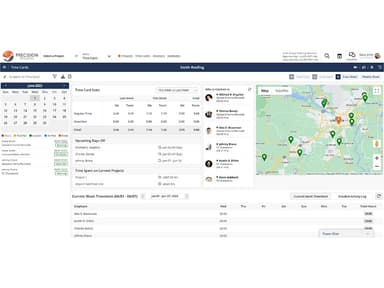
The software provides detailed equipment logs, allowing users to track machinery usage, maintenance schedules, and performance. This feature ensures optimal equipment utilization and longevity, reducing downtime and maintenance costs.
Cost Codes
With Contractor Foreman's cost codes, you can manage and categorize project expenses accurately. This feature provides detailed financial insights, helping construction professionals stay on budget and make informed financial decisions.
Safety Meetings
Conduct and log safety meetings efficiently with the Contractor Foreman. This feature ensures compliance with safety regulations, promotes a safe working environment, and keeps all safety-related information organized and accessible.
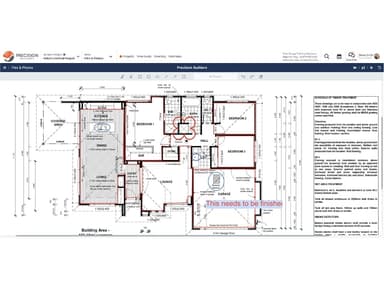
File Management
Contractor Foreman’s file management feature lets users effectively organize and manage project documents. All files are securely stored and easily accessible, ensuring critical information is always available when needed.
Unlimited Projects
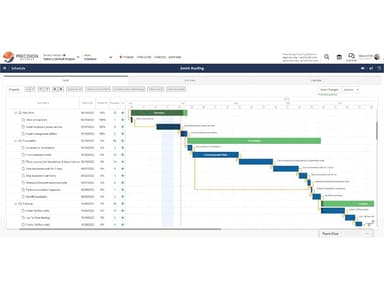
With Contractor Foreman, you can seamlessly handle unlimited projects. This feature allows construction professionals to manage multiple tasks, deadlines, and resources simultaneously, enhancing productivity and project management efficiency.
Pros And Cons of Contractor Foreman
Pros
User-friendly interface
Robust estimating tools
Excellent customer support
Seamless third-party integrations
Allows creation of templates
Cons
Sometimes, the directory doesn’t produce the required results as per user reviews
Limited document customization options once uploaded
Contractor Foreman Pricing
BasicIndividuals | StandardTeams | PlusTeams | ProTeams | UnlimitedTeams |
|---|---|---|---|---|
$49 per month | $79 per month | $125 per month | $166 per month | $249 per month |
|
|
|
|
|
Disclaimer: The pricing details were last updated on Sep 07, 2026 from the vendor's website. Please contact us for a tailored pricing list.
Contractor Foreman Reviews
Total 189 reviews
4.5
All reviews are from verified customers
Rating Distribution
5
Stars57%
4
Stars37%
3
Stars3%
2
Stars0%
1
Stars3%
Share your experience
Erica S.
Accounting, 11-50 employees
“Budget tracking that delivers”
Pros
Running a mid-sized contracting business, we use it to keep a close eye on project costs and make sure each job stays within budget. The QuickBooks integration works smoothly and the interface is very user-friendly. I've also relied on their webchat for random questions and it's been really handy. The reporting feature is another tool our project managers use a lot and find very valuable. These are just a few of the features we currently use but as our company grows, I'm sure we'll be taking advantage of even more of what it offers. Really solid product!
Cons
There are a few small issues worth mentioning. When entering several line items on an invoice, a line or two will occasionally disappear and has to be entered again. Adding an attachment can also make it look like two files were uploaded even when there was only one. Also, one of the tax settings seems to stop Contractor Foreman from syncing properly with QuickBooks.
Rating Distribution
Ease of use
9
Value for money
9
Customer Support
8
Functionality
9
Tristan H.
Construction, 1-10 employees
“solid construction management hub”
Pros
The estimating and job tracking tools are very useful and the QuickBooks integration is a big plus. It also does a nice job of keeping the whole team organized.
Cons
It takes a bit of time to learn everything completely. The mobile experience could be cleaner and the scheduling side still needs some improvement.
Rating Distribution
Ease of use
10
Value for money
10
Customer Support
10
Functionality
8
Keaton D.
Business Supplies and Equipment, 1-10 employees
“easy project control”
Pros
Having everything in one place was the best part and it made managing projects much more simple and organized.
Cons
parts of it can feel a little buggy and some tasks take more clicks than I'd prefer.
Rating Distribution
Ease of use
9
Value for money
10
Customer Support
10
Functionality
10
Frequently Asked Questions
What types of pricing plans does Contractor Foreman offer?
The software offers five pricing plans: Basic, Standard, Plus, Pro, and Unlimited. Each plan varies in features and cost. Users can also request custom Contractor Foreman pricing.
Does Contractor Foreman offer an API?
Yes, Contractor Foreman offers an API for integration with other software.
What other apps does Contractor Foreman integrate with?
Contractor Foreman integrates with QuickBooks, Dropbox, Google Calendar, and PlanGrid.
What language does Contractor Foreman support?
The software supports the English language.
Does Contractor Foreman support mobile devices?
Yes, Contractor Foreman supports mobile devices.
Who are the typical users of Contractor Foreman?
Typical users of Contractor Foreman include small to medium-sized commercial contractors, local government workers, and property management professionals.
What level of support does Contractor Foreman offer?
Contractor Foreman provides support via chat, email, phone, and a knowledge base, ensuring users have access to assistance when needed.