


Last Updated

Overview
Site Manager provides comprehensive construction project management, aiding in automating workflows and enhancing clarity across all operations. While some users note a lack of GST portal integration, its effective internal modules and transparent financial tracking capabilities make it an invaluable tool for streamlined project handling.


Site Manager Specifications
- Budget Management
- Project Planning and Scheduling
- Resource Allocation
- Document Management
What Is Site Manager?
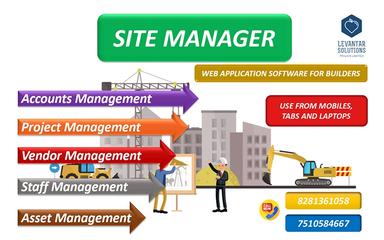
Site Manager is a web-based application specifically developed for construction firms to automate and enhance clarity in project management. It centralizes diverse operational aspects, offering powerful tools such as project estimation and budgeting for precise financial planning. Users can benefit from streamlined scheduling and daily task tracking, which significantly improves efficiency and oversight. The platform is designed to modernize conventional methods, providing comprehensive departmental management suitable for construction businesses of any scale.
Site Manager Pricing
The Site Manager pricing is custom based, meticulously tailored to align with the specific requirements and operational scale of each construction firm.
Site Manager Integrations
The software supports integration with multiple systems and platforms. However, details about these third-party applications are not publicly available.
Who Is Site Manager For?
Site Manager is ideally suited for a range of industries and sectors, including:
- Design
- Construction
- Fashion
Is Site Manager Right For You?
Site Manager is an excellent fit for firms seeking enhanced operational clarity and efficiency. Its comprehensive modules range from precise project estimation and budgeting to detailed staff and vendor management. Together, they provide a unified solution for overseeing all departmental functions within a construction business. The platform currently prioritizes internal system cohesion over extensive explicit external integrations. Its proven ability to streamline daily activities and provide clear financial insights makes it a compelling choice for builders seeking to digitally transform their operations and consolidate management tools.
Are you still not sure about Site Manager and need expert advice to make an informed decision? Reach out to us at (661) 384-7070 now.
Site Manager Features
Project Scheduling And Tracking
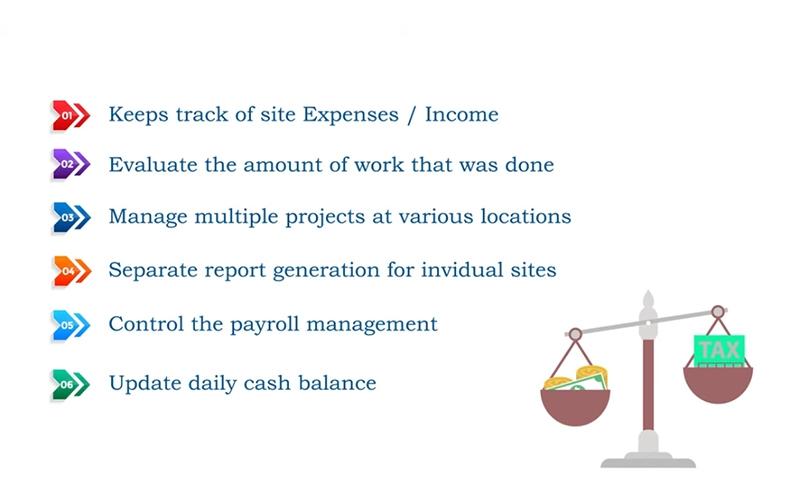
Effectively schedule projects by assigning daily tasks to various employees and receiving their daily reports directly within the platform. This feature supports progress tracking with file attachments as proof of work, enhancing clarity and accountability, ensuring projects remain on schedule and within scope.
Accounts Management
This module provides a clear, project-wise overview of financials, enabling users to effortlessly track estimated costs, income received, and expenses incurred. It offers immediate insights into profit and loss for different projects, centralizing financial data for improved decision-making and transparency across all operations.
Project Estimation And Budgeting
Site Manager facilitates detailed project estimation by allowing users to break down costs based on tasks, materials, and labor. This comprehensive budgeting capability ensures accurate financial planning from the outset, helping to prevent cost overruns and providing a solid foundation for project profitability and control.
Staff Management And Payroll
Manage labor across different sites by capturing their daily activities through project managers' logins. This module allows for mapping weekly or monthly payments against respective projects, enabling the generation of detailed salary reports project-wise, staff-wise, and across various time periods for efficient payroll processing.
Pros And Cons of Site Manager
Pros
Intuitive and easy-to-use functionalities
All-in-one solution for contractors
Transparent accounting and finance tools
Cons
Missing bill-wise records
No GST portal integration
Site Manager Reviews
Total 1 reviews
5
All reviews are from verified customers
Rating Distribution
5
Stars100%
4
Stars0%
3
Stars0%
2
Stars0%
1
Stars0%
Share your experience
Alyx S.
Construction, N/A employees
More than a year
“Reduced our burden”
Pros
It feels like having an extra supervisor or manager on site. It's all in one and a huge help for our contractors!
Cons
No complaints so far but maybe a few bugs here and there. Nothing major though.
Rating Distribution
Ease of use
10
Value for money
6
Customer Support
10
Functionality
8
Frequently Asked Questions
What language does Site Manager support?
The platform is primarily available in English.
What level of support does Site Manager offer?
The software offers a help desk, email, and phone support.
Does Site Manager offer an API?
No, Site Manager does not have an API.
What types of pricing plans does Site Manager offer?
The platform offers custom pricing, carefully tailored to match the unique needs and operational scale of each construction firm. You can also request a personalized Site Manager price quote now.
Who are the typical users of Site Manager?
Businesses across various industries, including fashion, design, and construction, benefit from Site Manager features.
Does Site Manager have a mobile application?
No, Site Manager does not have a mobile app.
What other apps does Site Manager integrate with?
The software seamlessly integrates with several third-party applications; however, details about these platforms are not publicly available.