


SmarteBuild

Claimed
Last Updated

Overview
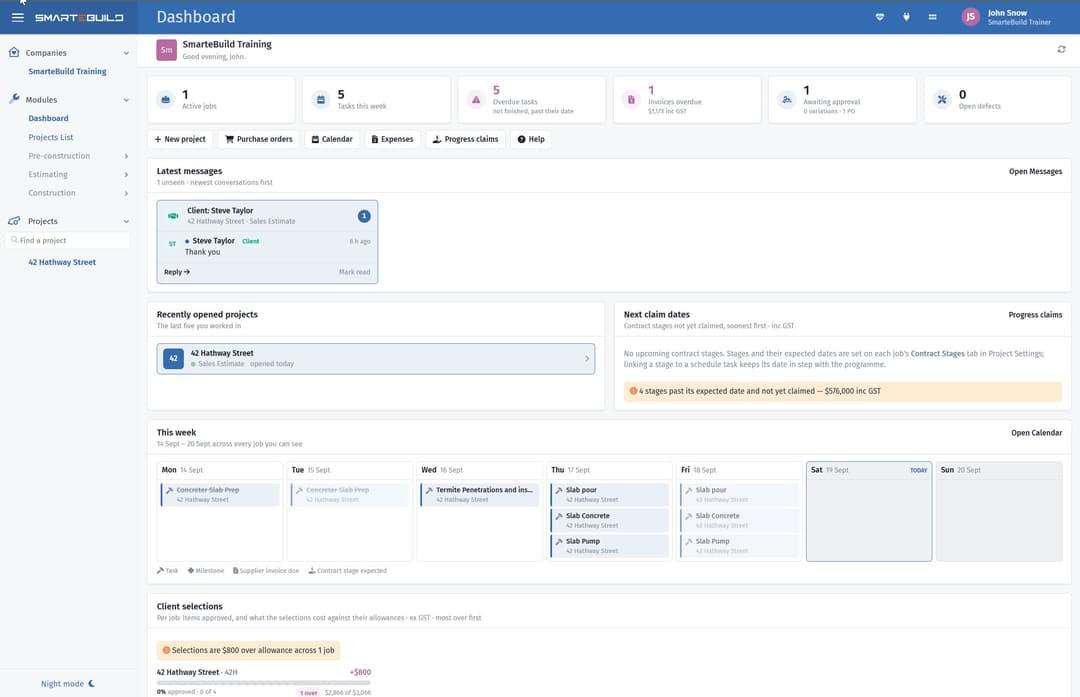
SmarteBuild compares committed and actual job costs against budgets to help builders check spending during construction. Although complex Excel files require external editing, its intuitive interface supports estimating and job administration. Overall, it suits Australian residential and small-commercial builders managing estimates and construction costs.
Be the first one to leave a review!
No review found

Starting Price
$189
per month
SmarteBuild Specifications
- Project Planning And Scheduling
- Budget Management
- Document Management
- Bid Management
What Is SmarteBuild?
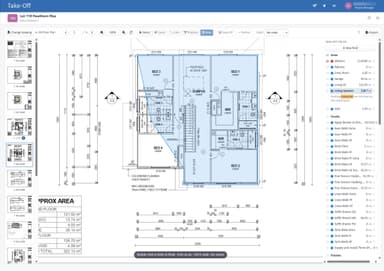
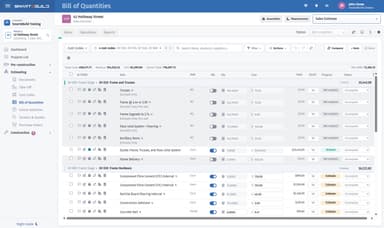
SmarteBuild is cloud-based estimating and construction management software for Australian residential and small-commercial builders. It supports the estimating process, from measuring PDF drawings or importing IFC building models to preparing bills of quantities and calculating job costs using price lists and supplier quotes. Builders can carry project information into procurement, scheduling, variations, and progress claims. The platform also includes tools for managing site records, documents, and client communication throughout a project.
What Is SmarteBuild Best For?
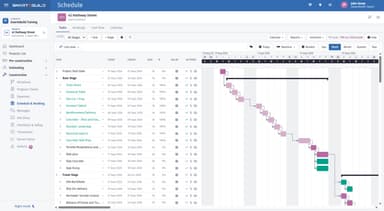
SmarteBuild stands out for its ‘Schedule & Gantt’ feature, which connects construction tasks through their dates, durations, and dependencies. Builders can start with a template or create tasks from the job’s cost codes. When a task moves in the Gantt chart, dependent tasks adjust to reflect the change. A saved baseline shows how many working days the job is ahead of or behind the original plan. This helps builders identify which trades need new dates and how far the completion date has moved from the original plan.
How Much Does SmarteBuild Cost?
SmarteBuild pricing starts at $189/month for the Estimator plan. It covers take-off, bills of quantities, cost codes, price lists, tenders, and quotes received. Other plans are:
- Builder: $379/month
- Developer: $689/month
- Enterprise: Custom Pricing
The vendor offers a 30-day free trial as well, but it excludes the Development module. Additionally, all prices include GST. Every plan has unlimited users and projects, with unlimited storage.
Disclaimer: The pricing is subject to change.
SmarteBuild Integrations
SmarteBuild supports integration with following accounting and email applications such as:
How Does SmarteBuild Work?
Log in to the system and follow the steps below to get started:
- Create project estimates using on-screen measurements of PDF drawings or imported IFC models from Revit and ArchiCAD
- Set up job pricing with custom price lists and cost codes to calculate estimated project costs
- Prepare tenders and supplier quotes to organize project pricing and collect quotations from suppliers
- Convert estimates into purchase orders to manage material and supplier procurement for each job
- Build project schedules with assigned trade activities and automated call-up emails to coordinate upcoming work
- Monitor job costs and variations against the original budget, including committed and actual expenses
- Record site activities such as daily diaries, timesheets, checklists, and defects using a mobile device
- Manage progress claims and handover while sharing project documents, selections, and claims with clients through the client portal
Who Is SmarteBuild For?
SmarteBuild primarily serves Australian residential and small-commercial builders, typically with teams of 3–15 people. Its users include:
- Estimators and quantity surveyors
- Trades pricing work for builders
- Property developers
- Building groups and franchises
SmarteBuild Use Cases
Our analysis of SmarteBuild features highlights the following situations where the software can be a suitable fit:
Estimators Comparing Subcontractor Quotes
Pricing a job gets harder when several subcontractors quote for the same work. SmarteBuild lets estimators send tender packages through its 'Tenders' module and compare returned prices side by side in 'Quotes Received'. Once a quote is chosen, its price can be added to the bill of quantities without typing it again.
Renovation Builders Recording Client Changes
SmarteBuild can help renovation builders with document changes requested during construction, such as replacing fittings or adding work. Its 'Variations' module records the change and its price for client approval. Approved amounts then update the contract sum and appear in progress claims, so the additional work is reflected in billing.
Site Supervisors Documenting Daily Events
Site supervisors can use SmarteBuild to document daily activity on each job. Its 'Site Diary' records site attendance, deliveries, and work delays. If a delivery date or delay is questioned later, the supervisor can check the entry for that day rather than rely on memory.
Builder-Developers Assessing A Potential Site
Before buying land for townhouses or units, a builder needs to compare expected sales with land and construction costs. SmarteBuild’s 'Development' module uses the job estimate to calculate projected profit and cash requirements. It also calculates the maximum land price that would meet the builder’s target margin, based on the figures entered.
Is SmarteBuild Right For You?
Are you looking for a system that carries a job from the estimate through ordering, scheduling, variations and claims, so nothing is re-entered, and every build stays on time and on budget? SmarteBuild may be the right for you. It can replace the spreadsheets and separate apps most builders juggle, and shows committed and actual costs against the budget on every job.
The platform was developed with input from Australian builders and teams from Queensland University of Technology.
Businesses operating across several companies can also share price lists and estimate templates, so branches use the same pricing references.
As more staff access these commercial records, administrators can restrict access to rates and margins. Project records are stored on local servers, and mobile-app transmissions use encrypted connections. Some third-party services process data outside the region, so businesses with strict data-location requirements should review those arrangements before purchasing.
Before adopting the software, builders can assess its suitability using their own project. The vendor provides a free take-off and bill of quantities for one residential or small-commercial job within two working days of receiving PDF drawings. Its October 2026 guides provide examples of managing task changes, purchasing deadlines, and drawing revisions, which businesses can compare with their current practices.
Still assessing whether SmarteBuild is the right fit? Contact us at (661) 384-7070 for further guidance.
SmarteBuild Features
Documents And Drawings
SmarteBuild tracks drawing revisions and marks which version is current without deleting earlier copies. When a revision is uploaded, it identifies recipients who received an older version, so staff can send an updated drawing. Numbered transmittals record what was issued, to whom, and when, with opening and receipt acknowledgements. Drawing-related questions can also be recorded as RFIs with written responses and due dates.
Procurement
This feature tracks material selections, orders, and deliveries for each job. SmarteBuild calculates deadlines for task-linked items from construction dates and supplier lead times, then updates them when those dates change. It flags overdue choices, unplaced orders, and deliveries expected after materials are needed. Linked items are marked as ordered when their purchase orders are sent.
Timesheets
Workers can use SmartebBuild to record their hours against each job from their phones. These entries remain editable drafts until reviewed and approved. The software then multiplies approved hours by each person’s rate and adds the labor cost to the relevant job. This helps builders check labor spending across projects.
Checklists And Safety
SmarteBuild supports site inspections through reusable checklist templates created on the desktop. It lets site teams complete checks and report safety incidents from their phones. Each inspection records the answers, photos, signature, and completion time. This gives builders a record of completed checks and incident follow-up.
Defects And Handover
Builders can record a defect’s location, add photos, and assign a responsible supplier in SmarteBuild. The defect list can be grouped by room or supplier to review outstanding repairs. Suppliers receive an email link to report completed work or dispute an item without logging in. The builder reviews each response before marking the defect as fixed. Completed repairs remain on the list for reference at handover.
Pros And Cons of SmarteBuild
Pros
Saves time by carrying estimate details into orders
Keeps office and site staff informed through shared job records
Makes labor spending easier to compare across jobs
Cons
Lacks offline mode for low connectivity
Occasional minor bugs can affect data saving reliability
SmarteBuild Pricing
Estimator | BuilderAUD inc GST, unlimited users. A$3,790 a year | DeveloperAUD inc GST, unlimited users. A$6,890 a year | Enterprise |
|---|---|---|---|
$189 per month | $379 per month | $689 per month | Custom Pricing |
|
|
|
|
Disclaimer: The pricing details were last updated on Oct 09, 2026 from the vendor's website. Please contact us for a tailored pricing list.
SmarteBuild Reviews

No reviews yet!
Be the first to review this product
Frequently Asked Questions
Is SmarteBuild cloud-based?
Yes. SmarteBuild is cloud-based software that runs in a web browser on desktops, laptops, tablets, and phones without requiring a local desktop installation.
How does SmarteBuild connect take-off quantities with construction estimates?
SmarteBuild connects measurements from PDF drawings to the bill of quantities through take-off fields. Its estimate formulas use these fields to calculate item quantities. When an estimator adjusts a linked measurement, the quantities update without manual re-entry.
Can businesses manage multiple companies through one SmarteBuild account?
Yes. SmarteBuild’s Enterprise plan lets businesses access multiple companies through one login. Users can switch between company dashboards, share price and supplier lists across branches, and restrict staff access to the companies they need.
Can administrators restrict access to rates and profit margins in SmarteBuild?
Yes. SmarteBuild provides an app for Android phones and tablets. Site teams can record diary entries, photograph defects, complete checklists, and log working hours using their existing login.
Does SmarteBuild provide a mobile app for site teams?
Yes. SmarteBuild provides a mobile app for site teams on Android phones and tablets. It lets staff record diary entries, log defects with photos, complete checklists, and record working hours using their existing SmarteBuild login.